Personal Trainer Website: What to Build and What to Skip
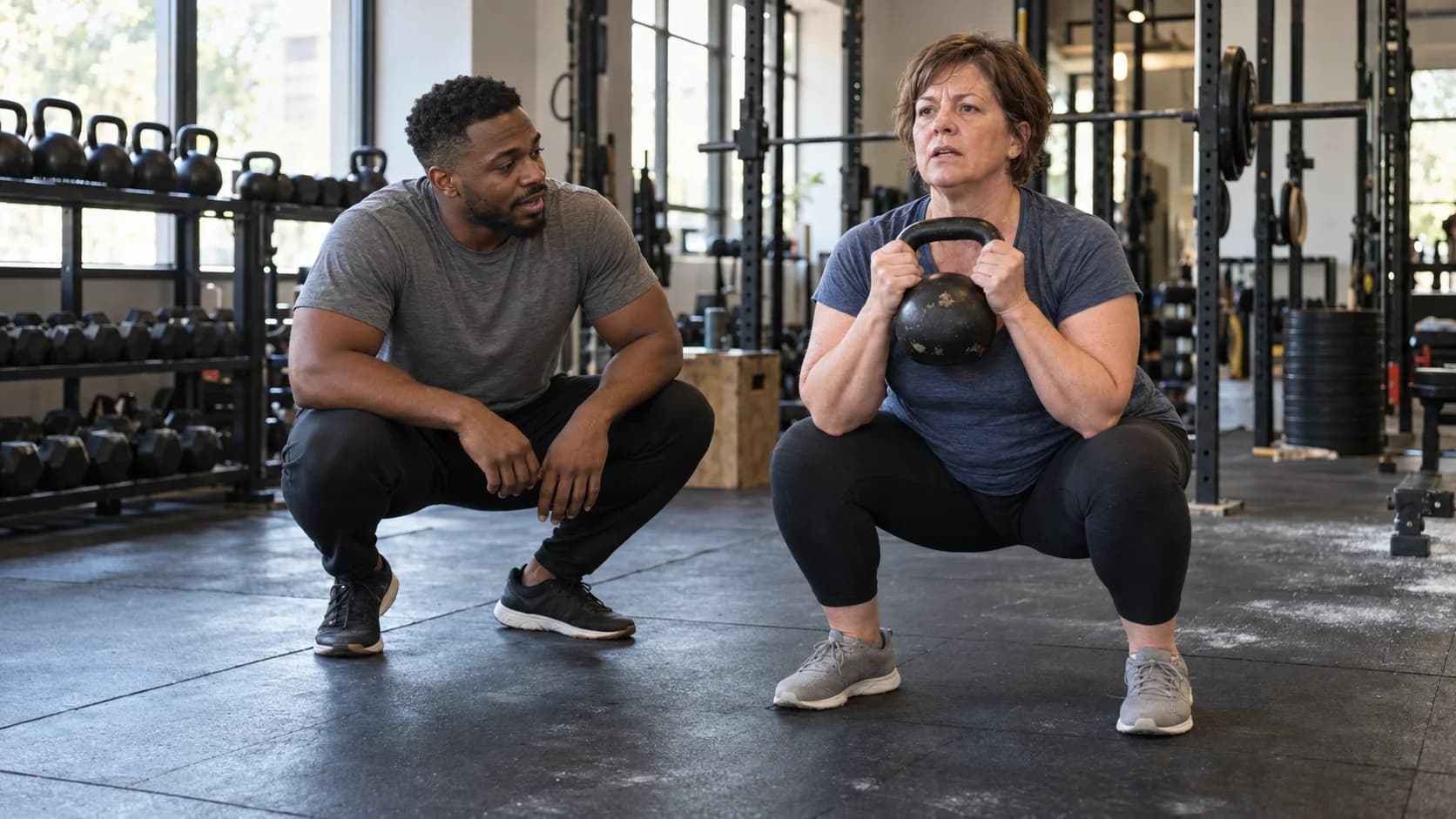
Your personal trainer website depends on one question: do clients come to you, or do you train them online? A local trainer's site is mostly about trust and logistics (where, when, who you work with, how to book a first session). An online personal trainer website has to do more selling, because the visitor can't watch you coach on the gym floor; it needs to show your method, what the app or check-ins look like and exactly what a month costs.
This guide covers both, with the pages to build, a written-out homepage for a strength coach, how to show packages, local search basics and the path from first click to first session. If you'd rather keep your hours for clients, Coachful's team builds fitness coach websites for free on any plan. Fill in a short form and they build it in your account.
In-person, online or both: what changes on the site
| Element | In-person trainer | Online personal trainer |
|---|---|---|
| Headline | Names the area and the client: "Strength training for adults over 40 in East Austin" | Names the client and the result: "Stronger in three hours a week, wherever you train" |
| First step | A free consult or a paid first session at the gym | A short call or an application form |
| Proof | Local reviews, photos at your gym, certifications | Client results over months, a look at the program and check-ins |
| Pricing | Session packs and memberships | Monthly coaching tiers, often with and without live calls |
| Must answer | Where, parking, hours, what to bring | How workouts are delivered, how often you check in, what equipment is needed |
| Found through | Google Maps, referrals, the gym front desk | Instagram, YouTube, podcasts, search |
Hybrid trainers (in person for locals, online for everyone else) should pick the one they want to grow and lead with it, then give the other its own page. A homepage that tries to say both in one headline says neither.
The pages a personal trainer website needs
Must have:
- Home: who you train, the result, the first step.
- Programs or services: each way to work with you, with format, frequency and price or starting price.
- About: your training background, certifications and why you coach the people you coach.
- Book or apply: a consult booking or a short application.
Nice to have:
- Results: real client stories with permission. Progress photos only if the client is happy to share them.
- FAQ: "I've never lifted before", "What if I travel?", "Do I need a gym membership?"
- Location page for in-person trainers: address, map, parking, opening hours.
- Free resource: a 4-week beginner plan, a home workout, a mobility routine. Good for growing an email list.
Sample homepage: a strength coach for busy adults
Here's a full homepage for a fictional online strength coach who works with time-poor adults. It's split into the three parts of the scroll.
Above the fold
- Nav: Method, Programs, Coach, FAQ, and a "Book a consult" button.
- Eyebrow: "Strength and conditioning coach."
- Headline: "Stronger in three hours a week."
- Sub-line: "Coaching for adults with full calendars. Three focused sessions a week, a plan that bends when work does, and lifts that keep going up."
- Buttons: "Start training" (to the program) and "See programs".
The middle
- A facts band: "3 sessions a week · 45 minutes each · retested every 4 weeks". Concrete numbers about the program, not about you.
- Who it's for: "You've joined three gyms and quit them all by March. Your program was written for someone with two free hours a day."
- The method: four steps (assessment, a written plan, weekly check-ins, a retest every four weeks).
- What you get: the training plan in an app, form-check videos, a weekly check-in, and messaging on weekdays.
- Programs: two or three tiers, such as "App plan with monthly review" and "Full coaching with weekly calls".
The bottom
- Results: two client stories with numbers they're happy to share ("first pull-up at 51").
- About the coach: a photo of you coaching, three lines and your certifications.
- FAQ: beginners, injuries (with a "check with your doctor" line), travel, equipment.
- Closing: "Your next three hours could be the first ones that count." Button: "Book a consult".

The design above is Kinetic, a Coachful homepage template drawn for fitness, performance and sports coaches: dark, bold and fast, with giant type and a moving ticker. The sample coach is fictional; when you use the template, your name, offers and booking link replace theirs.
How to show packages and prices
Fitness clients compare prices more than most coaching clients do, partly because gyms publish theirs. Hiding your price completely tends to cost you inquiries. Some practical rules:
- In person: show session packs (for example 4, 8 and 12 sessions) with the per-session price falling as the pack grows. Add an expiry date for each pack so sessions don't sit unused for a year.
- Online: two or three monthly tiers that differ by how much of you they get, such as app-only programming versus programming plus live calls. This guide to pricing app-only and live-call tiers walks through the maths.
- Commitment: if you require a minimum (three months is common), say so on the pricing card, not in the small print.
- First step: make the consult or assessment price obvious, even if it's free.
On Coachful, packages can be one-time payments, subscriptions or payment plans, paid into your own Stripe account with a 0% Coachful platform fee. Paid sessions and session credits can be sold right at booking.
Getting found locally as an in-person trainer
If your clients live within a 20-minute drive, your website and your Google Business Profile work as a pair. Set up the profile with your service area, hours and photos, link it to your site and ask happy clients for reviews. This 7-step Google Business Profile guide for coaches covers the setup.
On the site itself, mention your neighborhood or city in the homepage headline or sub-line, put your address and a map on a location page, and keep your business name, address and phone the same everywhere. That consistency matters more than any clever wording.

From click to first session: the trainer's booking flow
- Book a consult or apply. A 15 to 20-minute call, or a short application with goals, training history and availability.
- Readiness questions. Before any training starts, send a short health and readiness questionnaire (injuries, conditions, medications to discuss with a doctor). Keep it on file.
- Agreement and payment. A clear agreement covering cancellations and the commitment, signed online, then payment.
- Welcome and setup. The client gets the app, their first week of workouts and a time for the first session or check-in.
- Reminders. Session reminders by email, text or WhatsApp cut down on missed sessions.
Coachful handles each of these in one account: booking with two-way Google, Apple and Outlook calendar sync, forms, agreements with e-signature, payments and reminders. For training delivery there's the Fitness & Nutrition power-up, with a workout builder and exercise library (supersets, circuits, AMRAP, EMOM and intervals), client workout logging with set history, nutrition targets and meal plans, and private progress photos and measurements, all in the client app on iPhone and Android. More on that in how Coachful works for fitness coaches, and if you're moving existing clients online, this guide on moving in-person clients online helps.

Pulse, above, is a sample template for running and endurance coaches with a race-day pace table in the hero. Summit, below, was drawn for outdoor, resilience and adventure coaches. Both show how much a niche-specific design can say before anyone reads a word.

Have our team build your personal trainer website for free
Coachful's team builds websites for free on every plan. Coachful is a paid subscription (with a free trial to start), and the build costs nothing on top of it. People on our team do the work, inside your account.
Where to ask: open Create and tap the first chip, We'll build it for you · FREE. It's also on the Website and Funnels pages as the "Want us to build it for you?" card with a Fill in a form button.

What the form asks: which pages to create or improve; what they should do (book calls, collect leads, sell an offer, deliver a resource); what visitors should do after landing; up to 8 links to sites you like or your current site; branding, copy, images or offers to include with up to 10 files (logo, photos, screenshots, documents, audio, but no video files); and anything broken or unfinished. For a trainer, the useful extras are your packages and prices, whether you train in person or online, a few photos of you coaching, and whether new clients book a consult or apply.
What happens next: the team replies by email with next steps, usually within about 24 hours, which is a typical turnaround rather than a promised deadline. Everything is built in your own Coachful account, so you can change prices, photos and words yourself later.
What recent builds looked like: a business mentor who sells on Instagram got a sales page and checkout for a 12-week mentorship, a free start-up-guide funnel that now leads into the sales page, and rewritten follow-up emails, with the design taken from the coach's own free guide PDF. A leadership coach up against a Squarespace renewal got a single mobile-friendly homepage with one repeated call to action. The same approach suits a trainer's site: one clear path, built from what you already have.
The fine print: nothing gets invented (no fake transformations, testimonials or prices; gaps are left for you to fill). The team doesn't film your exercise videos, design a logo, run ads or manage your marketing. Here's everything the free build covers, and if you'd also like your training plan built as a program, see how to create an online fitness coaching program.
Frequently asked questions
What should a personal trainer website include?
A homepage naming who you train and the result, a programs page with format and pricing, an About page with certifications, and a booking or application page. Add results, an FAQ, a location page if you train in person and a free resource to build an email list.
What's the difference between a fitness coach website and a personal trainer website?
Mostly the delivery. Personal trainer sites often focus on in-person sessions, location and session packs. Fitness coach websites tend to sell online coaching: monthly tiers, app-based programming and check-ins. The page structure is similar; the proof and pricing differ.
Should personal trainers put prices on their website?
Usually yes, or at least a starting price. Fitness clients compare prices with gyms and other trainers, and a clear price filters out poor fits before the consult. For high-touch online coaching, a starting price plus an application works well.
Will Coachful build my personal trainer website for free?
Yes. The build service is free on every Coachful plan; Coachful itself is a paid subscription. Send the website form with your services, prices, photos and links, and the team replies by email with next steps, usually within about 24 hours.
How do online personal trainers get clients from their website?
Traffic usually comes from Instagram, YouTube or search, lands on a clear homepage or a free resource, and moves to a consult call or application. A short email series after a free workout plan, then an invitation to apply, is a common and steady path.
Can I deliver workouts through the same platform as my website?
On Coachful, yes. The website, booking, payments and the Fitness & Nutrition power-up (workout builder, logging, nutrition targets and progress photos) share one account, and clients use the branded app on iPhone or Android. See the fitness coaching software comparison for how other tools handle it.
Last thing: film one short video of you coaching a real session (with your client's permission) and put it near the top of the page. Nobody hires a trainer from a paragraph.