Digital Vision Board: 6 Ways to Make One That Sticks
A digital vision board is a vision board you build and keep on a screen: a slide, a design file, a pin board, a canvas app, a phone lock screen, or a board inside your coach's client app. You make it the same way as a paper one, with a few life areas, a sentence for each, images and words that match, and a first step under each area. The difference is that a digital board is quick to update, travels in your pocket, and can sit right next to your goals and habits instead of on a wall you stop noticing.
This guide compares six ways to make a digital vision board, walks through a build in a slide tool step by step, gives you the right sizes for a phone or desktop background, and covers privacy. The last section is for coaches who want clients to keep a board inside the same app as their sessions.
Six ways to make a digital vision board
Pick by one question: where will you actually see it? A beautiful board in a folder does less than a plain one on your lock screen.
| Way | Examples (named, not endorsed) | Good for | Watch out for |
|---|---|---|---|
| 1. Slides | Google Slides, PowerPoint, Keynote | Simple layouts, quick edits, exporting a wallpaper | Basic design tools; it lives in a file unless you export it |
| 2. Design app with templates | Canva and similar | Polished results, ready-made layouts and fonts | Easy to spend an hour on fonts and none on goals |
| 3. Pin board | Collecting lots of images fast | Endless scrolling; boards may be visible to others unless you change the setting | |
| 4. Canvas or whiteboard app | Milanote, Miro | Free-form layouts with notes, links and images side by side | Built for projects and teams, so personal boards can feel like work |
| 5. Phone lock screen or widget | Your phone's photo and wallpaper settings | Seeing it many times a day | Only one small image at a time; it fades into the background within weeks |
| 6. A board in your coach's client app | Coachful's Vision Board | Linking the board to goals, habits, check-ins and sessions | Only available through a coach who uses the app |
Most people do well with a combination: build the full board in one place (a slide, a design app or a coaching app), then export one area at a time as a phone background and change it every month.
How to make a digital vision board in slides, step by step
A slide tool is the simplest option most people already have. The same steps work in a design app.
- Write the plan first. In a note, list three to five life areas (our guide to the Wheel of Life helps you choose them), one present-tense sentence for each ("I walk 30 minutes before work five days a week"), and the end date. Our guide on how to make a vision board includes a template for this.
- Set the page size. Use 16:9 for a desktop background or a printed board, or 9:16 for a phone lock screen (see the sizes table below).
- Choose a background. A plain light color keeps images readable. Save the dramatic photo for the center.
- Lay out the areas. Draw a box or quadrant for each area and a small text label at the top. Put your theme word or year in the middle.
- Add images. Use your own photos where you can, plus free photo libraries for the rest. For each area, add one image of the result and one of the everyday action. Check the license if you plan to share the board publicly.
- Add words. Paste your sentence for each area in a short, readable font. Add the end date somewhere obvious.
- Add a "this week" strip. A thin bar along the bottom with one step per area. Edit it every Sunday.
- Export and place it. Download the slide as an image, set it as your desktop or phone background, and add a recurring two-minute "board check" to your calendar.
Digital vision board sizes for phone, desktop and print
| Where it goes | Shape | A common size to start from | Layout tip |
|---|---|---|---|
| Phone lock screen | Tall, 9:16 | 1080 x 1920 pixels | Keep the top third clear for the clock; one area per wallpaper |
| Desktop background | Wide, 16:9 | 1920 x 1080 pixels | Leave the left edge clear if your icons sit there |
| Tablet | Close to 4:3 | Use your slide tool's tablet preset | Room for all areas at once |
| Printed board | Letter, A4 or larger | Export at high quality | Use large text; print one page per area if the printer is small |
Phones vary, so treat these as starting points and check how the image crops before you commit.
How to keep a digital vision board from disappearing
The risk with a digital board is the opposite of a paper one: it is easy to make and easy to forget, buried in an app among a hundred other files. A few habits help.
- Look on purpose. Two minutes each morning: pick one area, picture the next step in detail, name the obstacle most likely to get in the way and decide what you will do when it shows up.
- Review weekly. Ten minutes on Sunday to tick off steps, write new ones and swap images that no longer pull at you.
- Rotate your wallpaper. Change the lock screen to a different area each month so you keep noticing it.
- Track the steps somewhere you will tick them. A habit tracker or a goal in an app makes progress visible.
- Tell someone. A friend, an accountability partner or a coach.
There is no study we could find that compares digital and paper vision boards. The research on goal pursuit points the same way for both, though. A meta-analysis of 21 studies found that picturing a wish, naming the inner obstacle and making an if-then plan improved goal attainment, with a small to medium effect (Wang, Wang and Gai, 2021), and a meta-analysis of 138 randomized studies found that monitoring progress improved goal attainment, more so when the progress was recorded or reported to others (Harkin and colleagues, 2016). A digital board is simply an easy place to do both.

Digital or paper vision board?
| Digital board | Paper board | |
|---|---|---|
| Making it | Fast, no materials, endless images | Slower, which some people find more reflective |
| Updating it | Seconds | Glue and scissors |
| Seeing it | On every screen you own, if you set it up | Only where it hangs |
| Sharing it | Easy, which is a risk as well as a benefit | Only with people who visit |
| Linking it to goals | Possible in apps with goals and habits | Separate notebook or tracker |
If you love the ritual of cutting and gluing, make the paper board and photograph it for your phone. That gives you both. For content to put on either kind, see our list of vision board ideas.
Privacy: who can see your digital vision board?
A vision board can hold things you would not post: a salary target, a relationship hope, a health goal. Before you build, check where the file lives and who it is shared with. On social and pin-board platforms, boards can be visible to other people depending on your settings. In shared drives, check the folder's sharing rules. In a coaching app, ask your coach what they can see. In Coachful, a client's own copy of a board is private to the client, as the next section explains.
Digital vision boards for coaches and their clients
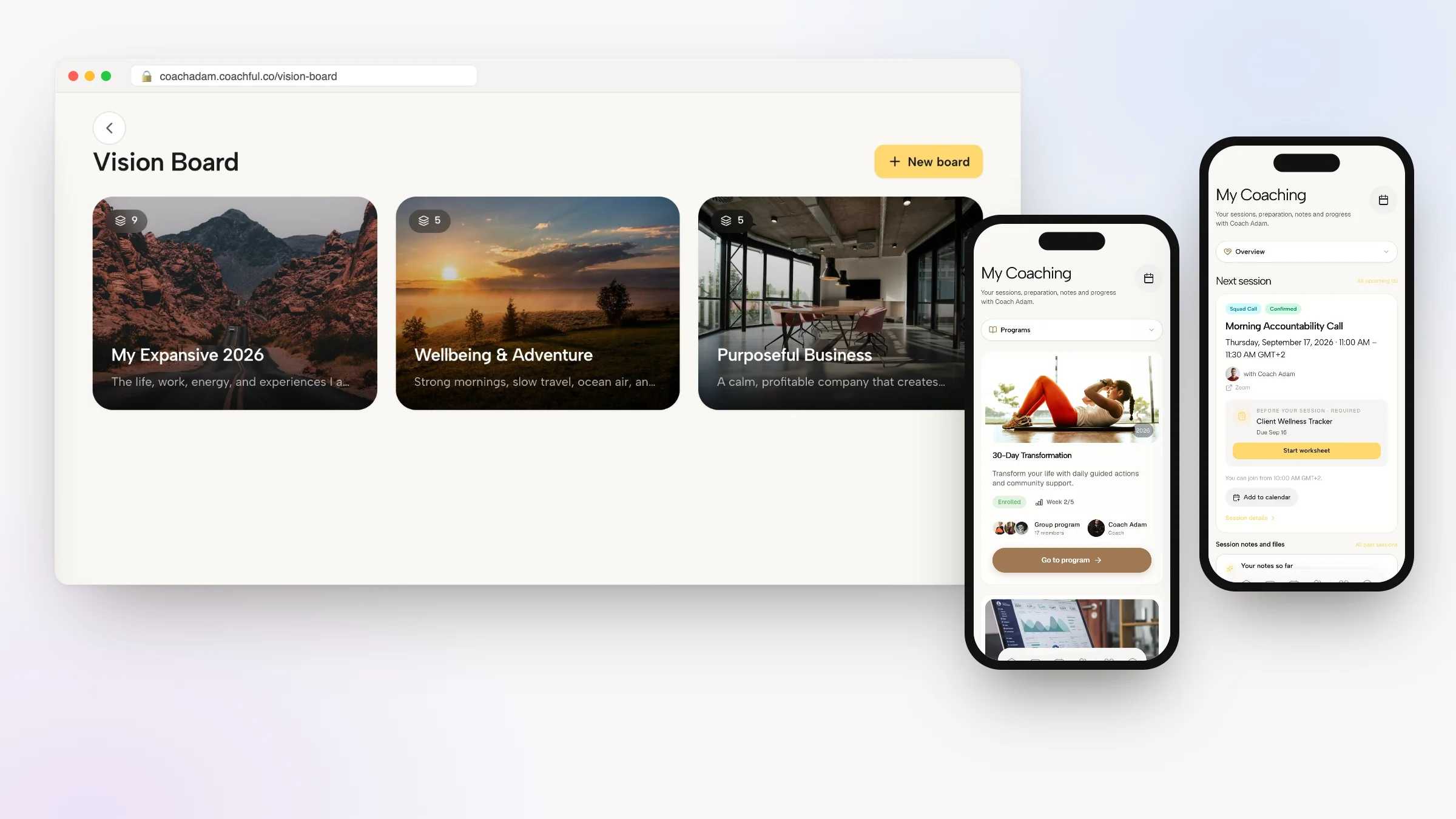
If you coach, a board inside your coaching app means the client's vision sits in the same place as their goals, habits, sessions and messages, so you can refer to it without asking them to dig out a file. Coachful has one built into its client app on iPhone, Android and the web.
What a Coachful board can hold
- Images, uploaded or pasted from a link.
- Videos, uploaded or embedded from a YouTube link.
- Text blocks with fonts, sizes and colors, and colored cards with a title and body.
- Pen and highlighter drawing on top of everything.
- A background color or image for the canvas.
- Background music for the board, from an uploaded song or a YouTube link.
The canvas is open-ended: zoom in and out, fit everything to the screen, move, resize, layer, duplicate and paste items, and undo or redo changes.

How it works with clients
You build a board template under Create > Resources > Vision boards and send it to one or many clients. Each client gets a private copy linked to your template. Their copy is not readable through the coach side of the app, so clients can put honest things on it; you see that they have the board, and they can share their screen in a session if they want to talk about it. Clients can also start boards of their own from My Content.

To keep the board in front of the client between sessions:
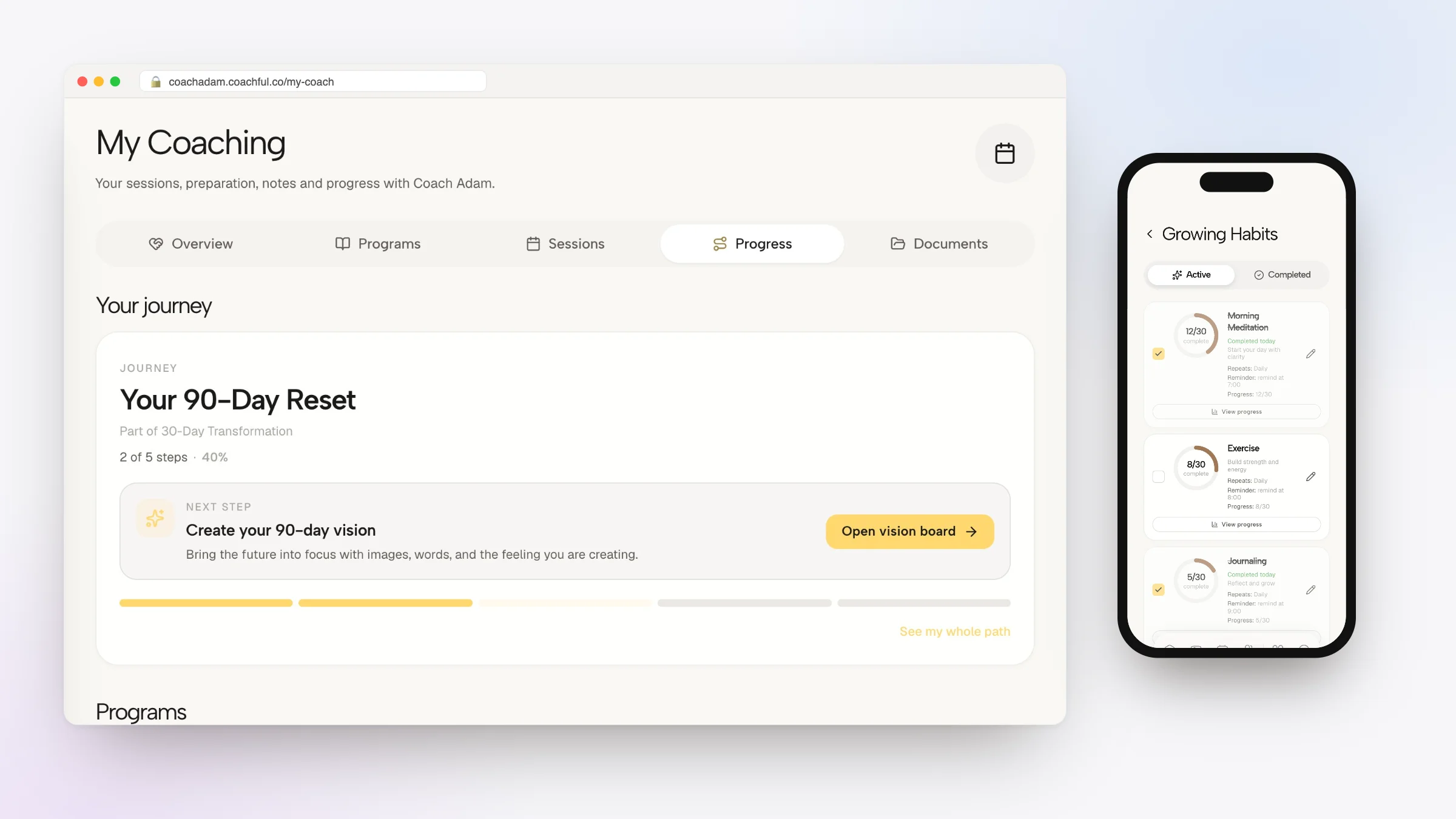
- Add it to a journey or program week so it appears as a task on the right day, as in the demo journey below.
- Show it on the client's home screen with a Vision board card, set to a template you choose or the client's latest board.
- Put it in a check-in. A manifestation step in a morning check-in can show the client their own board for a set number of seconds before Continue unlocks.
- Teach over it. Coachful Studio's Vision Board lesson format records you talking through a board with your camera alongside, so you can explain the exercise once and reuse the video.
- Sell or include a template. A board template can be priced on its own, or included in a program or offer.


Coaches also get a private Vision Board workspace of their own, reached from Search, and a Vision board card for their Home dashboard. If you coach life and mindset clients, the Life & Mindset power-up adds a starter board template with six prompt cards that you can edit. Our guide to goal setting in coaching shows how to turn each area of a board into a goal, and our pages for life coaches and the Coachful client app cover the rest of the platform.

Have the board set up for you
If you would rather hand this off, the Coachful team will build your vision board templates, and the journey or check-in that delivers them, inside your account at no extra cost through the free white-glove service. Pick We'll build it for you on the Create page and describe what you need; the team replies by email, usually within about 24 hours. To run boards with a group, see our plan for a vision board workshop.

Frequently asked questions
What is a digital vision board?
It is a vision board made and kept on a screen instead of paper: a slide, a design file, a pin board, a canvas app, a phone wallpaper or a board in a coaching app. It holds the same things as a paper board, images and words for a few life areas, and is easier to update and carry.
What is the best app for a digital vision board?
The best one is the one you will open. Slide tools are simple and familiar, design apps give polished layouts, pin boards are fast for collecting images, and canvas apps suit free-form layouts. If you work with a coach on Coachful, a board in the client app sits next to your goals and habits.
Can I make a digital vision board for free?
Yes. Most slide tools and phone photo apps let you build and export a board at no cost, and many design apps have free tiers. Use your own photos and free image libraries, and check image licenses if you plan to share the board publicly.
How do I make my vision board my phone wallpaper?
Build the board in a tall 9:16 format (1080 x 1920 pixels is a common starting size), keep the top third clear for the clock, export it as an image, then set it as your lock screen in your phone's wallpaper settings. Rotate a different life area each month.
Is a digital vision board as good as a physical one?
We found no study comparing the two. What matters is how you use it: specific sentences, images of action as well as results, a named obstacle and a plan, and recording progress. Choose the format you will look at most often.
Can my coach see my digital vision board?
It depends on the app. In Coachful, when a coach sends a board template, each client edits a private copy that the coach side of the app does not read. You can share your screen in a session if you want to talk it through.
Can Coachful set up digital vision boards for my coaching clients?
Yes. The free white-glove service builds board templates and the journey, program week or check-in that delivers them, inside your own Coachful account. Ask from We'll build it for you on the Create page.