10 Meeting Notes Software Options for Coaches

Coachful
A session ends with a breakthrough. Your client finally names the pattern they've been avoiding, agrees to a concrete next step, and leaves with more clarity than they arrived with. Then you open your laptop and face the less inspiring work: reconstructing what happened, recording private observations, assigning follow-up tasks, and preparing enough context for the next meeting.
The right meeting notes software should give you that attention back without flattening the human part of coaching. A transcript alone won't tell you which insight matters, which commitment needs a reminder, or what should stay private. You need usable templates, searchable history, action tracking, integrations, permission controls, consent-friendly capture, and pricing you can understand before your practice grows.
This list compares focused AI notetakers with broader coaching platforms. You'll see where each tool works well, where it creates friction, and how the workflow feels from session preparation through follow-up. For example, a discussion about a client's leadership goal should become more than a polished recap. It might become a documented milestone, a task for the client, a reminder for you, and a progress record you can revisit before the next call.
If you're also trying to reduce admin around professional networking, these tools to boost LinkedIn efficiency can complement a better coaching workflow. The comparison starts with Coachful, which connects notes to the rest of the client journey rather than treating documentation as a separate destination.
1. Coachful
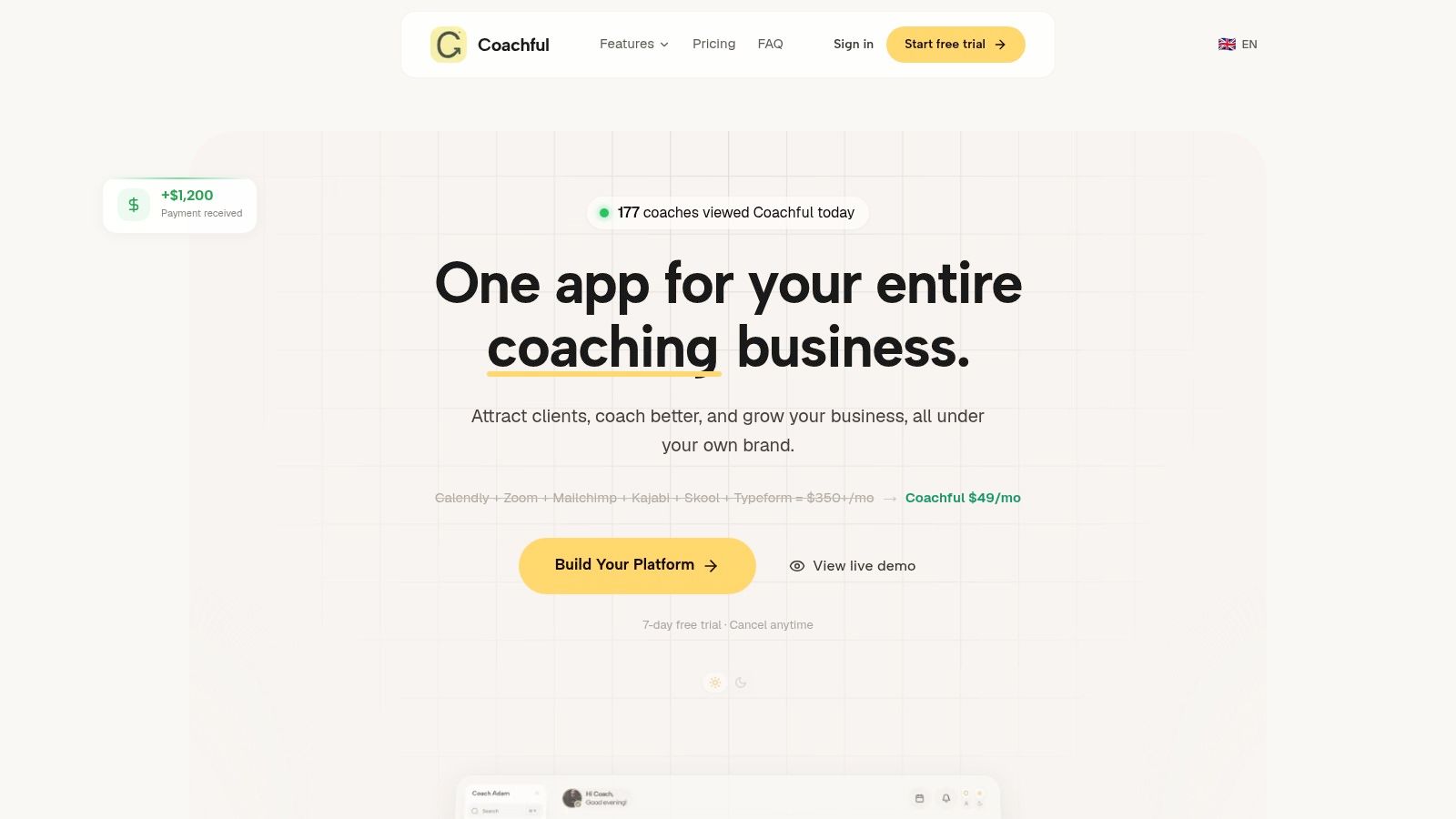
A client agrees to revise an offer during your session. Afterward, you need the commitment recorded, a reminder scheduled, and enough context available before the next call. Coachful handles that follow-through as part of an all-in-one, white-label coaching platform, rather than limiting notes to a transcript and summary.
The platform connects session notes with scheduling, video, messaging, programs, payments, websites, funnels, communities, and client accountability. Its client-profile Notes tab keeps session notes, private observations, and reminders in chronological order. That reduces the need to search through separate documents when preparing for a returning client.
Where Coachful earns its place
Coachful's AI assistant, Michelle, can summarize calls and create follow-up tasks. Coaches can train the assistant on their content or voice, which may help with check-ins and client questions between sessions. That is useful when the value of a meeting depends on continued practice, not on storing a polished recap.
Automated program delivery covers drip lessons, tasks, resources, and reminders. Progress tracking includes goals, habits, streaks, and engagement dashboards. Coaching schools and small teams can also manage cohort programs, gated content, community feeds, and branded websites under one identity.
Coaching test: If your note says “client will send revised pricing,” can the system remind the client, show whether it happened, and preserve the context for your next conversation?
Trade-offs and pricing
Coachful presents itself as an alternative to combining Calendly, Zoom, Mailchimp, Kajabi, Skool, and Typeform. Its Lite plan starts at $29 per month, while fuller plans start at about $49 per month, with annual discounts and a free trial available, according to Coachful's platform information.
The vendor also reports 1,341+ coaches onboarded and a 4.6 out of 5 Trustpilot rating from 25 reviews. Treat those as vendor-presented figures and confirm current details before buying.
The main trade-off is setup. Replacing familiar tools requires migration, workflow decisions, and a careful review of privacy and AI data controls. The Lite tier limits client or community capacity, so a growing practice may need to upgrade.
Best for: Coaches who want notes connected to programs, accountability, payments, scheduling, branding, and client progress.
2. Fellow
Fellow suits coaches and team leaders who want meeting structure before meeting automation. Its AI Note Taker records, transcribes, summarizes, and extracts action items across Zoom, Google Meet, and Microsoft Teams, but the more distinctive layer is collaborative agenda management.
For a recurring executive coaching engagement, you can prepare an agenda around the client's previous commitments, current obstacles, and one decision that needs attention. During or after the session, Fellow's structured output can preserve the discussion and assign the next step. Templates for 1:1s, coaching conversations, and project reviews help prevent every note from becoming a blank page.
What works for recurring coaching
Fellow is particularly useful when several people share responsibility for follow-up. A coaching lead might own the session, an assistant might coordinate reminders, and a program manager might monitor whether agreed actions are moving. Meeting analytics, action tracking, and collaborative agendas provide more operational structure than a simple transcript library.
Its enterprise controls, including SSO and SCIM, are relevant to coaching organizations with formal access requirements. They're less important for a solo coach who only needs private notes and a reliable personal workflow.
The main objection is visible capture. Fellow's AI notetaker joins as a bot, and some clients may find that distracting or too impersonal during sensitive conversations. You'll need a clear consent habit and a client-friendly explanation of what's recorded, where it's stored, and who can access it.
Public pricing isn't shown inline on Fellow's help articles, so check the Fellow website and pricing page for current terms rather than assuming a fixed cost.
Best for: Coaching teams that need agendas, structured follow-up, governance, and recurring meeting discipline.
3. Otter.ai
Otter.ai is a practical choice when live transcription and broad platform coverage matter most. It works across Zoom, Google Meet, and Microsoft Teams, with speaker identification, AI summaries, searchable notes, and desktop and mobile apps.
That makes it useful for a coach who runs a high volume of discovery calls, group sessions, or internal supervision meetings. You can search for a phrase later, review what a client said about a goal, and pull out action items without relying entirely on memory. Higher tiers add team administration, activity logs, usage analytics, and integrations such as Salesforce, HubSpot, and Zapier.
Where the workflow stops
Otter is a strong capture layer, but it isn't a coaching practice-management system. If a client agrees to complete a reflection before the next session, you may still need to transfer that commitment into your task system, client portal, or program workspace.
That extra handoff is manageable when transcription is your main problem. It becomes frustrating when you're trying to connect notes with milestones, payments, program access, or ongoing accountability.
For coaches comparing storage and access, review where coaching call recordings are stored and how to access them before deciding where your permanent client record should live. Otter's advanced integrations and workflows are gated to higher tiers, and HIPAA compliance is available only as an Enterprise add-on, according to its product information at Otter.ai.
A session with sensitive leadership feedback also deserves human review. Verify names, dates, commitments, and emotionally important wording before a transcript becomes part of the client record.
Best for: Coaches who prioritize real-time transcription, searchable conversations, and multi-platform capture.
4. Fireflies.ai
Fireflies.ai takes a broad approach to meeting intelligence. It records, transcribes, and summarizes meetings in 100+ languages, with bot-based capture and bot-less capture through a Chrome extension. Its conversation intelligence, analytics, integrations, and API make it more suitable for practices that want meeting data to flow into other business systems.
A business coach working with a sales leadership team might use Fireflies to track recurring themes across client conversations, identify agreed actions, and send selected information into a CRM. A solo life coach may find that capability excessive if the primary need is a private, well-organized session note.
Bot flexibility helps, but doesn't remove the policy question
The Chrome extension gives you an alternative to inviting a visible bot into every call. That can improve the client experience, especially when you're discussing confidential performance issues or personal decisions. It doesn't eliminate the need for consent, retention rules, or a clear decision about whether raw recordings should be kept.
Fireflies promotes unlimited transcription and summaries on paid tiers, while some AI features use a credit system. That combination can be attractive for coaches with frequent sessions, but credit-based features add forecasting work. You'll need to understand which actions consume credits before estimating your real monthly cost.
Enterprise controls include SOC 2 and HIPAA availability, according to Fireflies.ai. Advanced analytics and some integrations sit behind Business or Enterprise plans, so don't evaluate the basic tier against a workflow that depends on premium automation.
Best for: Teams that want generous capture options, multilingual transcription, analytics, and integrations.
5. Supernormal
Supernormal is built around a question many coaches ask before a client call: Can I capture useful notes without adding another participant to the meeting? Its desktop app captures meetings from your device and creates notes, transcripts, and action items without a visible bot tile.
That can preserve rapport during external calls. A client may be comfortable with a desktop capture workflow but uneasy when an unfamiliar “assistant” appears in the participant list. You still need to explain the recording or transcription process and obtain appropriate permission, but the call itself remains less cluttered.
A notes-first experience
Supernormal integrates with Google Calendar for preparation and automatic capture. Its templates, post-meeting email drafting, and follow-up automations support a simple sequence: prepare from the calendar, stay present, review the draft, then send a concise recap.
For example, after a confidence coaching session, you might use a template that separates the client's insight, agreed experiment, support needed, and next meeting focus. The resulting note can guide your email without forcing you to send the entire transcript.
The limitation is device dependence. A desktop-app requirement can be inconvenient if you work entirely in a browser or switch between devices. Credit-based pricing also means heavy users need to monitor consumption instead of assuming that every session costs the same.
Explore the current workflow and plan details on Supernormal. It's a focused tool, not a replacement for scheduling, payments, programs, or client progress tracking.
Best for: Coaches who attend their own calls and want bot-free, notes-first capture.
6. Avoma
Avoma is aimed at organizations that want meeting notes tied to conversation intelligence, scheduling, and CRM execution. It offers AI summaries, custom templates, topic tracking, multilingual translation, CRM synchronization, AI-generated email follow-ups, and meeting queries through “Ask Avoma.”
That package makes sense for coaching businesses embedded in sales or customer-success operations. A consultant coaching a revenue team could use custom topics to track objections, decision criteria, or leadership behaviors across conversations. A coaching school with a sales team could connect discovery-call insights to CRM records and follow-up sequences.
Powerful for revenue workflows, heavier for private practice
Avoma separates recorder and assistant functionality from add-ons such as Conversation Intelligence and Revenue Intelligence. That role-based packaging can help teams avoid buying every feature immediately. It also means the cost can rise substantially once scoring, trackers, and revenue analysis become necessary.
Enterprise controls include SSO, SCIM, HIPAA options, and data-retention policies, according to Avoma. Enterprise plans also apply seat minimums, which may not suit a solo coach or a small practice with occasional collaborators.
The key question is whether your coaching work produces structured business intelligence that someone needs to act on. If you only need a confidential session record, Avoma may feel like a sales system surrounding a note. If your practice combines coaching, consulting, customer success, and CRM-led follow-up, its depth can be valuable.
Best for: Revenue-oriented coaching and consulting teams that need CRM workflows and conversation analysis.
7. Sembly AI
Sembly AI is useful when a meeting needs to produce a finished deliverable, not just a private recap. Alongside transcription, summaries, collaboration, and action items, it offers “AI artifacts” that turn meeting knowledge into reports or presentations.
That output-oriented approach can help a coaching organization communicate consistently. After a group leadership session, you might create an internal progress report for a program manager while keeping sensitive client reflections out of the shared version. After a workshop, you might convert discussion points into a presentation or a structured follow-up document.
Watch the credits
Sembly uses a credit-based model for AI usage, with plan guidance for different team sizes and annual discounts. The structure gives you a way to plan usage, but it adds another variable to your budget. A coach with a predictable session calendar can estimate more easily than someone who records irregular workshops, interviews, and group calls.
The platform's collaboration features are a better fit for teams than for a solo practitioner who wants the simplest possible note. You'll also need to check how artifacts are shared and whether the generated document contains more client information than the recipient needs.
Use Sembly AI when packaging insights is part of the job. Don't choose it solely because a generated report looks impressive. Test whether the artifact reduces editing and whether your permissions prevent private coaching material from spreading into team documents.
Best for: Coaching teams that turn conversations into reports, presentations, and stakeholder-ready outputs.
8. tl;dv
tl;dv combines recording, transcription, summaries, multilingual translation, CRM integrations, and cross-meeting insights. It supports Zoom, Google Meet, and Microsoft Teams, with translation into 30+ languages and connections to thousands of apps, according to tl;dv.
That language coverage can matter for coaches serving international clients or multilingual programs. A coach might search across several sessions for every discussion about a client's promotion goal, then use the pattern to shape the next intervention. Sales-coaching features and playbooks also make tl;dv relevant to coaches who work inside commercial teams.
Privacy is part of the product decision
tl;dv emphasizes SOC 2, GDPR, and EU hosting options. Those controls may be important when client location, organizational policy, or data residency affects tool approval. They don't replace your own consent process or a review of retention settings, access roles, and AI processing terms.
Pricing information isn't clearly presented in a public table on the homepage, so you may need the help center or support for current details. That makes total-cost evaluation slower, especially if you're comparing several tools for a small practice.
For coaches already working with video workflows, this guide to Coachful's video call integration provides useful context for thinking about where recordings and notes should connect. tl;dv is strongest as an insights layer. It won't by itself manage your coaching programs, client billing, accountability, or branded delivery.
Best for: International or privacy-conscious teams that need multilingual, cross-meeting intelligence.
9. Fathom
Fathom is a compelling option for a solo coach who wants to test AI meeting notes without committing to a complex platform. It provides instant summaries, action items, playlists, searchable transcripts, and recording access. Its free plan is generous for individuals, with unlimited recordings and transcriptions, while paid plans add team search, shared playlists, comments, alerts, CRM synchronization, coaching metrics, and third-party LLM integrations.
The free workflow is especially useful for testing your actual habits. Record a normal session, review the summary, check whether the action items reflect what was agreed, and see whether the transcript helps you prepare for the next conversation. A tool earns its place when it reduces cleanup, not when the first demo sounds impressive.
Where Fathom becomes a team tool
Shared playlists can help a coaching supervisor collect examples of strong questioning or review patterns across a team. AI scorecards and coaching metrics may support internal development, but they also introduce governance questions. Decide who can access recordings, whether clients have consented to internal review, and how long sensitive conversations remain available.
Some advanced summaries and team lookback features require paid tiers. Fathom also offers a bot-free capture option in beta for Mac, so availability and reliability may vary by device and product stage.
Review current plan details at Fathom. It's a strong focused notetaker, but you'll still need another system if your notes must trigger program tasks, payments, renewals, or client habit tracking.
Best for: Solo professionals who want a capable starting point and teams that need searchable call libraries.
10. Notion AI Meeting Notes
Notion AI Meeting Notes makes sense when your practice already runs inside Notion. It transcribes and summarizes calls directly in the workspace, extracts action items, connects with Notion Calendar, and places meeting records beside documents, databases, project pages, and wikis.
That proximity can remove a common failure point. If a client engagement has a goals database, a project plan, and a resource library, the meeting note can live beside the material you use to prepare. A business coach might link a session note to a client's quarterly objective, then turn a decision into a task without moving between multiple applications.
Familiar workspace, less specialized capture
Notion's advantage is context. Its disadvantage is that the meeting-note experience may lag behind dedicated notetakers in capture reliability, transcript workflows, or meeting-specific automation. Recording also requires operating-system permissions, and AI usage allowances depend on the plan.
The difference becomes obvious during a sensitive session. A dedicated coaching platform can separate private observations from client-facing resources and attach notes to a client record. A general workspace can do this with careful database design, but you'll be responsible for building and maintaining the structure.
If you need a repeatable coaching format, start with a session notes template and compare how easily you can reproduce its sections in Notion. Notion is a good fit when reducing tool switching matters more than specialized coaching operations.
Best for: Existing Notion teams that want meeting notes beside their documents, tasks, and knowledge base.
Top 10 Meeting Notes Tools Comparison
| Product | Core features | UX & Quality (★) | Price & Value (💰) | Target audience (👥) | Unique selling points (✨) |
|---|---|---|---|---|---|
| Coachful 🏆 | Scheduling, video, messaging, programs, payments, funnels, progress tracking, AI assistant ("Michelle") | ★ 4.6/5 Trustpilot; outcome dashboards & automation | 💰 From $29/mo (Lite); $49+/mo for fuller plans, positioned to replace a $350+/mo multi‑tool stack | 👥 Solo coaches, small teams, coaching schools, course creators | ✨ All‑in‑one white‑label platform + AI automations (auto summaries, follow‑up tasks, trainable AI coach) 🏆 |
| Fellow | Collaborative agendas, meeting templates, AI note taker, action tracking | ★ Strong agenda structure; meeting hygiene focus | 💰 Pricing shown in‑app; enterprise plans for org controls | 👥 Teams focused on recurring meetings, 1:1s and project syncs | ✨ Agenda‑first collaboration + enterprise governance (SSO/SCIM) |
| Otter.ai | Live transcription, speaker ID, AI summaries, multi‑platform apps | ★ Reliable real‑time notes; widely used | 💰 Free tier; Business/Enterprise for team controls & integrations | 👥 Teams needing real‑time transcripts across Zoom/Meet/Teams | ✨ Live transcripts + broad integrations (CRM, Zapier) |
| Fireflies.ai | Recording, transcription (100+ langs), AI summaries, analytics | ★ Generous capture limits on paid tiers | 💰 Competitive paid tiers; “unlimited” transcription on paid plans; AI credits for some features | 👥 Teams needing high‑volume capture and conversation analytics | ✨ Bot or extension capture + conversation intelligence & API |
| Supernormal | Bot‑less desktop capture, auto‑notes, templates, follow‑up automations | ★ Notes‑first, non‑intrusive UX for client/external calls | 💰 Credit‑based pricing; monitor usage for heavy users | 👥 Individuals and consultants running external/client calls | ✨ Bot‑free capture + automatic prep and post‑meeting drafts |
| Avoma | AI notes, coaching features, conversation & revenue intelligence, CRM sync | ★ Role‑based packaging; strong CRM/workflow focus | 💰 Modular add‑ons, core recorder + paid Conversation/Revenue Intelligence | 👥 Sales, CS teams and coaching programs needing workflow automation | ✨ Conversation & revenue intelligence add‑ons; "Ask Avoma" meeting queries |
| Sembly AI | Transcription, AI summaries, team collaboration, "AI artifacts" (reports/presentations) | ★ Output‑oriented; good for publishable deliverables | 💰 Credit‑based model with annual discounts | 👥 Teams that convert meetings into reports, decks, or stakeholder outputs | ✨ "AI artifacts" that turn meeting content into ready deliverables |
| tl;dv | Recording, transcripts, AI summaries, translation (30+ langs), CRM integrations | ★ Strong multilingual coverage & multi‑meeting insights | 💰 Pricing sometimes requires help/in‑app; enterprise options available | 👥 Sales and regulated teams needing privacy and EU hosting | ✨ 30+ language translation + privacy/EU hosting and SOC 2/GDPR posture |
| Fathom | Instant AI summaries, action items, playlists, searchable transcripts, CRM sync | ★ Generous free tier for individuals; clear team upgrades | 💰 Generous free individual plan; paid team tiers for search/CRM/coaching | 👥 Solo professionals and teams wanting quick, searchable call summaries | ✨ Unlimited/free recordings for individuals + shared playlists and coaching metrics |
| Notion (AI Meeting Notes) | In‑workspace meeting notes, summarization, action extraction, calendar links | ★ Useful when integrated into Notion workspace; less specialized | 💰 Included with Notion Business/Enterprise (usage allowances apply) | 👥 Teams already using Notion who want notes tied to docs/tasks | ✨ Meeting notes live next to project docs, tasks and wikis (all‑in‑workspace) |
Choose the Workflow You Will Actually Maintain
The best meeting notes software is the one you'll still use after a difficult week of back-to-back sessions. A polished transcript won't help if you forget to review it, can't find the client's previous commitments, or have to copy every action into a separate system. Coaches should judge the complete workflow, from preparation to capture, follow-up, retrieval, privacy, and scale.
Choose a focused AI notetaker when transcription is the central problem. Otter.ai, Fathom, Fireflies.ai, and Sembly AI are sensible starting points when you need searchable conversations, summaries, action items, or deliverables. They're often easier to adopt than a full platform, but they may leave you with a second job: transferring commitments into your client portal, task manager, program, or CRM.
Choose a bot-free option when a visible meeting participant could weaken trust. Supernormal and other device-based workflows can keep the call roster clean, but bot-free doesn't mean consent-free. Tell clients what you're capturing, explain how the data is processed, and confirm that the tool's retention and access controls fit your practice.
Choose a team intelligence platform when several people need shared agendas, searchable call libraries, CRM synchronization, scoring, or governance. Fellow and Avoma can support organizational workflows that go beyond personal note-taking. Their additional controls and intelligence features may be valuable for coaching schools, consulting teams, or sales enablement programs, but they can be excessive for a private practice.
Choose a complete coaching operating system when notes need to lead somewhere. Coachful fits coaches who want session notes connected to scheduling, video, messaging, programs, payments, client progress, accountability, cohorts, branding, and delivery. Its AI assistant can summarize calls and create follow-up tasks, while the wider workspace helps turn a client's stated goal into a milestone, a program activity, a reminder, and a progress signal.
Test a real week, not a feature page
Run the same evaluation across ordinary sessions. Don't use a perfect demo call with clear audio and simple commitments. Use one emotionally complex conversation, one recurring progress session, and one session with a concrete assignment.
Check these points as you work:
- Template quality: Can you separate context, decisions, action items, open questions, and private notes? A practical structure uses those five sections, with each action item containing an owner, verb, and deadline, as described in this meeting notes template guidance.
- Search and history: Can you find a client's previous wording, commitment, or recurring theme before the next session?
- Action handoff: Does an extracted task become trackable, or does it remain text in a summary?
- Capture and consent: Is the method acceptable to clients, and can you explain it without awkwardness?
- Permissions: Can you restrict private observations, edit rights, and shared summaries to the people who need them?
- Usage limits: Will credits, recording allowances, seats, or premium integrations affect your expected session volume?
- Total cost: Include the tools the platform replaces, plus the time you'll spend cleaning and transferring notes.
- Privacy operations: Look for strong passwords, two-factor authentication, role-based permissions, and regular access-log reviews, which are practical safeguards outlined in security guidance for digital notes.
Privacy deserves more than a checkbox. Coaching notes may include client reflections, leadership feedback, health-related context, or information the client never intended for a wider team. Access controls should let a lead coach keep private 1:1 notes restricted while an assistant sees only scheduling or administrative information, a pattern also described in meeting notes app guidance from Lark.
The execution test matters just as much. Independent coaching guidance recommends preserving what the client worked through in their own language, along with commitments and homework, so searchable records can reveal themes over time, as explained in this guidance for AI notetakers for coaches. A summary that sounds professional but loses the client's meaning can make your next session less precise.
Before committing, run the trial with real but appropriately consented data, review every generated note, test a permission boundary, export what you need, and ask how recordings and transcripts are retained or deleted. Confirm current pricing, plan limits, integrations, and privacy terms directly with the vendor. Coachful is the better fit when you want documentation and AI follow-up connected to the business and delivery of coaching. A dedicated notetaker may be the better choice when transcription or CRM intelligence is the only priority.
Coachful brings session notes, AI call summaries, follow-up tasks, scheduling, programs, payments, messaging, accountability, and client progress into one coaching workspace. Visit Coachful to test whether a connected workflow can replace scattered tools and give you more attention for the conversations your clients need.