12 Best Platforms to Build a Coaching Website (2026)
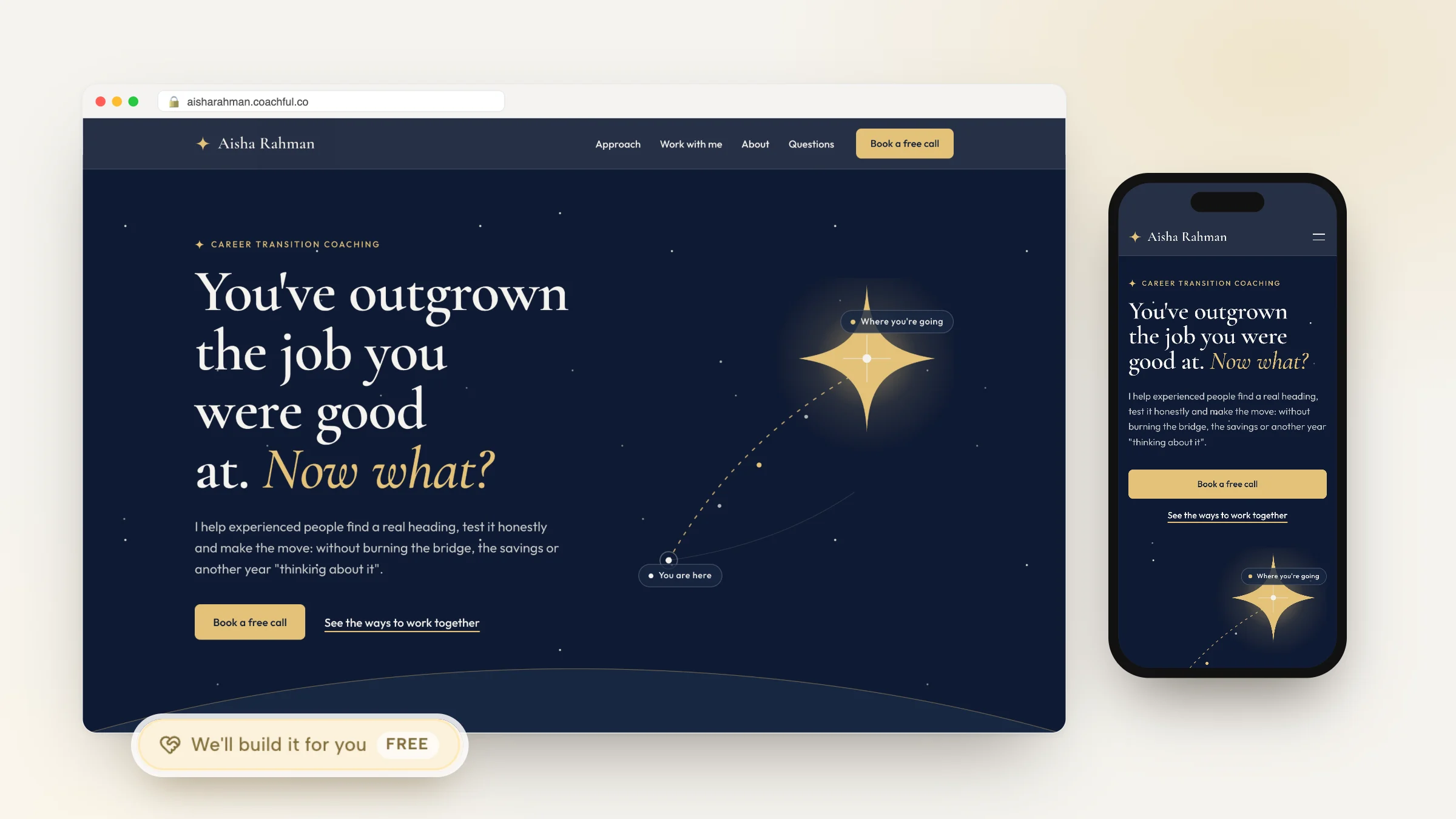
Most advice about building a coaching website grades the homepage. Is the headline clear, is there a photo of you, is there a button. That is a design review, and it is not the thing that decides whether you get clients.
A coaching website is a machine with five moving parts. A stranger arrives, works out whether you help people like them, picks a time, pays or commits, and receives a confirmation that actually turns up in their calendar. Every one of those five steps can break, and four of them happen after the click that homepage reviews stop at.
So this compares the twelve platforms coaches actually build on by asking a different question: how many of those five steps does each one handle, what breaks, and what does the finished machine really cost once you have added the pieces it does not include. Every price was read off the vendor's own pricing page on 4 September 2026, and where a page would not give up a reliable figure, this says so instead of guessing.

The five steps, and where each one usually breaks
Write these down before you look at a single template. They are the specification your website has to meet.
- Arrive and understand. A stranger lands and works out, quickly, whether you help people like them. Nielsen Norman Group's eye-tracking work found 57% of viewing time is spent above the fold and 42% on the second screenful, so the top of the page carries most of the weight. Their separate guidance gives a value proposition about ten seconds to land.
- Decide you are credible. Reviews do the heavy lifting here. Northwestern's Spiegel Research Center found the purchase probability lift plateaus after roughly five reviews, and that displayed ratings between 4.7 and 5.0 can read as less credible than slightly imperfect ones.
- Pick a time. This is the step most coaching sites lose. A contact form defers the decision; a calendar closes it.
- Pay or commit. Whether that is a deposit, a package or just a confirmed slot, something has to change hands or be locked in.
- Get a confirmation that works. A calendar invite, a reminder, a video link. If this step is manual, it does not scale past about ten clients.
Now the uncomfortable part. Almost every website builder on this page handles step one beautifully and stops. Steps three, four and five are where a coaching site differs from a restaurant's site, and they are exactly the steps that get sold to you separately.
What a coaching website is actually worth
Two independent sources put professional services conversion at about 6.1%: Ruler Analytics' conversion-rate-by-industry study and Unbounce's Conversion Benchmark Report. That gives you a number to hold your own site against. A thousand visitors should produce somewhere near sixty enquiries. If yours produces four, the problem is not the shade of your buttons.
The benchmark. Professional services converts at roughly 6.1%, so a thousand visitors should be producing around sixty enquiries.
Two more findings should change how you build step three. Ruler's data has 52.6% of conversions arriving as phone calls against 47.4% as forms, so removing the phone option removes about half your potential enquiries. And a Harvard Business Review study of lead response time found firms that made contact within an hour were roughly seven times more likely to qualify the lead than those who waited even two. A booking calendar wins on both counts, because it collapses response time to zero.
Speed of reply. Contact inside an hour makes a lead about seven times likelier to qualify than a reply that waits two.
On speed, be careful with the statistics that circulate. The figures worth quoting come from Google's own February 2017 mobile benchmarks report: the average mobile landing page took 22 seconds to fully load, 53% of mobile visitors leave a page that takes longer than three seconds, and bounce probability rises 113% as load time goes from one second to seven. The widely repeated "32% more bounce from one to three seconds" comes from a different Google report, Milliseconds Make Millions, and is often mislabelled. Several other speed and form statistics you will see on competing pages could not be traced to any primary source at all, so they are not in this article.
One last correction worth making, because it changes what you optimise: in the United States, mobile was 42.21% of traffic in August 2026 according to StatCounter, not the 60% or 70% commonly claimed. Build mobile-first anyway, but do not let anyone tell you desktop stopped mattering.

The honest cost of a coaching website
Here is the thing no builder roundup does. The advertised price is the site. The working machine costs more, because scheduling and payments are usually separate products.
Of the mainstream website builders below, booking and payments sit inside the site plan on exactly two: Wix from its Core tier and Durable from its Launch tier. The coaching platforms cover them too, because that is what they are built for. On Squarespace, Webflow, Framer, Carrd and WordPress they are unbundled, which means a second subscription and a second login. The coaching platforms handle it natively because that is what they are for.
The unbundling. Of the twelve platforms here, booking and payments sit inside the site plan on exactly two of the mainstream builders.

Watch for three specific traps as you read the table.
Annual prepay dressed as a monthly price. Squarespace advertises Basic at $19 a month. That is $228 paid up front for a year. Month to month it is $25. Wix does the same thing, and its prices are geo-variable enough that its own page carries a disclaimer that USD figures are "for reference only".
Transaction fees layered on top of processing. Squarespace charges 7% on content and memberships on its entry tier, falling to 5%, 1% and 0% as you climb. Webflow's entry ecommerce tier takes 2% of the order total including tax, before Stripe's own cut.
The surcharge for using your own processor. This is the sharpest one. Kajabi charges 2.9% plus 30c through Kajabi Payments on Basic, but if you use your own Stripe account it adds a platform surcharge of 2% on Basic, 1% on Growth and 0.5% on Pro on top of Stripe's fee. A coach billing $5,000 a month on Basic pays about $100 a month for the privilege, which roughly doubles the effective cost of the plan.
The surcharge. Bringing your own Stripe to Kajabi Basic costs a coach billing $5,000 a month about $100 a month on top of Stripe's fee.
The twelve platforms compared
Prices checked 4 September 2026 from each vendor's own pricing page. "Steps covered" counts how many of the five the platform handles without a second subscription.
| Platform | Real entry price | Booking included | Payments included | Fee on your revenue | Steps covered |
|---|---|---|---|---|---|
| Coachful | From $29/mo | Yes | Yes | 0% | 5 of 5 |
| Wix | Could not verify USD | Yes, Core and up | Yes, Core and up | Processing only | 5 of 5 |
| Durable | $22/mo Launch | Yes | Yes, paid bookings | Processing only | 5 of 5 |
| Paperbell | $97/mo, $970/yr | Yes | Yes | 0% | 5 of 5 |
| Kajabi | $143/mo billed yearly | Yes | Yes | 0%, or 2% if you use your own Stripe | 5 of 5 |
| Squarespace | $19/mo billed yearly ($228) | No, Acuity is separate | Partly | 7% content, 2% store on entry tier | 2 of 5 |
| WordPress | Hosting from about $60/yr | No, plugin | No, plugin | Depends on plugins | 2 of 5, or 5 with work |
| Webflow | $15/mo billed yearly | No | No, needs an Ecommerce plan | 2% on entry Ecommerce tier | 1 of 5 |
| Framer | Free tier, paid for custom domain | No | No | None | 1 of 5 |
| Showit | $22/mo ($259/yr), blog tiers extra | No | No | None | 1 of 5 |
| Carrd | $19/yr Pro | No | Embeds only | None | 1 of 5 |
| Podia | Free tier, paid for custom domain | Limited | Yes | Fee on free plan | 3 of 5 |
The pattern is obvious once it is laid out. The best-looking builders cover the fewest steps, because they were built for brochures and portfolios. The platforms that cover all five were built for selling a service, and several of them are less pretty as a result.
1. Coachful: built around the five steps rather than the page

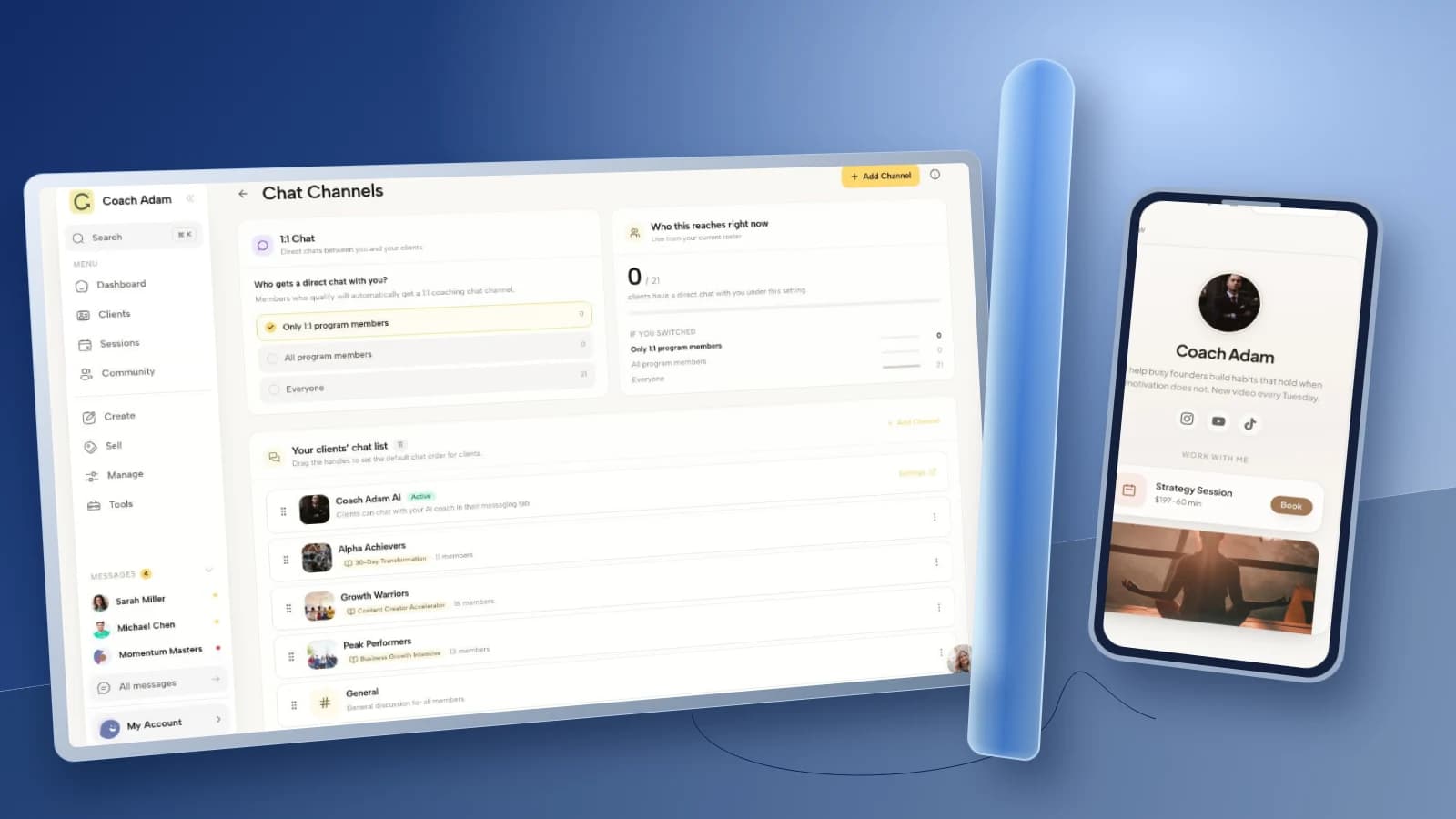
Coachful is coaching software with a website attached, rather than a website builder with coaching bolted on. Booking, payments, programmes, client records and the site share one subscription and one client record, so all 5 of 5 steps sit on one bill. The button on your site opens your real calendar, takes the payment and issues the confirmation, with no second subscription and no Zapier in the middle; Squarespace needs a separate Acuity subscription for the same chain. The person who books is the person you then coach, not a name you copy across.
Why Coachful stands out: a free white-glove service. Every plan comes with a team that builds things for you. Send a short request from inside Coachful and they set up your entire website, from the homepage to the booking page in your account, usually within about 24 hours, at no extra cost. It takes the slowest part of starting a coaching business, the setup, off your plate. See what the team will build for you.
Price: from $29/mo for up to 5 clients, and $99/mo with Coachful Intelligence. The platform fee is 0%, so after Stripe or Razorpay processing you keep the rest. Custom domain included.
Where it loses: the site builder is deliberately narrower than Squarespace or Framer, so a large editorial blog with bespoke typography belongs on one of those. If all you need is one page, Carrd at $19 a year is cheaper.
2. Wix: the builder that actually includes the whole chain

Wix is the mainstream builder that comes closest to covering all five steps in one plan. Wix Bookings and payments are inside the site plan from the Core tier upward, which genuinely is unusual: on most builders those are separate products.
Price: we could not verify USD pricing. Wix's plans page renders client-side and returned a European locale on every attempt, and the page itself states that "prices and currency vary by location. USD prices displayed for reference only" and that displayed prices are for yearly subscriptions paid in full. The tier names are Light, Core, Business and Business Elite, and each qualifying plan includes a one-year free domain voucher for new domains only. Check the price in your own country before you commit, because we are not going to print a number we could not confirm.
Where it loses: the editor is heavy, sites can be slow if you lean on apps, and the free tier puts Wix branding on your site. Migrating away later is painful because the design does not travel.
3. Durable: the cheapest way to cover all five steps

Durable is an AI site builder aimed at small service businesses, and it is the other platform here where one price covers site, domain, booking and paid bookings.
Price: Launch at $22/mo, which includes unlimited bookings and paid bookings.
Where it loses: it is generic. The templates are built for plumbers and consultants as much as coaches, so there is no concept of a programme, a client portal, or anything that happens between sessions. It gets a stranger to a paid appointment and then stops, which for some coaches is exactly enough and for others is the beginning of the work.
4. Paperbell: the smallest tool that does the whole job

Paperbell is a coaching admin tool with a website included, and it does the five steps with unusual discipline: one link carries the contract, the payment, the intake questionnaire and the booking.
Price: $57/mo, or $570/yr which its own page describes as $47.50/mo, saving two months. No transaction fees. Unlimited clients, sessions and packages.
Paperbell's own site runs a build-versus-buy comparison arguing a coach would otherwise spend $167/mo across a website builder, client portal, content delivery, contract signing, scheduling, forms and SMS. That is a competitor's marketing arithmetic rather than an independent figure, but the shape of the argument is the same one this article makes.
Where it loses: the website is a simple brochure, not a design surface. No habit tracking, no daily check-ins, no client app, one service provider per account, and its own FAQ states it is not HIPAA compliant. See the Paperbell alternative page for the fuller comparison. For its limits on pages, blog and SEO, see what the Paperbell website includes.
5. Kajabi: the most capable, and the most expensive by a distance

If your business is a course and an audience with coaching attached, Kajabi covers all five steps and adds funnels, email marketing and a real website on top. Nothing else here sells content as well.
Price: Basic $179/mo monthly or $143 billed annually; Growth $249 or $199; Pro $499 or $399. Kajabi Payments processing runs 2.9% + 30c on Basic, 2.8% on Growth and 2.7% on Pro.
The surcharge to know about: use your own Stripe rather than Kajabi Payments and Kajabi adds 2% on Basic, 1% on Growth and 0.5% on Pro on top of Stripe's own fee. The phrase "no hidden fees" sits directly above the plan cards.
Where it loses: price, and the absence of anything that tracks what a client does between sessions. See Coachful vs Kajabi.
6. Squarespace: the best-looking option, and only two of five steps

Squarespace makes the most attractive coaching sites on this page with the least effort, and its templates are genuinely good. It is also the clearest example of the assembled-stack problem.
Price, checked 4 September 2026 after the 6 July 2026 increase: billed annually, Basic $19/mo ($228/yr), Core $29 ($348), Plus $49 ($588), Advanced $99 ($1,188). Month to month: $25, $39, $65 and $139. Annual plans include one year of free domain registration for a new site, which renews at cost afterwards.
The fees: content and membership transaction fees run 7% on the entry tier, then 5%, 1% and 0%. Store transaction fees are 2% on the entry tier and 0% above it.
What is missing: scheduling. Acuity is a separate Squarespace product on its own subscription. So a coach who needs booking is paying for Squarespace plus Acuity, and that combined figure is the one to compare against a $49 all-in platform, not the $19 headline.
The real comparison. Squarespace at $19 plus a separate Acuity subscription is the number to hold against a $49 all-in platform.
7. WordPress: infinite ceiling, and you are the systems administrator
Self-hosted WordPress can do anything on this page and costs very little in licence terms. Hosting starts around $60 a year, a decent theme is a one-off, and plugins cover booking and payments.
The real cost is not money. It is that you now own updates, backups, security, plugin conflicts and performance. Every one of the five steps is achievable and every one is your responsibility. Coaches who enjoy this end up with the best and cheapest setup on this page. Coaches who do not end up with a site that broke in March and has not been touched since.
Note also that Showit's blog tiers are WordPress-backed and metered on blog traffic, which is a real scaling cost if your SEO works.
8. Webflow: designer-grade, and it cannot take money on the entry plan

Webflow gives real design control with clean output, and it repriced in May 2026, effective 13 May. Most articles about it are out of date.
Price: a free Starter plan on a webflow.io subdomain with two static pages and no custom domain. Basic is $15/mo billed yearly or $25 monthly, with 300 static pages. The old CMS and Business tiers were merged into a single Premium plan at $25/mo yearly or $39 monthly, including 20,000 CMS items.
The catch: the $15 Basic plan cannot sell anything at all. Selling requires a separate Ecommerce plan on top, and the entry Ecommerce tier adds a 2% Webflow cut on the order total including tax, before Stripe's fee. There is no scheduling at any tier.
9. Framer: beautiful, and step one only

Framer produces genuinely modern sites quickly and its free tier is usable for a portfolio. For a coaching website it covers arriving and understanding, and nothing else. No booking, no payments. Treat it as a front door you will attach a scheduler to.
10. Showit: total design freedom, priced by blog traffic

Showit is popular with designers because you can drag anything anywhere, with separate mobile and desktop layouts. All tiers are billed annually: Showit alone $22/mo ($259/yr); with a basic starter blog $27/mo ($326); with an advanced blog up to 25,000 monthly blog visits $39/mo ($470); 100,000 visits $63/mo ($758); 200,000 visits $119/mo ($1,430).
Worth understanding before you commit: those blog tiers are WordPress-backed and metered on blog traffic, so success on content raises your bill. No booking, no payments.
11. Carrd: nineteen dollars a year, one page, no machine

Carrd Pro is $19 a year and it is superb value for a single page. Tiers are sold by number of sites rather than pages.
Be precise about what it cannot do: there is no native booking and no native checkout at any tier. You can take money by embedding Stripe, PayPal or Gumroad, but that is a bolted-on surface rather than a payment system. For a coach testing an offer before committing, it is the cheapest possible step one.
12. Podia: the middle ground for selling something small

Podia bundles a website, digital products, courses and email, with a free tier that carries a transaction fee and paid tiers that remove it. Scheduling is limited compared with a real booking product, so it lands at about three of the five steps: it will take money reliably, but the calendar is the weak link.
See Kajabi vs Podia for the content-selling comparison.
The first screen, and the mistake almost every coach makes
Given 57% of viewing time is spent above the fold, the first screen is most of your website. Paperbell's audit of nineteen live coaching sites found only eight opened with a clear statement of who they help and what changes, and only nine gave an obvious way to book near the top. Not one showed a price anywhere on the homepage.
The audit. Across nineteen live coaching sites, not one showed a price anywhere on the homepage.
The mistake is nearly always the same: the headline describes the coach instead of the reader. "ICF-certified transformational coach and speaker" tells a stranger what you are. "I help engineering managers stop working weekends" tells them whether to keep reading. Save the credential for the credibility line underneath, where it does real work.
Four things belong on that first screen and almost nothing else does: who you help, what changes for them, a button that opens a calendar, and one piece of proof. Everything else can wait for the second screenful, which gets 42% of attention and is a perfectly good place for your story.
How to choose in ten minutes
Answer one question: do you need to be booked and paid on the site, or only found?
If only found, because you sell in a call and invoice by hand, buy the prettiest thing you can operate. Squarespace at $19 billed yearly, Carrd at $19 a year for a single page, or Framer's free tier. Spend the difference on getting in front of people.
If you need the whole chain, stop comparing site builders and compare all-in platforms, because a $19 builder plus a scheduler plus a payment tool is not $19. Coachful from $29, Durable at $22, Paperbell at $97, or Kajabi if content is genuinely your business.
If you want design control and the whole chain, the honest answer is that you will assemble it. Webflow or Showit for the site, a real scheduler alongside, and the discipline to keep them in sync.
Then do the only test that matters: open your own site on your phone, and try to book yourself as a stranger would. Count the taps. If it is more than three, that is your problem, and no template will fix it.
The ten-minute test. Open your own site on your phone and try to book yourself. More than three taps is the problem.
Frequently asked questions
What is the best platform to build a coaching website?
It depends whether you need booking and payments on the site. If you do, the platforms that cover the whole chain in one subscription are Coachful from $29/mo, Durable at $22/mo, Paperbell at $97/mo, Wix from its Core tier, and Kajabi from $143/mo billed annually. If you only need to be found and you sell on a call, Squarespace at $19/mo billed yearly makes the best-looking site with the least effort. The most common expensive mistake is buying a cheap builder and then discovering scheduling and payments are separate products.
Will Coachful set it up for me?
Yes. Every Coachful plan includes a free white-glove service. Send a short request from inside the app describing what you want, such as your entire website, from the homepage to the booking page, and the Coachful team builds it in your account, usually within about 24 hours, at no extra cost. You can edit everything they build, and they do not record videos for you.
How much does a coaching website cost per year?
Anywhere from $19 to well over $2,000. Carrd is $19 a year for one page. Squarespace Basic is $228 a year billed annually, before a scheduler. A coach who needs a site, a custom domain, booking and payments realistically spends between $260 and $700 a year on an all-in platform, or more once separate subscriptions are stacked. Kajabi Basic alone is $1,716 a year billed annually. Watch for annual prepay presented as a monthly price, which is how most builders advertise.
Do I need a website builder or a coaching platform?
A website builder makes pages. A coaching platform runs a business. If your website only has to explain who you are and let someone email you, a builder is cheaper and prettier. If it has to take a booking, take money, and hand the client into a programme, a coaching platform does that in one subscription while a builder needs two or three. Of the website builders here, only Wix and Durable include booking and payments in the site plan itself, while the coaching platforms cover them natively; Squarespace, Webflow, Framer, Carrd and WordPress all unbundle them.
Can I build a coaching website for free?
You can put something live for free on Framer, Podia and Webflow's Starter plan, but every free tier costs you something else: a vendor subdomain instead of your own domain, vendor branding on your pages, or a transaction fee on what you sell. For a coach testing an offer for a fortnight that is a fair trade. As a permanent home it undercuts the credibility the site exists to build, and a custom domain is usually the cheapest credibility you can buy.
How many pages does a coaching website need?
Four, usually: a homepage that answers who you help and what changes, a page describing the actual offer with a price or a range, an about page that earns trust rather than listing history, and a booking page. A blog is a fifth only if you intend to write regularly, because an abandoned blog with three 2024 posts on it damages more credibility than it builds. Health coaches also need to watch which claims they make, which our health coach website guide covers.
Should I put prices on my coaching website?
Yes, or at least a range. Paperbell's audit of nineteen live coaching sites found not one displayed a price on the homepage, which tells you both that the norm is to hide it and that showing it is an easy way to stand apart. A visible range filters out people who were never going to buy, which saves you the calls that go nowhere. If your pricing genuinely varies, publish a floor: "engagements start at $2,400" does the same job.
What actually makes a coaching website convert?
Professional services converts at roughly 6.1% on two independent measurements, so use that as your benchmark. The biggest levers, in order: a first screen that names who you help and what changes, since 57% of viewing time is spent above the fold; a booking calendar instead of a contact form, because response time is decisive and a Harvard Business Review study found contact within an hour makes qualifying a lead about seven times likelier; and around five reviews, which is where Northwestern's Spiegel research found the purchase-probability lift plateaus.
Does website speed matter for a coaching site?
Yes, though less dramatically than most articles claim. Google's own 2017 mobile benchmarks found 53% of mobile visitors leave a page taking longer than three seconds, and that bounce probability rises 113% as load time goes from one to seven seconds. Many of the more alarming speed statistics circulating cannot be traced to a primary source. Practically: compress your images, avoid stacking plugins, and do not let a video header be the first thing that loads.
Can I move my coaching website later?
Your content moves; your design usually does not. Text, images and blog posts can be copied anywhere. Templates, layouts and any funnel logic are proprietary on every platform here, so budget for a rebuild rather than a migration. The two things that genuinely travel are your domain, which is why you should register it somewhere you control, and your email list. Own both and switching platforms is an inconvenience rather than a catastrophe.
What to do next
Pick the cheapest platform that covers every step you actually need, put one real offer on it, and send ten people to it this week. A live imperfect site that books a call beats a beautiful one you are still editing in three months.
Next, compare specific options in the comparison hub, see the best all-in-one software for coaches if you want the whole business in one subscription, read how to structure a website for coaches for the page-by-page detail this article deliberately skipped, or get in front of people already looking through the Coachful coach directory.
Join Coachful now
If your website has to do more than be admired, this is the short version: one subscription that turns the button on your homepage into a real calendar, a paid booking and a confirmation that lands, with the same client record carrying that person into your programme afterwards. From $29/mo, a 0% platform fee, and a custom domain included.
Put one real offer up, point ten people at it this week, and let the site do steps three, four and five while you coach.