Paperbell Website: What You Get and When to Go Further
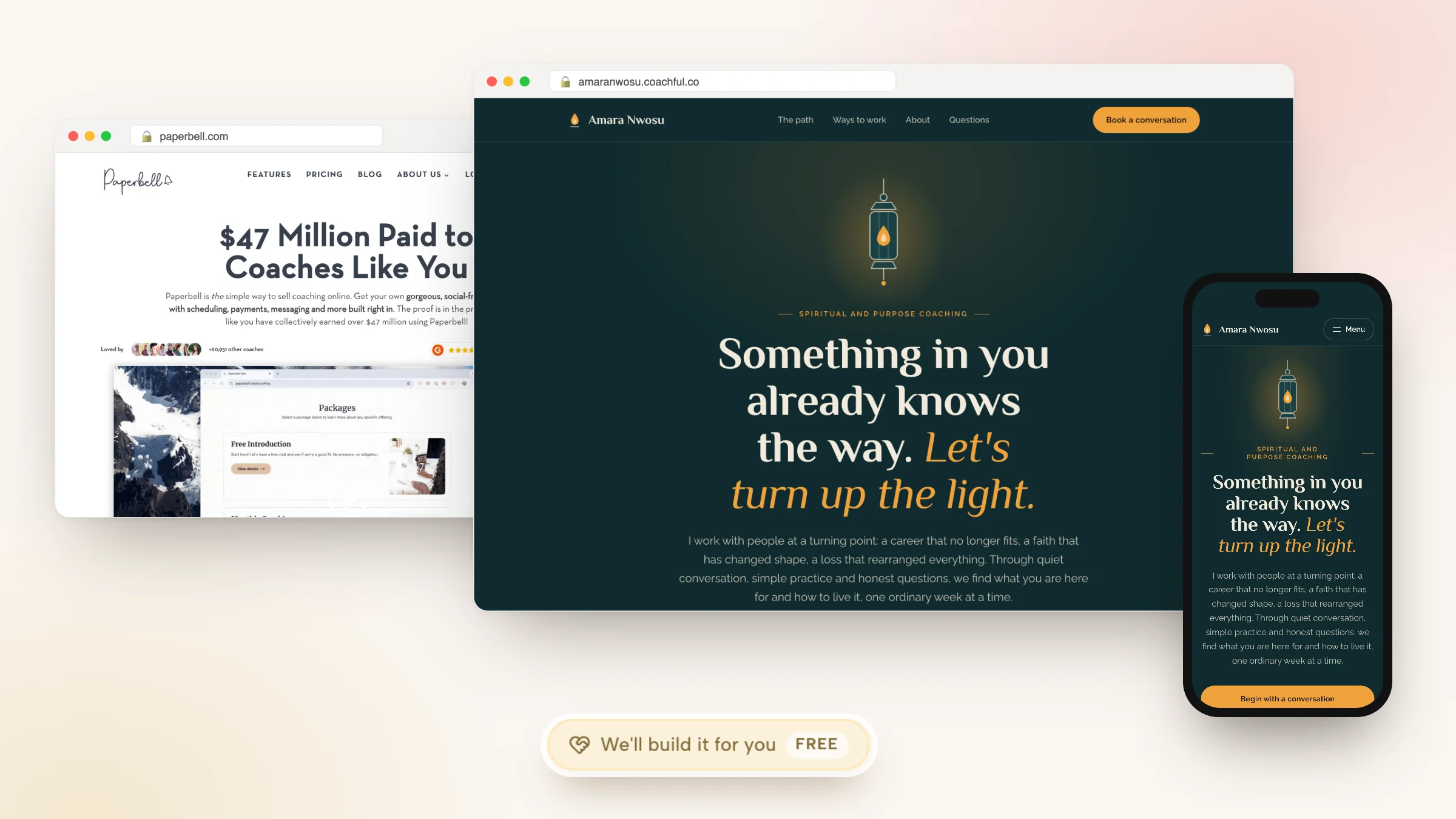
A Paperbell website is a simple, package-led coaching site that Paperbell builds for you from your offers. You fill in your packages, about text, testimonials and FAQ, add your logo and branding, and Paperbell turns them into one mobile-friendly page with a booking button and a landing page for each package, on your own domain if you want. There is no page-by-page design work and no code.
That is exactly right for some coaches and limiting for others. This guide shows what a Paperbell website includes, what it does well, where it stops (blog, SEO, extra pages, design control), and how a full Coachful website built from one of 30 designed templates compares. If you want the bigger site without building it, Coachful's team will build it for you at no extra cost; the request form is near the end.
What a Paperbell website includes
Paperbell's sample coaching site shows the structure every Paperbell site follows. From top to bottom:
| Section | What it does |
|---|---|
| Top bar | A Client login link and a Book a free call button |
| Header | Your name or business name, with menu links that jump to About, Packages, Testimonials and FAQ on the same page |
| About | A short description with a Show more link |
| Packages | A card per package with an image, a description and View details, which opens that package's own landing page and checkout |
| Testimonials | Client quotes |
| Booking call to action | A section that books your free introductory call |
| FAQ | Your questions and answers |
| Social links and email signup | Your profiles and a form to join your list |
| Footer | Privacy and terms links and a Powered by Paperbell credit |
Paperbell describes the result as custom branded, mobile responsive and built from templates, with no themes or plugins to manage. You can upload your logo, match your branding and use your own domain name. The site is live on any paid plan; on the free account it is live for the first 7 days.

What the Paperbell website does well
- It exists on day one. Most coaches spend weeks on a website before selling anything. With Paperbell, the site appears as a side effect of setting up your packages.
- Every button goes somewhere real. Package cards open checkouts with the contract, payment, survey and booking already attached, so there are no broken links to a separate scheduler.
- It reads well on a phone, which is where most people click your Instagram bio link.
- There is nothing to maintain. No plugins to update, no hosting to renew, no second login.
For a new coach with two packages and a referral network, that is often all the website they need for the first year.
Where the Paperbell website stops
Paperbell's own FAQ is candid about it: coaches who want detailed control over each page's layout may prefer a website builder such as Squarespace or Wix. In practice, the limits look like this:
- One page, one structure. The site is a single scrolling page plus package landing pages. You cannot design a separate About page with your story, a services page per audience, or a page for speaking.
- Little design control. You set branding and content; the layout stays Paperbell's. One Trustpilot reviewer described the branding options as pretty limited.
- No blog that we could find. Paperbell's feature pages do not mention a blog for coaches' sites, which matters if search is how you want to be found.
- No SEO settings that we could find. We could not verify per-page titles, descriptions or search controls.
- No funnels. There is no lead-magnet page, quiz or multi-step funnel, so ad traffic lands on the same page as everyone else.
- A footer credit. The sample site shows Powered by Paperbell; we could not verify whether it can be removed.
If you already have a site elsewhere, Paperbell can be linked or embedded from it, which is how many coaches use it: a Squarespace or WordPress site for content, Paperbell for the checkout. That works, and it also means two systems, two bills and two places where your brand has to match.
Do you need more than a Paperbell site?
Answer these five questions honestly. Two or more yeses usually mean you need a full website.
- Will people find you through search? Then you need a blog and real pages Google can read, each with its own title and description.
- Do you serve more than one audience? A career coach selling to individuals and to HR teams needs a page for each.
- Will you run ads or a lead magnet? Paid traffic converts better on a focused landing page than on your homepage.
- Do you sell more than packages? Courses, a community, a membership or an event each want a page of their own.
- Does your brand need to look like you? A somatic coach and an executive coach should not have the same layout.
Our pillar guide to the pages and copy a coaching website needs goes through each page, and our list of the best coaching websites shows real examples.
What a full Coachful website adds
Coachful's website starts from one of 30 designed homepage templates, each written for a real kind of coach and grouped on five shelves: business, wellness, performance, creative and life. Pick one and Coachful fills it from your account with your business name, real offers and prices, testimonials, booking links and logo. Turn on the AI copy option and the remaining sample words are rewritten in your voice, with an SEO title and description. It opens as a private draft, and your live site does not change until you press Make this my homepage.

Fifteen template families come with matching About, Services, Pricing, FAQ, Contact, Book a call and Newsletter pages, so the whole site reads as one design. Here are two of them, shown with their fictional sample coaches: Hearth, for life and relationship coaches, and Meridian, for executive coaching. Our life coach website template guide walks through using one page by page.


After the template, the section builder takes over. You edit words and links directly on the page, add a section between any two template blocks, and every new section picks up the template's fonts and colours. Michelle, the AI assistant, can build a page from a description, with a confirmation step before any change.

The parts Paperbell's site leaves out are built in:
- Booking on the page. A booking calendar section shows your live availability in the visitor's time zone, with intake questions attached, and every Book a call button points at your booking flow.
- Offer pages with checkout. One-time prices, subscriptions and payment plans, with Apple Pay and Google Pay, paid to your own Stripe or Razorpay account with a 0% platform fee.
- A blog and SEO controls. A blog on the same domain, a meta title, description and social image on every page, and a choice to show a page in the menu, keep it unlisted or hide it from search.
- Funnels and email. Booking, application, lead-magnet and checkout funnels, email sequences and broadcasts, with Meta Pixel, GA4 and UTM tracking.
- Forms that go somewhere. Contact forms save to your website submissions and newsletter forms add subscribers, after asking for consent.
- Your own domain, connected with A and CNAME records that Coachful checks for you.

The limits are real too: Coachful's builder does not host third-party plugins or custom code, it is built for coaching sites rather than any kind of business, and the templates are Coachful's own rather than a marketplace. During the free trial a site holds up to 10 pages; once your plan is active there is no page limit. More on the Coachful coaching website and the website builder.
Paperbell website vs Coachful website
| Paperbell website | Coachful website | |
|---|---|---|
| How it is made | Generated from your packages | 30 designed templates, filled with your details, then a section builder |
| Pages | One page plus package landing pages | Home, About, Services, Pricing, FAQ, Contact, Book a call, Newsletter and your own |
| Design control | Branding and content | Sections, layouts, fonts and colours per template |
| Booking and checkout | Package checkouts with contract and survey | Booking calendar on the page and offer pages with checkout |
| Blog | None we could find | Yes, on the same domain |
| SEO settings | None we could verify | Title, description, social image, menu and search controls per page |
| Funnels and lead magnets | No | Yes, about 25 funnel templates |
| Own domain | Yes | Yes |
| Bring an existing site | Link or embed Paperbell from it | Import up to 10 pages and blog posts as drafts |
Moving a Paperbell website to Coachful
Because a Paperbell site is mostly your package content, moving it is quicker than moving a big Squarespace site:
- Copy your about text, testimonials and FAQ into a document, and save your photos.
- Rebuild each package as an offer in Coachful, so the template has real offers to fill in.
- Pick a template, apply it as a private draft and check every section on your phone.
- Add the pages Paperbell could not hold: a proper About page, a services page per audience, a first blog post.
- Connect your domain, test a booking and a checkout, then make it your homepage.
The full migration, including clients and live payment plans, is in our guide to switching from Paperbell. If you are still weighing builders, our comparison of platforms to build a coaching website covers the wider field.
Have Coachful's team build the website for you
Why Coachful stands out: a free white-glove service. Every Coachful plan includes a build service at no extra cost. On the Website page, the Want us to build it for you? card has a Fill in a form button, or you can start from Create > We'll build it for you · FREE.

The website form asks which pages to create or improve, what they should do (book calls, collect leads, sell an offer, deliver a resource), what visitors should do after they land, websites or pages you like, the branding, copy, images or offers to include, and what feels confusing, broken or unfinished. Paste your Paperbell site as a reference link (you can add up to 8) and attach up to 10 files: logo, photos, brand guide, copy.

The team replies by email with next steps, usually within around 24 hours, and builds the pages in your own account, so you can edit everything afterwards. One recent request came from a menopause and midlife health coach starting with no site, logo or prices: she got a five-page site (home, about, coaching, free consultation and contact) in sage and cream, with every button leading to a free 20-minute consultation booking. Another came from a leadership coach whose Squarespace renewal was days away, who got one clean, mobile-friendly homepage with a repeated "talk with me" button. Nothing is invented: no fake credentials, testimonials or prices, and anything missing is left for you. The team does not design logos or record videos. Read how the free build works, and see our step-by-step guide to building a coaching website if you would rather do it yourself.
Frequently asked questions
Does Paperbell include a website?
Yes. Every paid Paperbell account includes a coaching website generated from your packages: an about section, package cards with their own landing pages and checkouts, testimonials, a FAQ and a booking button, with your branding and logo. On the free account, the site is live for the first 7 days.
Can I use my own domain with a Paperbell website?
Yes. Paperbell's FAQ says coaches can use their own domain name with their Paperbell site. Coachful also supports your own domain: you add the A and CNAME records it shows at your registrar, and it verifies them before your site loads there.
Does a Paperbell website have a blog?
We could not find a blog feature for Paperbell coaching sites in its feature pages or FAQ. Coachful includes a blog on the same domain as your website, with a meta title, description and social image for every post and page.
Can I use Paperbell with Squarespace, Wix or WordPress?
Yes. Many coaches keep a site on a website builder and link or embed Paperbell for the checkout and booking. Paperbell's own FAQ suggests a builder for coaches who want detailed page-by-page control. The trade-off is two systems, two bills and two places to keep your branding consistent.
What pages should a coaching website have?
Most practices need a homepage that says who you help, an about page, a work-with-me or services page, a booking page, testimonials, a FAQ, a contact page, a blog or newsletter, and privacy and terms. Coachful's template families include matching Home, About, Services, Pricing, FAQ, Contact, Book a call and Newsletter pages.
Does Coachful have website templates for coaches?
Yes, 30 designed homepage templates on five shelves (business, wellness, performance, creative and life), each written for a sample coach in a real niche, such as Hearth for life coaches and Meridian for executive coaches. Applying one fills it with your name, offers and links as a private draft.
Will Coachful build my coaching website for free?
Yes. The white-glove build is free on every Coachful plan. Fill in the website form from the Website page or Create > We'll build it for you, add your Paperbell site as a reference link and attach your logo and copy, and the team builds the pages in your account, usually within about 24 hours.