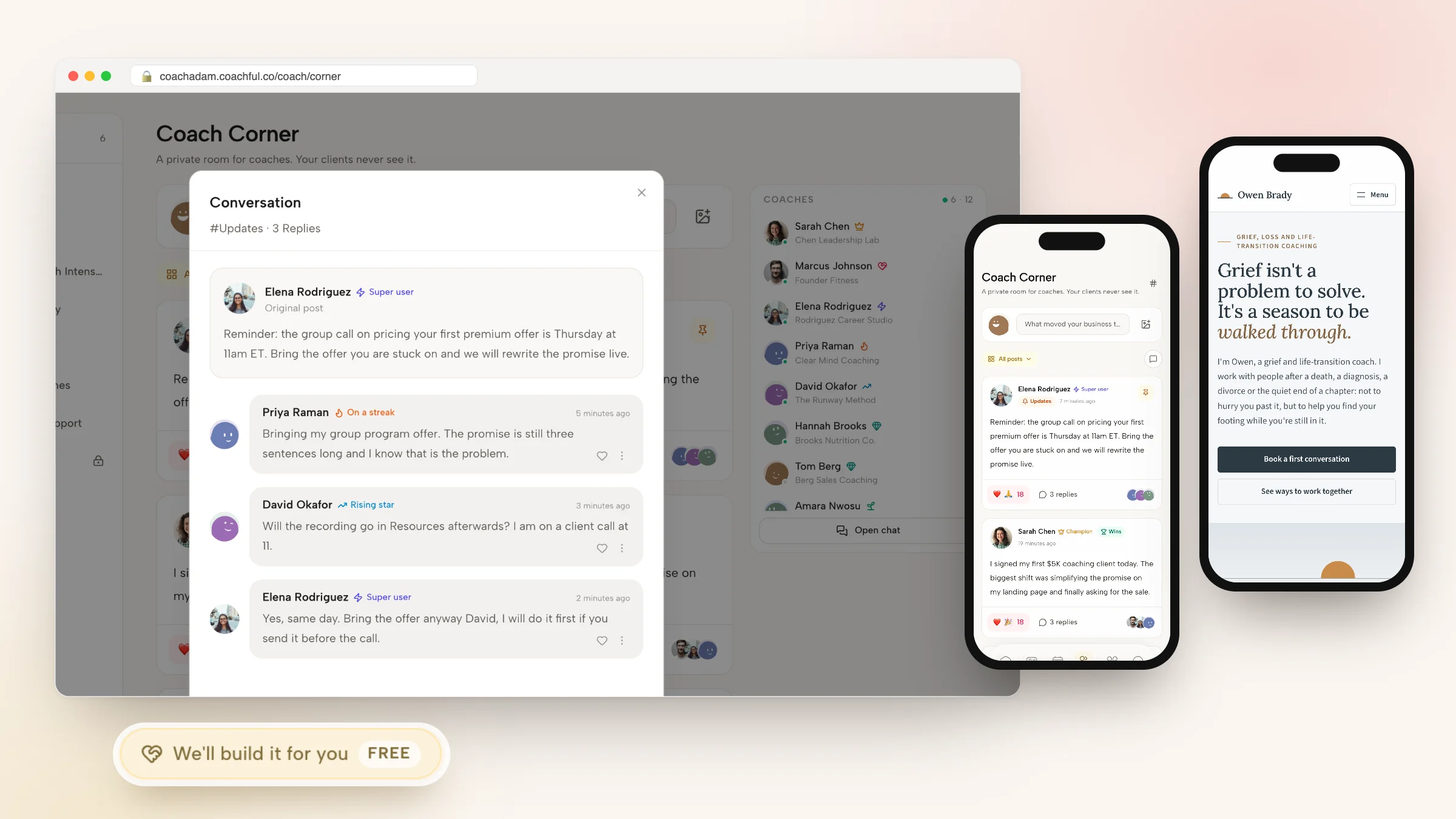
Coaching Website: The Pages, the Copy and How to Build It
A coaching website has three jobs. It tells a stranger, within a few seconds, that they are in the right place. It gives them enough proof to trust you. And it gets them to a booked call or a purchase without sending them off to another tool. Most coaching websites need six to nine pages to do that: a homepage, an About page, a services page, a booking page, offer pages, proof, a FAQ, a contact page and the legal pages.
This guide covers the whole job in one place: the page list, copy you can adapt for every page, examples from real Coachful designs, the mistakes that quietly cost coaches calls, and the three ways to build the thing. If you would rather not build it at all, our team builds coaching websites for free on every Coachful plan. You fill in a short form, and the pages are built inside your own account.
Everything below assumes you sell coaching to people, one to one or in groups, and that most of your visitors arrive from somewhere else first: a referral, a podcast, an Instagram bio, a LinkedIn post or a search for your name.
What a coaching website is actually for
Very few people find a coach by browsing. They hear your name, see a post, get a link from a friend, and then they go and check. By the time they land, they are already half interested. The website's job is to finish that decision, or to tell them kindly that you are not the right fit.
So think of your coaching website as a short path rather than a brochure:
- Arrive. From a link, a search or a QR code on a slide. Often on a phone.
- Recognize. "This is for people like me." The headline does this, or nothing does.
- Trust. A face, a few true facts, a client's words, a clear description of how the work runs.
- Act. Book a call, buy a session, apply, or take a free resource.
- Hear back. A confirmation, a reminder, a welcome email. This part is invisible and decides whether the call actually happens.
Every page and section earns its place by helping one of those five steps. A manifesto, a gallery of sunrise photos and a list of seven certifications help none of them, which is why the plainest coaching sites often book more calls than the prettiest ones.
The first screen carries most of the weight. A visitor should be able to answer three questions before they scroll: who is this for, why should I believe this person, and what do I do now. If your current site can't pass that test, the coaching website audit checklist will show you where it breaks.
The pages a coaching website needs
Here is the full page list, what each page is for and whether you can launch without it. You need fewer pages than you think to start, and more than a single page once you sell more than one thing.
| Page | Its one job | What goes on it | Launch without it? |
|---|---|---|---|
| Home | Route the right visitor to the next step | A headline naming who you help, one line on how you work, one main button, a proof strip, your offers and a short FAQ | No |
| About | Earn the trust of someone who is almost ready | Their situation first, your story as far as it explains your approach, your training, how sessions run, a real photo | No |
| Work with me | Explain each offer plainly | Format, length, number of sessions, what is included, who it suits, the price or a starting price, a button | No |
| Book a call | Turn interest into a time in your calendar | What the call is, who it suits, two or three intake questions, your live availability | No |
| Offer or sales pages | Sell one offer, with checkout on the page | The outcome, how it runs, proof, price and payment plan, FAQ, checkout | Yes, until you sell online |
| Results | Give your proof a home | Real testimonials with first names and context, short client stories | Yes, if you have none yet |
| FAQ | Answer the objections before the call | Six to ten honest answers | Yes, if the homepage has a FAQ section |
| Contact | Catch people who won't book a stranger's calendar | A short form and when you reply | Yes |
| Free resource | Keep in touch with people who are not ready | A worksheet, guide or quiz with an email sign-up | Yes |
| Blog or newsletter | Earn search traffic and repeat visits | Articles that answer the questions clients ask before they buy | Yes |
| Privacy and terms | Cover consent, data and refunds | A privacy policy, terms, your refund and cancellation rules | No |
A practice can launch on five: Home, About, Work with me, Book a call and a privacy page. Add the offer pages when you sell online, the Results page when you have three or more testimonials you are proud of, and the blog when you have the time to write once a month.
One rule keeps the menu short: if a page doesn't move someone toward a call or a purchase, it belongs in the footer, not the top bar.

Copy for every page of your coaching website
Design gets the attention, but words do the selling. Here is copy you can adapt page by page. Swap in your own client, outcome and method, and keep the structure.
Homepage: the first screen
Use four parts, in this order: a small eyebrow line naming the niche, a headline about the client's situation, one sentence on how you help, and one main button with a quieter second link.
- Eyebrow: "Career transition coaching"
- Headline: "You've outgrown the job you were good at. Now what?"
- Sub-line: "I help experienced people find a real heading, test it honestly and make the move, without burning the bridge or the savings."
- Buttons: "Book a free call" and "See the ways to work together"
That example comes from Northstar, one of Coachful's designed templates. A few more first-screen headlines from the same set, each written for a different kind of coach:
- Life and transition coaching: "Starting over doesn't have to mean starting from nothing."
- Nutrition coaching: "Eat well without starting over every Monday."
- Executive coaching: "Steady counsel for the decisions only you can make."
- Business coaching for creators: "Grow the business. Keep your evenings."
- Burnout recovery: "You don't need to be fixed. You need room to recover."
Notice what they have in common. Each names a situation the reader is already in, none of them uses the word "transform", and none of them leads with the coach's credentials. More in these coaching tagline examples.
Under the first screen, add a proof strip of three or four short facts that are true: "Coaching since 2019", "Former HR director", "Sessions by video, any time zone". Then the problem in the client's words, how the work runs in three steps, your offers, a short note from you, testimonials, a free resource for people who aren't ready, a FAQ and a closing button.

About page: open with them, not you
People read an About page when they are close to booking and want to know whether you will understand them. So the first paragraph is about the reader:
"If you're here, you've probably done the sensible thing for a long time. The career, the mortgage, the five-year plan. And now something doesn't fit, and you can't explain it to anyone without sounding ungrateful. I know that feeling well, because I sat in it for two years before I left corporate HR."
Then tell your story only as far as it explains how you work, list your training and any credential plainly, say how sessions run and where you are based, and end with the same button as the homepage. Our walkthrough of writing a coach About page goes section by section.
Work with me: say exactly what they get
Vague offers lose to clear ones. Write each offer as a short block with the same five parts:
- Name and length: "The Clarity Program: 12 weeks"
- Who it's for: "For mid-career professionals who know they want a change and don't know what to change to."
- What's included: "Eight 60-minute video sessions, a shared workbook, weekly check-ins and messaging on weekdays."
- What changes: "By week 12 you have tested two directions and made one decision you can explain to your family."
- Price and next step: "From $1,800, or three monthly payments. Start with a free call."
Showing a starting price filters out people who could never afford the work and saves you calls that were never going to convert. There are good reasons to hold it back for tailored work too; this piece weighs both.
Book a call: lower the stakes
The booking page is where nerves show up. Keep it short and specific:
"A free 20-minute video call. We'll talk about what's going on, what you've tried and whether coaching with me is a good fit. If it isn't, I'll tell you, and I'll point you somewhere better if I can. No pitch unless you ask for one."
Add two or three intake questions ("What made you look for a coach now?", "What would make this call useful?") and then the calendar. The answers help you prepare and quietly filter out people who are only browsing.
FAQ: answer the questions people are too polite to ask
- Is this therapy? "No. Coaching looks forward and works on decisions and actions. If something comes up that belongs with a therapist, I'll say so and help you find one."
- What if I don't know what I want? "That's the most common place people start. The first few sessions are for working that out."
- How much does it cost? "The 12-week program starts at $1,800, with a payment plan. Single sessions are available after a first program."
- What happens on the free call? "We talk for 20 minutes. You leave with one useful idea whether or not we work together."
Buttons: say what happens next
"Submit", "Learn more" and "Get started" tell the visitor nothing. "Book a free 20-minute call", "See the 12-week program" and "Get the free worksheet" tell them exactly what the click does. Use one main button label across the whole site, so the visitor never wonders whether "Start here" and "Work with me" lead to different places.
Coaching website examples worth borrowing from
You learn more from a good example than from a list of rules. The four below are designed homepage templates in Coachful, each written for a fictional sample coach in a real niche. When a coach uses one, their own name, offers and links replace the sample copy.
- Hearth (life, relationship and transition coaches): a warm palette, a handwritten "hi, I'm Dana, the kettle's on" note beside the illustration, and a proof strip of four plain facts under the buttons. It shows how much personality fits in a first screen without losing the button.
- Northstar (career transition): a dark starfield with one gold star and a "You are here / Where you're going" path. The visual is the method, which saves a paragraph of explanation.
- Meridian (executive and leadership): boardroom calm, a numbered agenda under the fold and a "Book a conversation" button instead of "Book a free call", which suits senior buyers who would never book a stranger's free slot.
- Orchard (nutrition and health): "Spring intake now open" on the hero, and a proof strip with the coach's qualification, years in practice and location. Seasonal intake language creates gentle urgency without a countdown timer.

For more, we collected the best coaching websites, including well-known coaches' sites and what each one does well, and a set of life coach website examples organized section by section. If the look is what you are stuck on, our coaching website design guide covers layout, type, color and photography.

What has to work behind the pages
A coaching website can read beautifully and still lose people at the moment they try to act. These are the parts nobody sees until they break:
- Booking that respects time zones. Visitors should see your availability in their own time, with buffers and minimum notice so you don't wake up to a 7am call booked at midnight.
- Intake questions saved somewhere useful. Answers that land in an email you have to forward somewhere are answers you will lose.
- Reminders. An email confirmation plus a reminder before the call is the cheapest no-show fix there is. More in how to prevent coaching no-shows.
- Checkout on the offer page. One-time prices, payment plans and subscriptions, with the payment recorded against the client who paid.
- An email list. A free resource is pointless if nothing follows it. Three or four short emails that end with an invitation to book are enough.
- Your own domain. A name you can say out loud on a podcast. Free subdomains look temporary.
- Search basics. A unique title and description on every page, so Google shows something sensible for your name and your niche.
- Consent and legal pages. A privacy policy, terms and consent on forms, especially if you work with clients in Europe.
- Phones. A large share of your visitors arrive from social apps and text messages. Open every page on your own phone before you share it.
On a website builder, each line above is often a separate tool or plugin. On a coaching platform, most of them come with the site. That difference is the real decision between the build routes below.
Coaching website mistakes that cost calls
- A headline about you. "Certified life coach and NLP practitioner" tells the visitor what you are, not whether you can help them.
- Five buttons that go five places. Book, Contact, Subscribe, Follow and Learn more compete with each other. Pick one main action and repeat it.
- A booking link that leaves the site. Every hop to another tool loses some people, and the ones who make it land on a page that looks nothing like yours.
- Testimonials that could be about anyone. "She's amazing!" persuades nobody. "I'd been putting off the conversation with my boss for a year; I had it in week three" persuades the right person. Here is how to ask for testimonials like that.
- Stock photos instead of you. A clear, friendly photo of your face beats any mountaintop.
- No price signal at all. If nothing on the site hints at price, some of the right people assume they can't afford you and never ask.
- Nothing for the visitor who isn't ready. Without a free resource, a visitor who isn't ready to book simply leaves, and you never hear from them again.
- Never tested on a phone. Buttons wrap, menus hide the main action and the calendar becomes a scroll puzzle.
How to build a coaching website: three routes
There are three honest ways to get a coaching website built, and the right one depends less on taste than on who will maintain it and where your booking, payments and email live.
| Route | Who does the work | Booking, payments and email | What you maintain | Best for |
|---|---|---|---|---|
| Coaching platform with a built-in website (Coachful) | You, starting from a designed template, or our team for free | Built in and connected to the client record | Your pages and offers, in one account | Coaches who want the site, booking, checkout and client work in one place |
| Website builder plus separate tools (Squarespace, Wix, WordPress, Showit) | You, or a designer you hire | A scheduler, payment links and an email tool connected by hand | Several logins, plugins and integrations | Coaches who want maximum design freedom or already run a large content site |
| Agency or freelance designer | The designer | Whatever the designer sets up | Edits often go back through the designer | Coaches with a brand budget who want a bespoke look |
Website builders are good at what they do. WordPress has the biggest ceiling for a content-heavy site, and Squarespace and Showit give designers a lot of control. The cost shows up later, in the gaps between the website and the tools behind it: the booking confirmation that doesn't match your brand, the payment that lives in one place and the client notes in another. Our comparison of 12 platforms to build a coaching website goes through each with its pricing, and this guide to websites for coaches covers the SEO side in more depth.
An agency makes sense when the brand itself is the product, for a speaker or author with a publisher's launch date. Ask who can edit the site after handover and where the booking and payments will live before you sign. Our done-for-you coaching website guide lists the questions to ask a designer.
How to build your coaching website in Coachful
In Coachful, the coaching website is part of the platform, so the booking calendar, offer checkout and blog run on the same site as your pages. Here is the route from nothing to live:
- Choose a template. Open Website and pick one of 30 designed homepages, filtered by Business, Wellness, Performance, Creative and Life. Preview each at full desktop width and inside a phone frame.
- Let it fill in. Coachful fills the design from your account: your business name, real offers and prices, testimonials, booking links and logo. It never invents a price for an offer you don't sell. If you want, an optional AI pass rewrites the remaining sample copy in your voice and writes an SEO title and description; that pass uses AI credits.
- Review the draft. The result is saved as a private draft. Your current site stays live until you press Make this my homepage.
- Add the other pages. Fifteen template families come with matching About, Services, Pricing, FAQ, Contact, Book a call and Newsletter pages, so the whole site reads as one design.
- Edit on the page. Change words and links directly, add a section between any two blocks, and new sections pick up the template's fonts and colors.
- Connect your domain. Your site starts on a coachful.co address. Add the A and CNAME records Coachful shows you at your domain registrar, and it checks them for you.
- Set up search and sharing. Each page gets its own title, description and social image, and you choose whether it shows in the menu, stays unlisted or is hidden from search.
- Turn on booking and checkout. Every Book a call button points at your booking flow, and each offer gets its own page with checkout. Payments go to your own Stripe account with a 0% Coachful platform fee. More on booking and payments.

Already have a site somewhere else? The Import website option brings in up to 10 pages of an existing site, plus its blog posts, as drafts you edit in place. Importing never changes your current homepage or domain. Our guide to moving a coaching website off Kajabi, Wix or Squarespace walks through the switch.

Get your coaching website built for free
If the last few sections read like a month of weekends, hand it to us. Coachful's team builds coaching websites for free on every plan. People on our team do the work inside your account, and the app labels the service FREE because that is what it is. Coachful itself is a paid subscription, and you can start with a free trial.
How to ask for it
Open Website and click Fill in a form on the "Want us to build it for you?" card, marked Complimentary gift. You can also start from Create with the We'll build it for you · FREE chip.

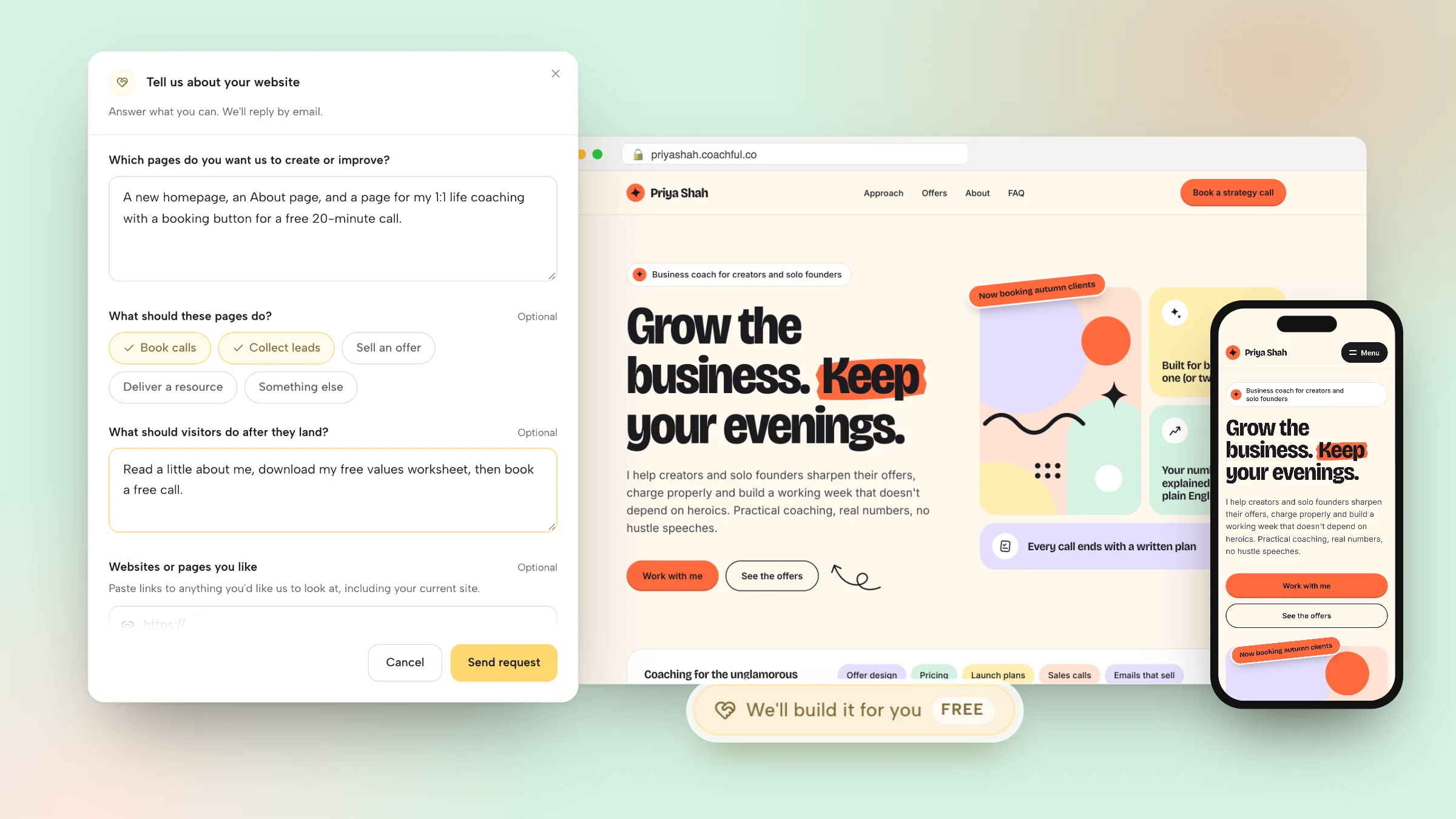
The website form asks six things, and only the first one is required:
- Which pages to create or improve.
- What the pages should do: book calls, collect leads, sell an offer, deliver a resource or something else.
- What visitors should do after they land.
- Websites or pages you like, including your current site, as up to 8 links.
- Branding, copy, images or offers to include, with up to 10 files: a logo, photos, screenshots, a brand guide, a copy document or audio notes. Video files aren't accepted.
- Anything that feels confusing, broken or unfinished.

What happens next
The request goes to the Coachful team, who reply by email with next steps, usually within about 24 hours. That's the normal turnaround, not a guaranteed deadline. Because everything is built in your own account, you can change any word afterwards with the normal editor.
What recent builds looked like
- A menopause and midlife health coach who started with no site, logo or prices got five pages (home, about, coaching, free consultation and contact) in sage and cream, with every button leading to a free 20-minute consultation.
- A real-estate and money coach got an eight-page website on their own domain, a year-long cohort program with an application form, a free nine-day bootcamp course with its own signup funnel and emails, and legal pages.
- A leadership coach whose Squarespace renewal was days away got one clean, mobile-friendly homepage with a repeated "talk with me" button, connected visually to the coach's sister company.
Nothing gets invented along the way: no made-up credentials, testimonials or prices. Anything missing is left clearly marked for you to fill in.
What it doesn't include
The team doesn't design logos, record your videos, run ads or manage your marketing month to month. It builds the pages, funnels and forms you asked for, and then they are yours to edit. The same form covers funnels, programs, email sequences and more; here is everything the free build service covers.
A launch checklist for your coaching website
- Read the first screen aloud. Could a stranger repeat who it's for?
- Book a call on your own site from your phone, as a client would. Check the confirmation and the reminder.
- Buy your cheapest offer with a real card, then refund it.
- Sign up for your free resource and check that the first email arrives.
- Click every button in the menu, the hero and the footer.
- Check that each page has its own title and description.
- Put your privacy policy and terms in the footer.
- Replace any testimonial you can't attribute to a real client who agreed to it.
- Send the link to three people in your niche and ask one question: "What would you do next on this page?"
If you only fix three things this week, make them the headline, a working booking page and a real photo of you. For a life coach's version of all this, see our page-by-page life coach website walkthrough and how Coachful works for life coaches.
Frequently asked questions
What should a coaching website include?
A homepage that names who you help, an About page, a Work with me page describing each offer, a booking page with intake questions, a FAQ, a contact form and privacy and terms pages. Add offer pages with checkout once you sell online, a Results page once you have real testimonials, and a free resource with an email sign-up for visitors who aren't ready to book.
How many pages does a coaching website need?
Five is enough to launch: Home, About, Work with me, Book a call and a privacy page. Most established practices settle at eight or nine pages. Past that, extra pages usually hide the main action rather than help it, so put secondary pages in the footer.
How much does a coaching website cost?
The ongoing costs are a domain, the website platform and, if the platform doesn't include them, separate tools for booking, payments and email. A designer or agency adds a build fee on top. Our coaching software cost guide breaks down what those tools typically cost. In Coachful, the website is included in your membership, and the team builds it for free.
Do I need a website if I already have Instagram and a link in bio?
A link in bio is a good front door, but it can't hold an About page, a full offer description, a FAQ and a blog that Google can find. Most coaches use both: the link in bio for social traffic and the website for referrals and search. Our guide to link in bio for coaches shows how they fit together.
What is the best platform to build a coaching website?
If you want booking, checkout, email and client delivery in the same place as the site, a coaching platform with a built-in website such as Coachful saves the most work. If design freedom or a large content site matters most, a builder like WordPress, Squarespace or Showit gives you more control, and you connect the coaching tools yourself.
Can someone build my coaching website for me for free?
Yes. Coachful's team builds coaching websites for free on every plan. Fill in the website form from the Website page or from Create, add links and files, and the team replies by email with next steps, usually within about 24 hours. Coachful is a paid subscription; the build itself costs nothing extra.
How long does it take to build a coaching website?
Starting from a designed template with your copy ready, a five-page site takes a weekend. Without copy, plan for several weekends, because the writing is the slow part. A free build request usually gets a reply within about 24 hours, and the timeline after that depends on how much you send.
Should my coaching website show my prices?
For most coaches who sell to individuals, yes, at least as a starting price such as "from $1,800, or three monthly payments". It filters out people who can't afford the work. Executive and corporate coaches often show a range or describe engagements instead, because the scope changes the price.