8 Best Virtual Coaching Platform Options for Live Sessions
A virtual coaching platform is what lets you run a coaching practice where every session happens on a screen: clients book in their own time zone, get a reminder with the right link, meet you on video, and leave with notes and a next step. The video itself is the easy part. What separates the platforms is everything around the call, and whether it lives in one place or in four tabs you keep open all day.
We compared eight options on that. Coachful is our top virtual coaching platform because booking, payment, built-in video, recording, notes and AI summaries all sit on the same client record, and the Coachful team will set up your booking pages and offers for you for free. Kajabi, Vibly, Practice Better, Simply.Coach, Paperbell and CoachVantage each run sessions in their own way, and the familiar Zoom-plus-Calendly setup is still the right answer for some coaches.
What a virtual coaching platform has to handle
Follow one session from start to finish and the requirements write themselves:
| Moment | What has to happen | What goes wrong without it |
|---|---|---|
| Booking | Open times shown in the client's time zone, synced with your calendar | Double bookings and "is that your 3pm or mine?" |
| Payment | Paid at booking, or deducted from a package | Chasing invoices after the call |
| Before the call | Reminder with the link, plus any prep worksheet | No-shows and clients arriving cold |
| The call | Reliable video that works on a phone, with recording when the client agrees | Ten minutes lost to links and downloads |
| After the call | Notes, a summary and next steps on the client's record | Follow-ups that never get written |
| Groups | Group calls, workshops and webinars with attendance | A second tool for every format |
A platform that covers all six rows lets you run the practice from one screen. One that covers only the call leaves you doing the rest by hand, which is fine at five clients and exhausting at twenty-five.
Virtual coaching platforms at a glance
How we ranked them: whether the session happens in the same place as booking, payment and the notes that follow, judged on what a solo coach gets on the entry plan.
| Platform | Video | Booking and payment | After the call | Best for |
|---|---|---|---|---|
| 1. Coachful | Built in, or Zoom, Meet and Teams links | Yes, in one flow | Notes, recording, AI summary on the client record | Ongoing one-to-one and group coaching |
| 2. Kajabi | Built-in live video, up to 200 people | Kajabi Scheduler and checkout | Session notes and milestones | Course-led businesses with live coaching |
| 3. Vibly | Built-in, HIPAA claimed | Yes | Notes; AI transcripts as a $20 add-on | Compliant sessions on a small budget |
| 4. Practice Better | Built-in telehealth | Yes | Notes synced to the client chart | Wellness practitioners |
| 5. Simply.Coach | Embedded video plus Zoom, Teams, Meet | Yes | Notes, reports for sponsors | Leadership coaching |
| 6. Paperbell | Zoom links | Yes, package checkout | Shared notes in the portal | Simple one-to-one packages |
| 7. CoachVantage | Built-in CVMeet plus Zoom and Meet | Yes | Notes and ICF coaching logs | ICF-track solo coaches |
| 8. Zoom plus Calendly | Zoom | Calendly, with Stripe or PayPal | Zoom's AI summaries, outside your client records | Coaches who only need calls |
Prices and plan details as listed in October 2026, in US dollars.
How we chose these virtual coaching platforms
We looked for tools a coach can run a full online practice on, not video apps alone (our Zoom alternatives for coaches guide covers those). For each one we traced the six moments above using the vendor's own feature and pricing pages, then checked reviews for the problems that only show up in daily use, such as clunky phone scheduling or weak built-in video. We make Coachful and rank it first; every claim about it is something you can check in a free trial.
1. Coachful: best virtual coaching platform overall
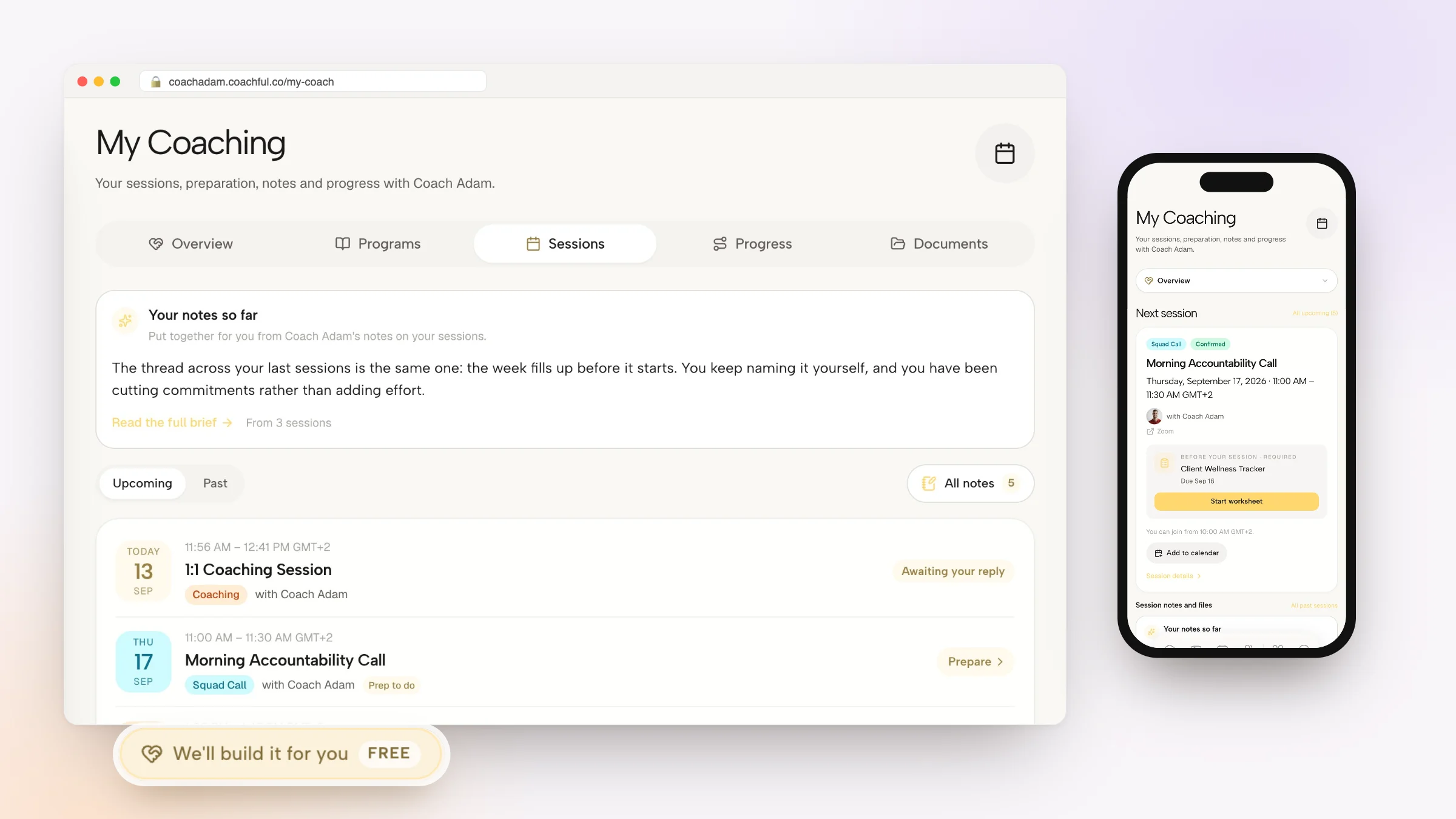
Coachful runs the whole session loop in one account. Clients book from live availability in their own time zone, pay or use a session credit, and answer intake questions that land on their record. The video room, the calendar entry and the reminders follow automatically.

Before the call
- Booking pages with availability rules, buffers, minimum notice and two-way Google, Apple and Outlook calendar sync. Open times are recalculated live and re-checked at submission, so a clashing booking is declined.
- Payment at booking through your own Stripe or Razorpay account, or a session credit from a package, with a 0% platform fee.
- Email reminders, plus SMS at 24 hours and WhatsApp at 1 hour once messaging is enabled, and pre-session worksheets you can make required for a session type.
During the call
- Built-in video for you and the client with no extra account, on the web and in the iPhone and Android app. If you prefer, Coachful creates Zoom meetings automatically, Google Meet links when Google Calendar is connected, and Teams links when Outlook is connected. Phone and in-person sessions are logged too.
- Recording that you start, pause and resume from the call controls.
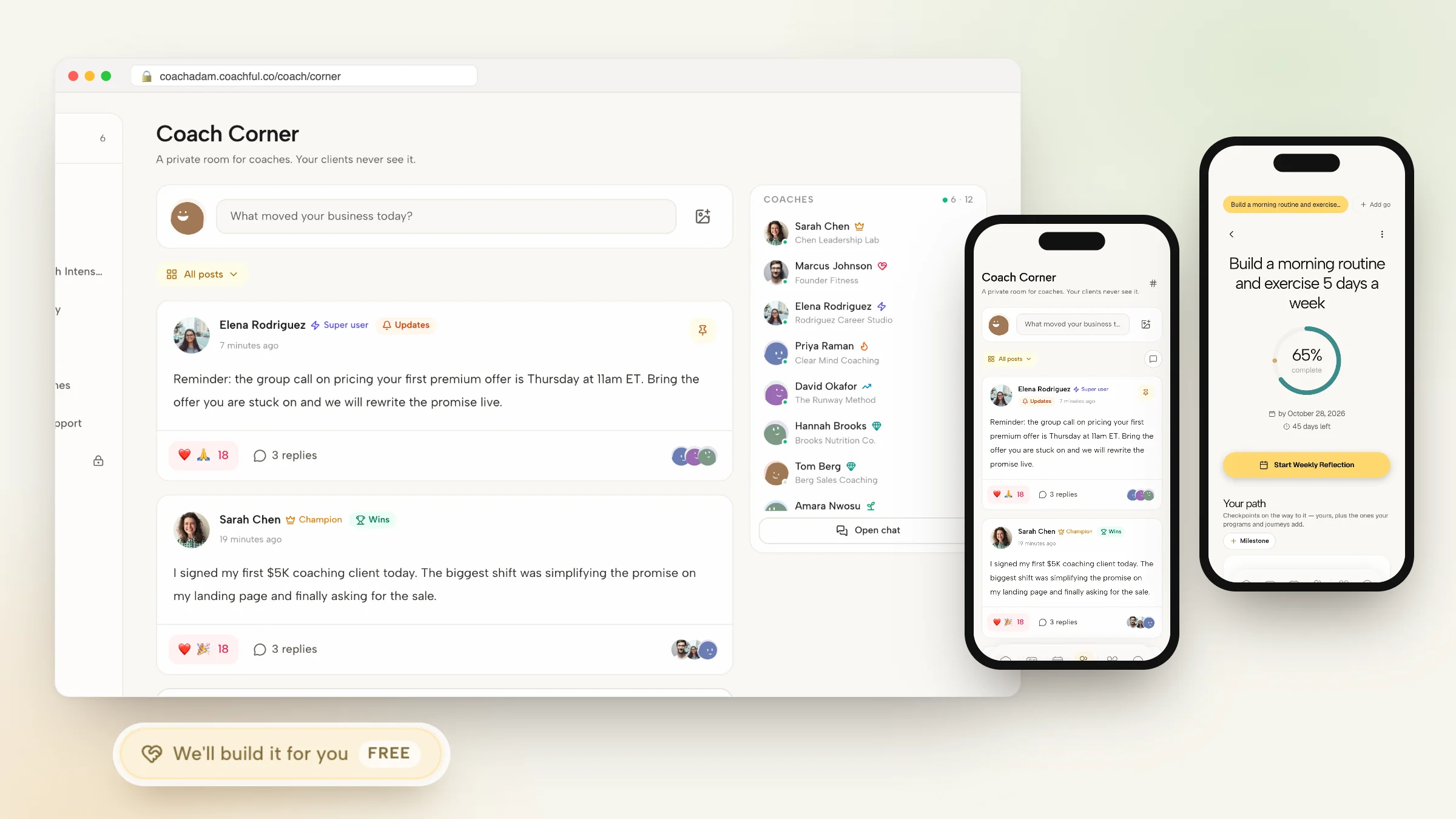
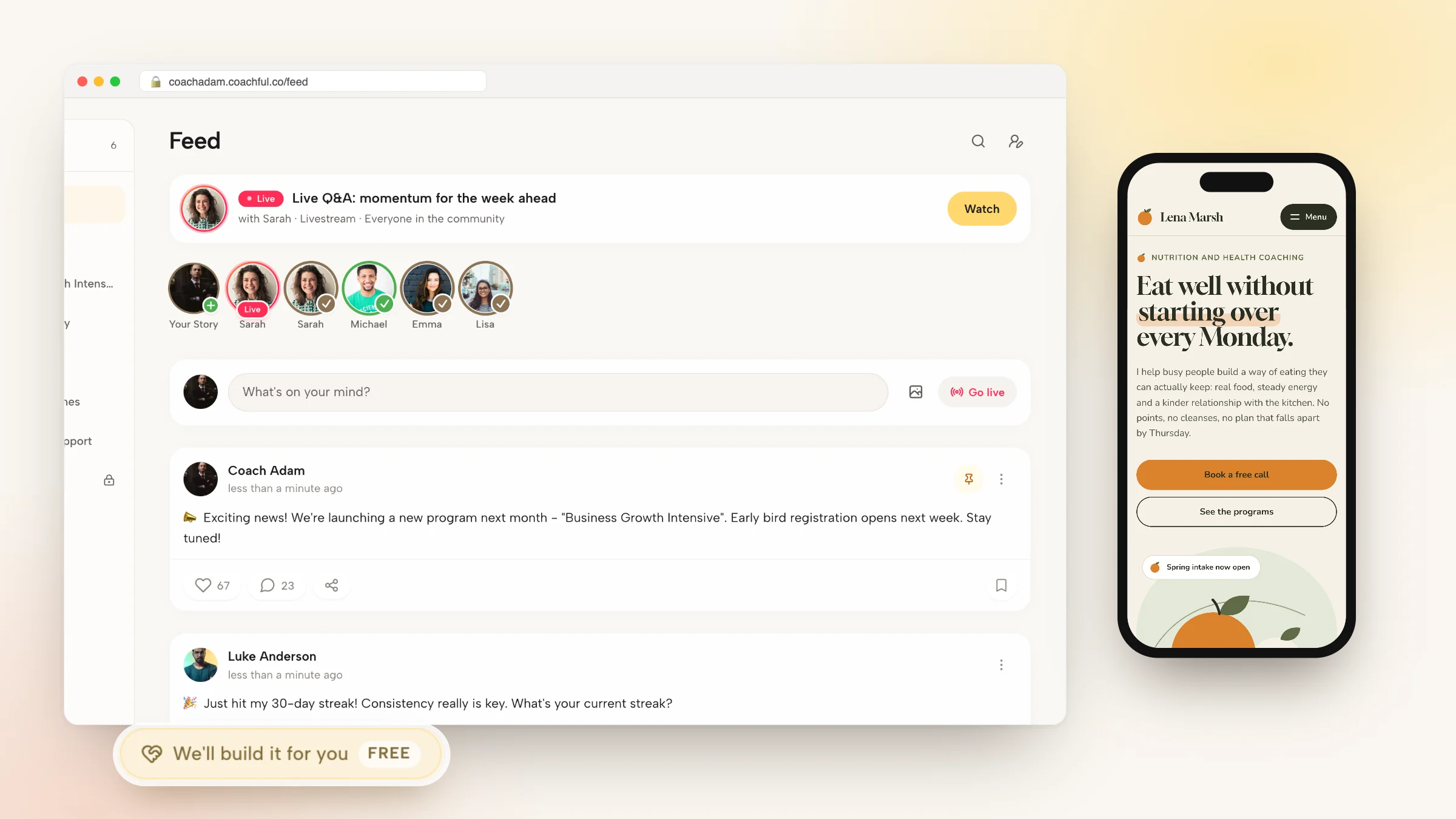
- Group calls with attendance per member, livestreams, focus rooms for timed work sessions, and webinars with a countdown, a call to action in the top bar, chat and popup funnels that take payment inside the call.

After the call
- Session notes written during or after the call, with private notes kept apart from the shared notes the client sees.
- AI summaries of recorded sessions, with the client-facing version drafted for you. Summaries use AI credits.
- Attendance, no-shows and cancellations tracked per session, and completed sessions counted toward ICF credential hours.
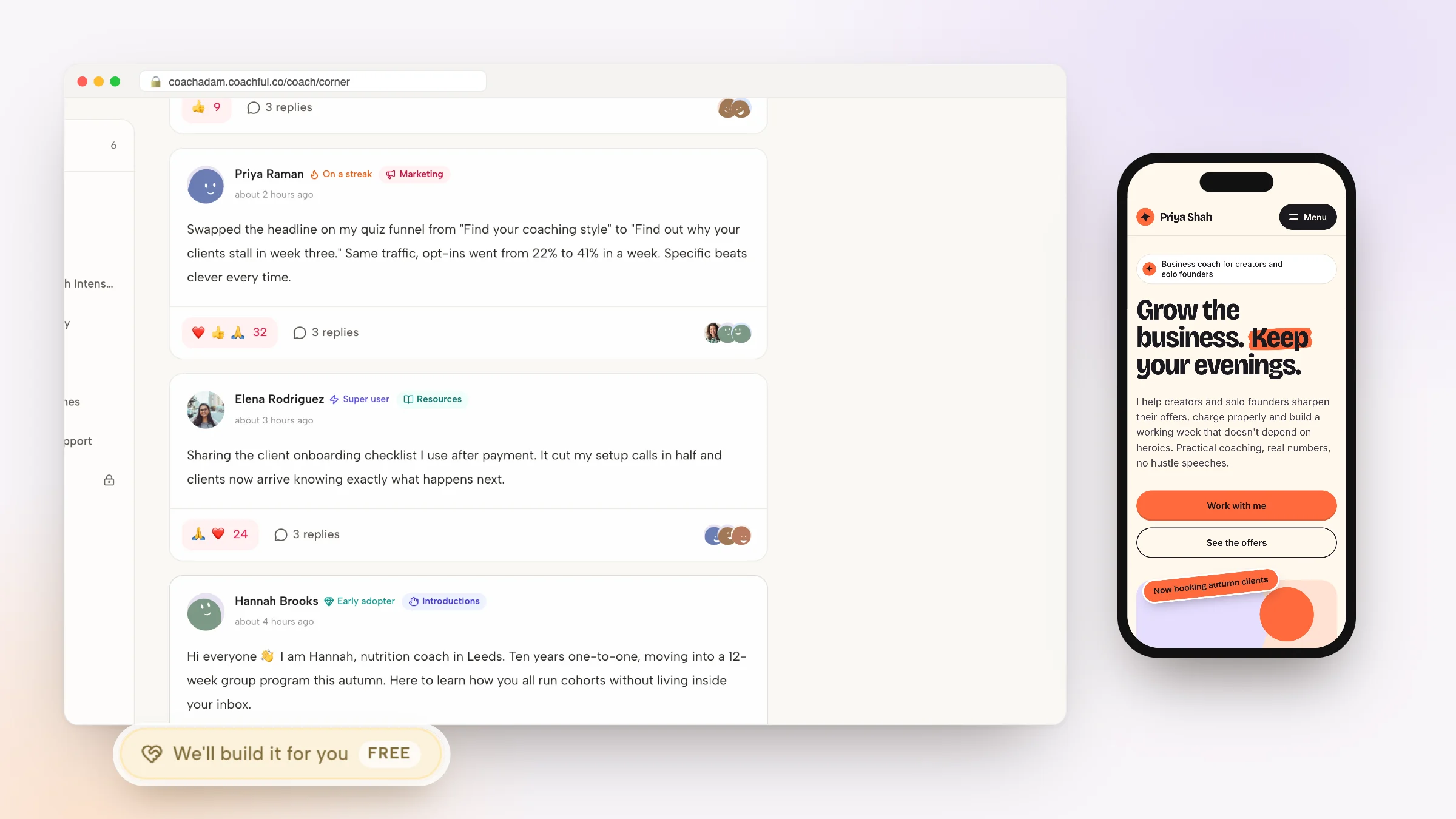
Why Coachful stands out: a free white-glove service. Every plan includes a build service at no extra cost. Tell the team what you sell from Create > We'll build it for you, and they set up your offers, booking funnel, website or onboarding emails inside your account, usually within about 24 hours. You can change anything afterwards. Read how the white-glove service works.
Limitations: there is no dial-in conference bridge; phone sessions are logged rather than hosted. Zoom, Meet and Teams features depend on your own connected accounts. It is not HIPAA certified, and lower plans cap clients, so check the plan shown to you. Full detail on Coachful video calls.
2. Kajabi: best for course businesses with live coaching

Kajabi is a course platform with a real coaching product inside it: the Kajabi Scheduler for availability-based booking, built-in live video for up to 200 participants with 20 breakout rooms, session outlines, milestones and shared notes. Website, email, funnels and community share one contact record. Basic is $179 a month.
Falls short: no habits, check-ins or contracts, and we could not verify two-way calendar sync for its scheduler. Pick it over Coachful if courses drive your revenue and live sessions support them.
3. Vibly: best for compliant sessions on a small budget

Vibly claims HIPAA, GDPR and SOC 2 on every tier, including its built-in video. Basic is $25 per user a month with unlimited clients, booking, payments, notes, messaging and a website page; Pro at $59 adds e-signed contracts and custom forms. A flat $20 a month AI add-on writes transcripts and summaries. Reviewers rate it 4.9 on Capterra (21 reviews).
Falls short: reviewers say Google Meet is the default and they would prefer Zoom, branding is limited, and there are no habits or structured programs. Pick it if compliance on the call matters most.
4. Practice Better: best for wellness practitioners

According to its website in October 2026, Practice Better's telehealth lets clients join video sessions from their client portal, and practitioners capture notes during the call that sync to the client's chart. It carries HIPAA, PIPEDA and GDPR badges and adds charting, journaling, programs and insurance billing.
Falls short: its feature list does not include a website builder, funnels or a community feed. We could not verify its prices for this guide. Pick it if you are a dietitian or clinician first. Coaches weighing a move can read our Practice Better alternatives.
5. Simply.Coach: best for leadership coaching

Simply.Coach embeds video in the platform and connects Zoom, Teams and Google Meet, with recurring sessions on Growth and stakeholder reports for corporate sponsors. It claims SOC2, HIPAA and GDPR, and its apps run on iOS and Android. Starter is $9 a month for 3 clients; Growth is $49 for 30.
Falls short: client caps on every solo tier below Leap ($69), and a learning curve reviewers mention. Pick it when an employer pays and wants reports.
6. Paperbell: best for simple one-to-one packages

Paperbell books sessions with time-zone detection and gaps between appointments, sends reminders including SMS, and attaches Zoom links. Clients sign, pay and book in one checkout. It offers a free trial, then costs $97 a month with unlimited clients.
Falls short: no built-in video, no recordings or summaries, no native app. Pick it if your practice is calls and nothing in between. See our Paperbell review.
7. CoachVantage: best for ICF-track solo coaches

CoachVantage includes its own CVMeet video alongside Zoom and Google Meet, with booking pages, contracts, invoicing and coaching logs in ICF format. Clarity is $39 a month with unlimited clients.
Falls short: reviewers say the built-in video is not good enough and use Zoom anyway, Clarity caps booking pages at 2 and e-signatures at 4 a month, and there is no native app. Pick it for contracts and logs at a low flat price.
8. Zoom plus Calendly: best if you only need calls

Plenty of coaches run a virtual practice on Zoom and a Calendly link. Calendly creates the Zoom, Meet or Teams link at booking and takes Stripe or PayPal payment on paid plans from $10 a seat; Zoom records the call and, according to its website, produces AI Companion summaries with next steps.
Falls short: nothing connects the call to a client record, so notes, recordings and payments live in three places. Pick it while you have a handful of clients and no programs.
Running a virtual coaching practice well: seven habits
- Show times in the client's time zone, always. In booking pages, reminders and the portal. Time-zone mix-ups are the most avoidable reason a virtual session gets missed.
- Open the room early. A join window of ten minutes before the start gives clients time to fix audio without eating the session.
- Ask before you record, and write it into your agreement. Our guide to consent for AI session notes has wording you can adapt.
- Keep a backup channel. If video fails, switch to a phone call rather than rebooking.
- Send the recap the same day. Three lines: what we covered, what you are doing, when we meet next.
- Set a no-show rule and apply it. See how to prevent coaching no-shows.
- Match session length to the format. Our take on 30, 45 or 60 minutes applies online too.
Frequently asked questions
What is a virtual coaching platform?
A virtual coaching platform is software for running coaching sessions online: booking in the client's time zone, payment, reminders, video calls and the notes or summaries that follow. The best ones keep all of it on one client record, so you are not switching between a scheduler, a video app and a notes document.
What is the best virtual coaching platform for life coaches?
Coachful is our top pick for life coaches because booking, payment, built-in video, recording, notes and AI summaries sit in one place, along with programs and habits for between sessions. Paperbell suits life coaches who only sell one-to-one packages, and Zoom plus Calendly works for a handful of clients.
Do I need Zoom for virtual coaching?
No. Coachful, Kajabi, Vibly, Practice Better, Simply.Coach and CoachVantage all include their own video. Zoom is still useful when a corporate client's IT team requires it, and Coachful can create the Zoom link automatically if you connect your account.
Can I record virtual coaching sessions?
Yes, on most platforms, but always with the client's consent, ideally written into your coaching agreement. In Coachful the coach starts, pauses and resumes recording from the call controls, and recorded sessions can be summarized by AI using AI credits. Recordings are also useful for ICF mentor coaching.
Which virtual coaching platform is HIPAA compliant?
Vibly claims HIPAA on every tier, Practice Better shows a HIPAA badge on its homepage, and Simply.Coach claims HIPAA alongside SOC2. Coachful is not HIPAA certified. If you handle protected health information, get a signed BAA from the vendor before you start.
Can I run group coaching and webinars on a virtual coaching platform?
On some. Coachful runs group calls with attendance per member, livestreams, focus rooms and webinars with countdowns, chat and in-call checkout. Kajabi's live video holds up to 200 people with breakout rooms. Paperbell supports group programs but relies on Zoom for the call.
Will Coachful set up my booking pages and offers for me?
Yes. The white-glove build service is free on every plan. Choose Create > We'll build it for you and describe your sessions, packages and prices. The Coachful team builds the offers, booking funnel and pages in your account, usually within about 24 hours, and you can edit them afterwards.
Related: booking software for coaches, virtual life coaching, remote coaching tools and digital coaching platforms.