25 Best Apps for Coaches in 2026, Sorted by Job
The best apps for coaches are the ones your clients never have to think about. A client books, pays, joins the call and finds their homework without emailing you for a link, and you spend the week coaching instead of copying details from one tool to another. So the useful question is how many separate apps it takes to make that happen, and which jobs are worth paying a specialist for.
We sorted 25 apps by the job they do: scheduling, video calls, notes, client management, payments, email and funnels, courses and community, design and AI. Coachful is our #1 overall pick because it covers every one of those jobs except design in a single login, and its team will build your website, funnel or first program for you at no extra cost. The other 24 earn their place by being the best in their lane, and many coaches run one of them beside a platform.
The table shows where they overlap. For coaching platforms only, see our coaching apps for online coaches.
Apps for coaches at a glance
How the list is ordered: categories follow the order a client meets them, from booking to community, and inside each category apps are ranked on how much of a coaching week they handle and how well the entry tier serves a solo coach.
| # | App | Job | Best for | Also covered inside Coachful? |
|---|---|---|---|---|
| 1 | Coachful | All-in-one | Booking, delivery and marketing in one place | Yes, it is the platform |
| 2 | Calendly | Scheduling | A booking link and nothing else | Yes |
| 3 | Acuity Scheduling | Scheduling | Packages, classes and intake on the booking page | Yes |
| 4 | Zoom | Video | Large calls and clients whose companies require it | Yes, built-in video or Zoom links |
| 5 | Google Meet | Video | Calls that open in a browser tab | Yes, Meet links created for you |
| 6 | Whereby | Video | A permanent room with your own link | Yes, built-in video |
| 7 | Notion | Notes | Building your own system | Partly; notes on the client record |
| 8 | Fathom | AI notetaker | Summaries of calls held on Zoom, Meet or Teams | Partly; Fathom also connects |
| 9 | Otter | AI transcripts | Searchable transcripts of every call | Partly |
| 10 | Paperbell | Client management | Selling one-to-one packages simply | Yes |
| 11 | CoachAccountable | Client management | Detailed accountability between sessions | Mostly; its metric charts go deeper |
| 12 | HoneyBook | Client admin | Proposals, contracts and invoices | Partly; no proposal files |
| 13 | Dubsado | Client admin | Custom onboarding automations | Partly |
| 14 | Stripe | Payments | Taking card payments online | Runs on your own Stripe |
| 15 | Square | Payments | Card payments in person | No |
| 16 | Wave | Bookkeeping | Invoices plus simple accounting | Invoices yes, bookkeeping no |
| 17 | Systeme.io | Funnels and email | Starting a list on a free plan | Yes |
| 18 | ClickFunnels | Funnels | Paid traffic, upsells and webinars | Yes |
| 19 | Kajabi | Courses and marketing | Businesses led by courses | Yes |
| 20 | Thinkific | Courses | Course libraries with certificates | Mostly; no certificates |
| 21 | Circle | Community | Paid communities with live rooms | Yes |
| 22 | Mighty Networks | Community | Cohorts, challenges and live streams | Yes |
| 23 | Skool | Community | A simple paid group | Yes |
| 24 | Canva | Design | Graphics, slides and PDFs | No |
| 25 | ChatGPT or Claude | AI assistant | Drafting, thinking and research | Partly, through Michelle |
Competitor prices are in US dollars, monthly, as listed in October 2026. Processing fees are extra everywhere.
How we chose these apps for coaches
We started from the week of a coach with 10 to 40 clients and listed every moment that needs software: a stranger books, a client pays, a session happens, someone writes down what was said, the client does the work in between, and the business finds its next client. Then we asked four questions of each app:
- Does it do its job well enough that coaches keep it for years?
- What does the entry tier include? A tool that hides booking behind its second plan is less useful than its homepage suggests.
- What does it leave you doing by hand? Copying a Zoom link into a calendar invite counts.
- Does it overlap with something you already pay for?
Facts come from vendors' pricing and feature pages and the review sites named in each entry. We publish Coachful and put it first, so judge the reasoning as well as the ranking.
The best all-in-one app for coaches
1. Coachful: best overall app for coaches
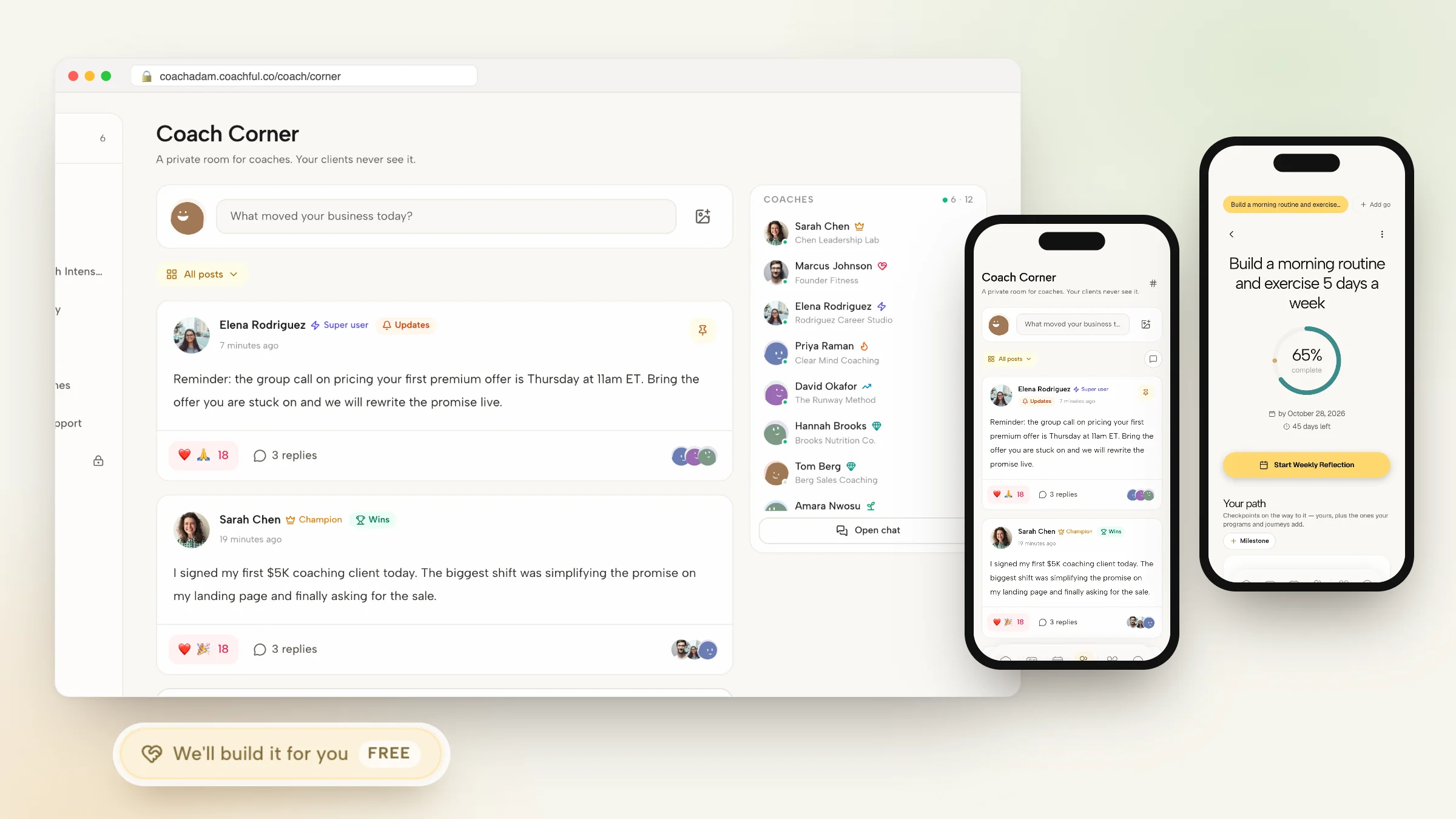
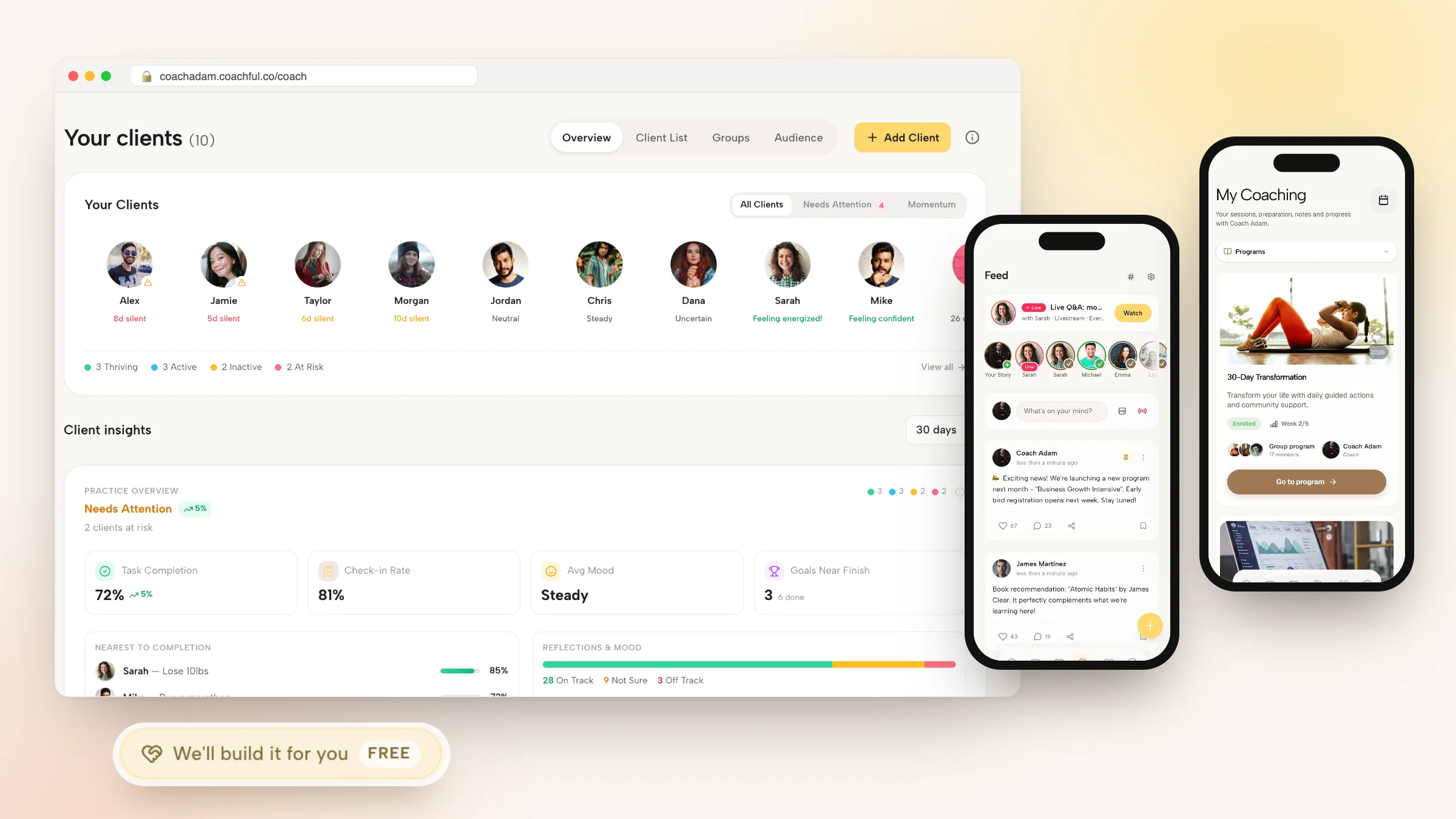
Coachful is a coaching platform with one login for you and one app for your clients on iPhone, Android and the web. It replaces the stack most coaches build by accident: a booking link, a video app, a notes document, a payment page, a course host, a community and an email tool.

Here is what that looks like in a normal week:
- Booking and calls. Booking pages with availability rules, buffers and time-zone detection, with two-way Google, Apple and Outlook calendar sync. Sessions run on built-in video, or Coachful creates the Zoom, Google Meet or Teams link for you. Reminders go out by email, plus SMS and WhatsApp once messaging is turned on.
- Selling. Offers with one-time prices, subscriptions or payment plans, agreements signed before the first call, and invoices. Money goes to your own Stripe or Razorpay account, and Coachful takes a 0% platform fee.
- Delivery between calls. Multi-week programs with daily tasks, habits, goals and morning and evening check-ins, so you can see who is on track before you open the call.
- Content and community. Courses with modules and lessons, downloads, a community feed with group chat, and cohort groups created when clients enroll.
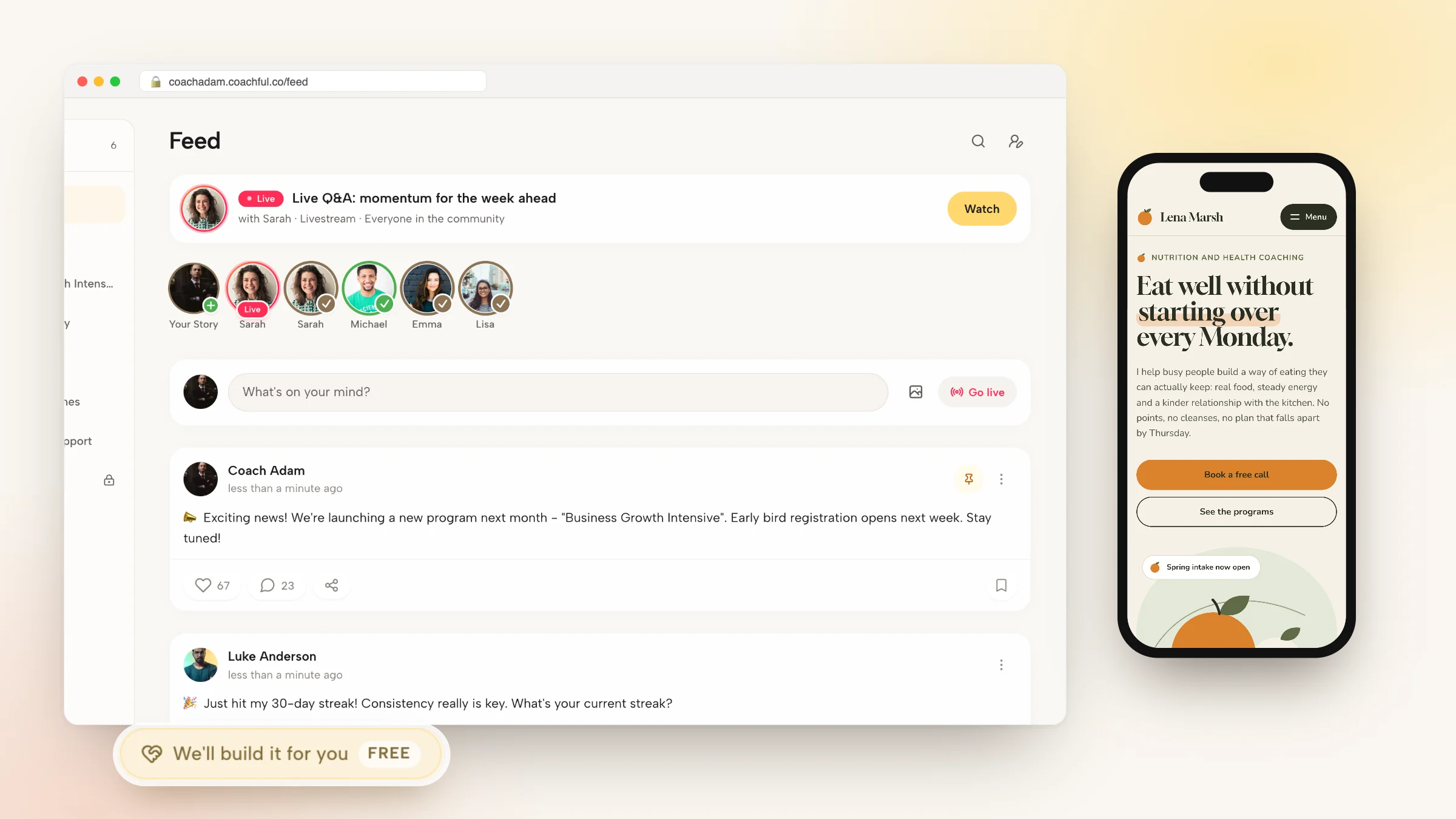
- Marketing. A website builder with 30 designed homepage templates, funnels, email sequences and broadcasts, and lead tracking.
- AI. Michelle, the built-in assistant, works from your real client and program data. Questions and planning are included in your Coachful membership; confirmed builds and changes use AI credits.

The client side is what changes behavior. Clients open My Coaching and see their next session, the worksheet due before it, their program and your shared notes, with no digging through email for the call link.
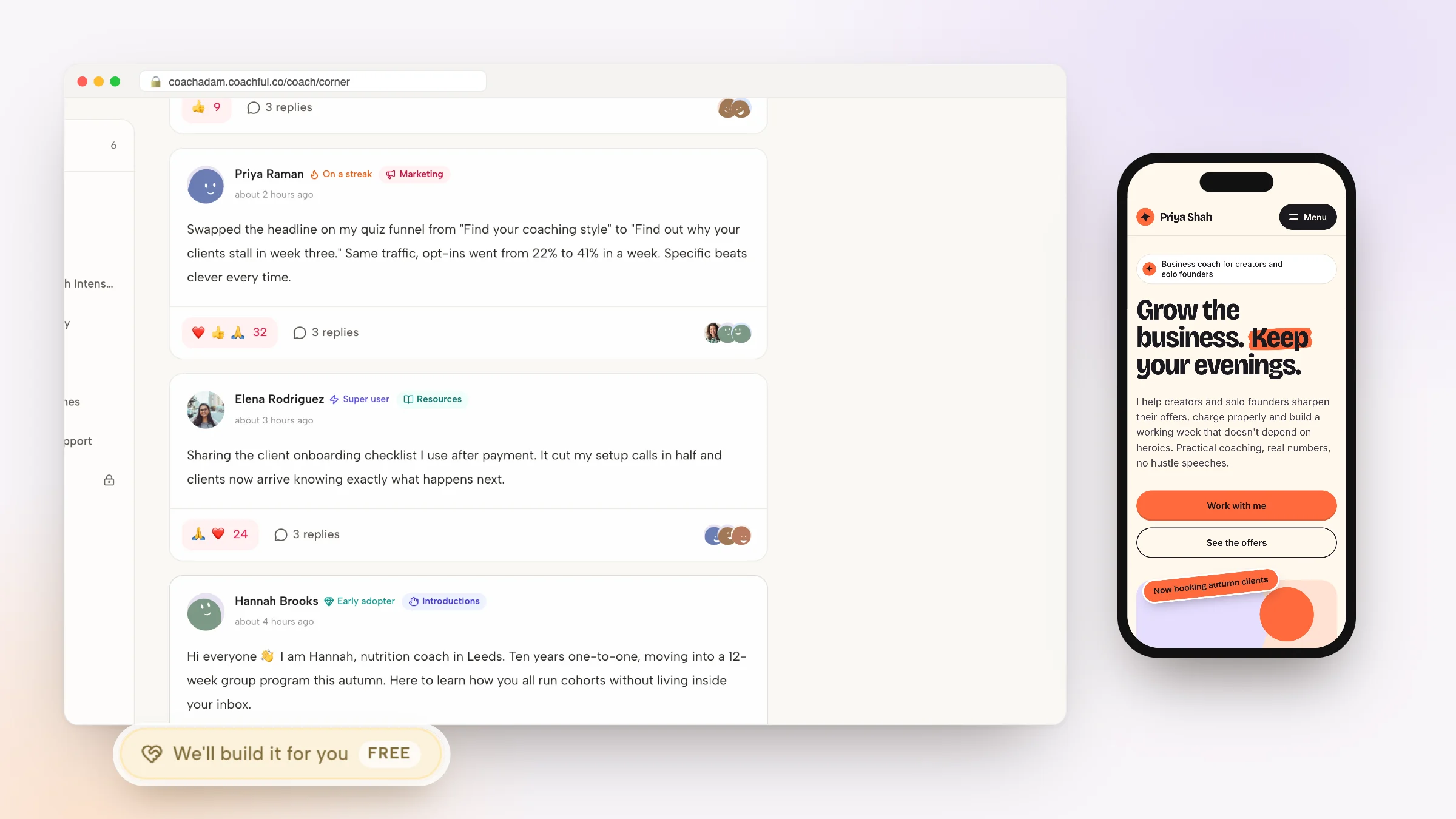
Why Coachful stands out: a free white-glove service. Every Coachful plan includes a build service at no extra cost. You fill in a short form from Create > We'll build it for you and the Coachful team builds your website, funnel, offer, program, course outline or email sequence inside your own account, usually within about 24 hours. You edit everything afterwards with the normal editors. The white-glove service guide shows what to send and what recent coaches got back.

Where it falls short: lower plans cap the number of clients, so compare the plan shown to you with your roster. The client app carries your branding inside the Coachful app rather than under your own App Store listing. It is not HIPAA certified, it has no PayPal, and it does no design work in the Canva sense. If all you want is a booking link, you will use a small part of it.
Pick it when: you are paying for three or more of the apps below and your clients keep asking where things are. See how it compares with a dedicated scheduler on Coachful vs Calendly.
Scheduling apps for coaches
2. Calendly: the booking link everyone recognizes

Calendly is the category leader in booking links, with a G2 rating of 4.7 from 2,556 reviews as listed in October 2026. Its free plan covers one event type and one calendar, and paid seats start at $10 a month on Standard, with round-robin scheduling on Teams at $16 per seat. Sync with Google, Outlook and iCloud is reliable, and it connects to more than 150 tools.
Falls short: there are no contracts, no client portal and no record of what happened in the session. Pick it over Coachful if booking really is the only job you need software for.
3. Acuity Scheduling: packages and intake on the booking page
Acuity, owned by Squarespace, goes further than Calendly for service businesses. Starter is $20 a month for one calendar with intake forms and email reminders; Standard at $34 adds text reminders, packages, memberships and gift certificates for up to six calendars; Premium at $61 adds a HIPAA BAA. Capterra reviewers rate it 4.8 from 5,758 reviews.
Falls short: no programs or progress tracking, and Trustpilot reviewers (3.7) complain about email-only support. Pick it over Coachful if you sell sessions from a Squarespace site and need a BAA on the scheduler.
Video call apps for coaches
4. Zoom: the default video room

Zoom is still the room most clients know. According to its website in October 2026, it offers AI Companion summaries with next steps, recording, webinars and its own Zoom Scheduler. For a big workshop or a corporate client whose IT team allows only Zoom, it is the safe choice.
Falls short: the call lives apart from the client's record, so notes and recordings end up in a separate folder. Pick it over Coachful's built-in video when a client's company requires it; Coachful can create the Zoom link for you either way.
5. Google Meet: video that opens in a browser tab
Meet runs in the browser with nothing to install, which helps the client on a locked-down work laptop, and it sits inside Google Workspace. Falls short: no booking, payment or notes around the call. Pick it if your business already runs on Google.
6. Whereby: a room with your own link
Whereby gives you a permanent browser room you share like an office address. Falls short: like every standalone video app, the session leaves no trace on a client record. Pick it for a simple room when admin lives elsewhere. Our guide to Zoom alternatives for coaches compares the video options in depth.
Notes and AI notetaker apps
7. Notion: a blank workspace for client notes

Notion lets you build a client database, session templates and a resource library exactly the way you think. Falls short: you are building software yourself, nothing reminds a client to do anything, and private and shared notes stay apart only if you keep them apart. Pick it as a personal knowledge base beside a coaching platform.
8. Fathom: AI notes for Zoom, Meet and Teams
Fathom joins your Zoom, Meet or Teams calls, records them and writes a summary with action items. Falls short: the summary lives in Fathom unless you move it. Coachful has a Fathom connection in beta that brings transcripts, summaries and action items into the matching Coachful session.
9. Otter: transcripts you can search later
Otter is built around transcription: a searchable record of what was said, with AI summaries on top. Falls short: a transcript is not a note, and you still decide what reaches the client. Pick it if you review calls word by word for supervision or mentor coaching. More on this in our guide to coaching session notes software.
Client management apps for coaches
10. Paperbell: the cleanest package checkout

Paperbell sells a coaching package in one flow: the client signs the contract, pays, fills in the intake form and books. As listed in October 2026 it offers a free trial, then a single plan at $97 a month or $970 a year with unlimited clients and no platform fee.
Falls short: no goals, habits or check-ins between sessions, one coach per account, and no native mobile app. Pick it over Coachful if you coach one to one, need nothing between calls and love one flat bill. Our Paperbell review goes deeper.
11. CoachAccountable: accountability tracked to the decimal
CoachAccountable turns sessions into tracked actions, metrics and worksheets, with unlimited coach and admin accounts. It is priced by active clients: $20 a month for 2, $70 for 10, $120 for 20. Capterra reviewers give it 5.0 from 67 reviews. Falls short: no website or marketing, no native app, and group programs get expensive because every member counts. Pick it if measured accountability is your whole method.
12. HoneyBook: proposals, contracts and invoices
HoneyBook combines a proposal, contract and invoice into one client file, with automations on top. Starter is $36 a month without a scheduler; Essentials at $59 adds scheduling and automations. HoneyBook processes payments itself, so you cannot bring your own Stripe. Pick it if your work looks more like consulting projects than coaching programs.
13. Dubsado: automation for coaches who like building workflows
Dubsado's Flows automate onboarding: send the contract, then the invoice, then the questionnaire, on triggers you set. Premier at $55 a month includes the scheduler and three user seats. Falls short: reviewers on every site call the setup long, and there is nothing for program delivery. Pick it if your onboarding has many steps and you enjoy building them.
Payment and bookkeeping apps
14. Stripe: the processor behind most coaching checkouts
Stripe is the processor under most coaching platforms, Coachful included, so you need an account either way. The choice is between Stripe's own payment links and a platform that records each payment against the client and package. Pick plain Stripe if you invoice a handful of corporate clients.
15. Square: payments in person
Square shines when money changes hands face to face, at a workshop or a retreat. Pick it as a card reader beside your online setup.
16. Wave: invoices and simple bookkeeping
Wave handles invoicing and small-business accounting. Coachful issues an invoice for every payment, but your accountant will still want proper books. Pick it for bookkeeping, whichever platform you use. Our bookkeeping tools for coaches guide covers the alternatives.
Email and funnel apps
17. Systeme.io: funnels and email on a free plan
Systeme.io has a permanent free plan with 2,000 contacts, 3 funnels, a course and unlimited emails, and its paid plans start at $17 a month, as listed in October 2026. Reviews are excellent (4.9 on Trustpilot from 8,424). Falls short: no client app, no live calls and nothing for check-ins. Pick it to build a list before you have paying clients.
18. ClickFunnels: funnels for paid traffic
ClickFunnels remains the funnel builder for coaches buying ads, with order bumps, one-click upsells and A/B tests. Launch is $97 a month. Falls short: no contracts, intake or program delivery, and reviewers describe the cancellation flow as painful. Pick it when ads are your main growth engine.
Course and community apps
19. Kajabi: courses, email and a site
Kajabi puts a website, email, funnels, courses, a community and a coaching product with live video under one contact record. Basic is $179 a month with 5 products and 2,500 contacts. Falls short: no habits, check-ins or contracts. Pick it if courses are most of your revenue.
20. Thinkific: a course builder that takes learning seriously
Thinkific's strength is course authoring: quizzes, assignments, certificates and, on its top plan, SCORM. Basic is $49 a month with a 0% platform fee. Falls short: no native booking, so one-to-one coaching relies on a pasted scheduling link. Pick it if you need completion certificates, which Coachful does not issue.
21. Circle: a community with live rooms

Circle is a polished community space with courses, events, live rooms and paywalls. Professional is $129 a month with a 2% fee on sales. Falls short: no booking, intake or client notes. Pick it if your offer is the community itself.
22. Mighty Networks: cohorts, challenges and live streams
Mighty Networks adds challenges and cohort courses to a community, with native live streaming. Its Launch plan shows $79 a month on annual billing, with a 2% fee on sales. Pick it for group programs that live inside a community.
23. Skool: the simplest paid group
Skool is a feed, a classroom and a calendar, with points and leaderboards. Hobby is $9 a month with a 10% transaction fee; Pro is $99. Falls short: no custom domain, no website and a Trustpilot score of 1.7. Pick it to test a paid group cheaply.
Design and AI apps
24. Canva: graphics, slides and PDFs

Canva is where most coaches make worksheets, slide decks, social posts and lead-magnet PDFs. No coaching platform replaces it, Coachful included. Keep it whatever else you choose.
25. ChatGPT or Claude: a general AI assistant
A general assistant is useful for drafting a sales page, rehearsing a hard conversation or summarizing a book. The limit is context: it knows nothing about your clients unless you paste it in. Coachful's Michelle works from your live practice data instead, and Coachful also has an official connector so you can work on your account from Claude. Read how the Coachful connector works, and our AI tools for coaches roundup for more.
How to pick your stack of coaching apps in four steps
- List what your clients touch. Booking page, checkout, video room, homework, messages. Each separate app is another link for them.
- Choose one home. Pick the app your clients open every week and make everything else feed into it. For most coaches that is a coaching platform, not a calendar.
- Add specialists only for real gaps. Canva for design and an accountant's tool for books are sensible. A second app that also takes bookings is not.
- Test it as a client on your phone. Buy your own offer, book the first session, open the homework. If it takes more than one link, simplify.
Most solo coaches can stop at three apps: a platform, Canva and a bookkeeping tool. Our guide to software for solo coaches walks through that setup, and the CRM guide covers the lead side.
Frequently asked questions
What are the best apps for coaches in 2026?
Coachful is our top pick overall because it covers booking, video, notes, payments, programs, courses, community and email in one login. The best specialists are Calendly for scheduling, Zoom or Google Meet for video, Fathom for AI call notes, Systeme.io for free funnels and email, Circle for community and Canva for design.
What is the best scheduling app for a solo life coach?
If booking is the only thing you need, Calendly's free plan with one event type is enough to start. If you also want the booked session to land on a client record with the agreement, payment and notes, a coaching platform such as Coachful does the scheduling and the rest. Acuity suits coaches who sell packages from a Squarespace site.
Which app do most coaches use for video calls?
Zoom is still the most common, with Google Meet close behind for coaches on Google Workspace. Coaching platforms increasingly include their own video. Coachful has built-in video and can also create Zoom, Meet or Teams links automatically, so the call, the recording and the notes stay on the client's record.
Do coaches need a separate CRM app?
Usually not. A coaching platform's client record already holds contact details, sessions, payments, notes and goals, and Coachful adds a leads board for prospects. A general CRM such as HubSpot makes sense for a large sales pipeline run by a team.
Are there free apps for coaches?
Yes, with limits. Calendly has a free plan with one event type, Systeme.io has a free plan with 2,000 contacts, and Paperbell offers a free trial instead of a free plan, as listed in October 2026. Coachful is a paid subscription that you can start with a free trial. Free tiers work for testing an offer and usually break at the second or third client.
Can Coachful build my coaching website or program for me?
Yes. The white-glove build service is free on every plan. Open Create and choose We'll build it for you, then describe the website, funnel, program, course outline or email sequence you want. The Coachful team builds it in your account, usually within about 24 hours, and you can edit it afterwards. They do not film your videos or invent testimonials.
Related: the Coachful coaching app and productivity apps for coaches.