
The coaching app clients open between your sessions.
Coachful is a coaching app for you and every client you coach. They open today's tasks, habits, check-ins, the next session and a chat with you. You open your client list, today's calls and your messages. It runs on iPhone, Android and the web, with your logo on it.
7-day free trial for you. Free for every client you invite.
Morning, Maya
3 sessions today · 12 clients
 Lena92%
 Marcus74%
 Priya0%
 Sam12%
Goal review · Lena
2:00 PM · built-in video
Goal
Own my mornings
Due 30 Nov · 3 of 5 milestones
Morning, Lena
2 of 318
day streak
Morning check-in
Done at 7:12

Lena · 2 of 3 done today
on your Clients tab
Your logo and colours
inside the Coachful app
Your clients have an app for everything except your coaching.
Their week runs on their phone. If your coaching lives in a PDF, an inbox and a calendar invite, it loses to every other app they open before breakfast.
The old way
- Homework in a shared doc, voice notes on WhatsApp, the Zoom link in a three-week-old email
- You find out on the call that the week went sideways on Tuesday
- Five logins for you, and a different one for every tool your clients touch
- Nothing on their phone carries your name
 With Coachful
The new way
- Today’s tasks, habits, check-ins and the next session in one app on their phone
- Chat, voice notes and files with you, right next to the work
- You see who checked in and who went quiet from your own phone
- Your logo, colours and words inside the Coachful app on iPhone and Android
You and every client, in the same app all week.
The same app, signed in two ways: as your client it opens their day, and as the coach it opens your whole practice.
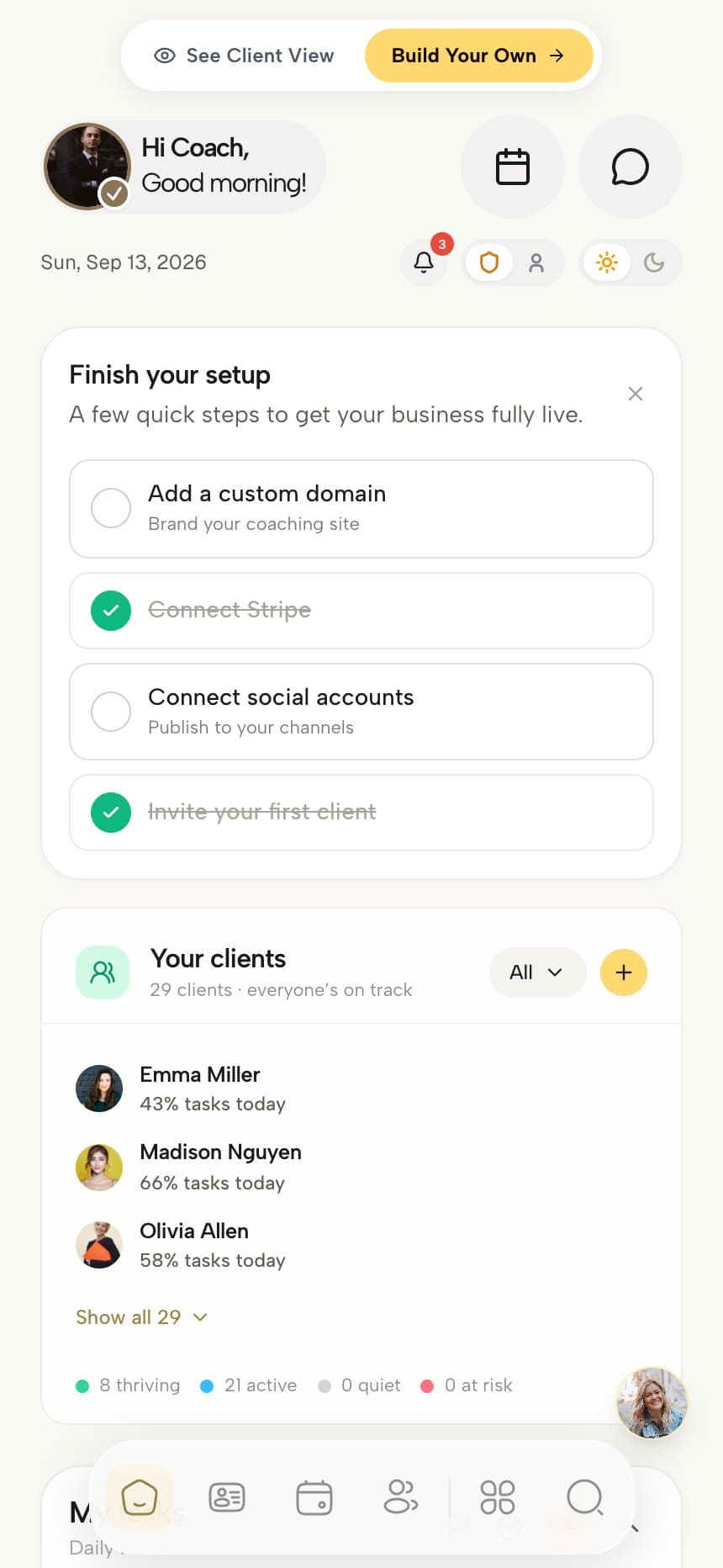
You know who needs you before you open a laptop
- Every client with task completion and a status: thriving, active, inactive or at risk
- Today’s sessions and their joining links
- Messages with every client, and the community you run
- Your own task list, in the order you work
- Michelle, the AI assistant, a tap from the dashboard
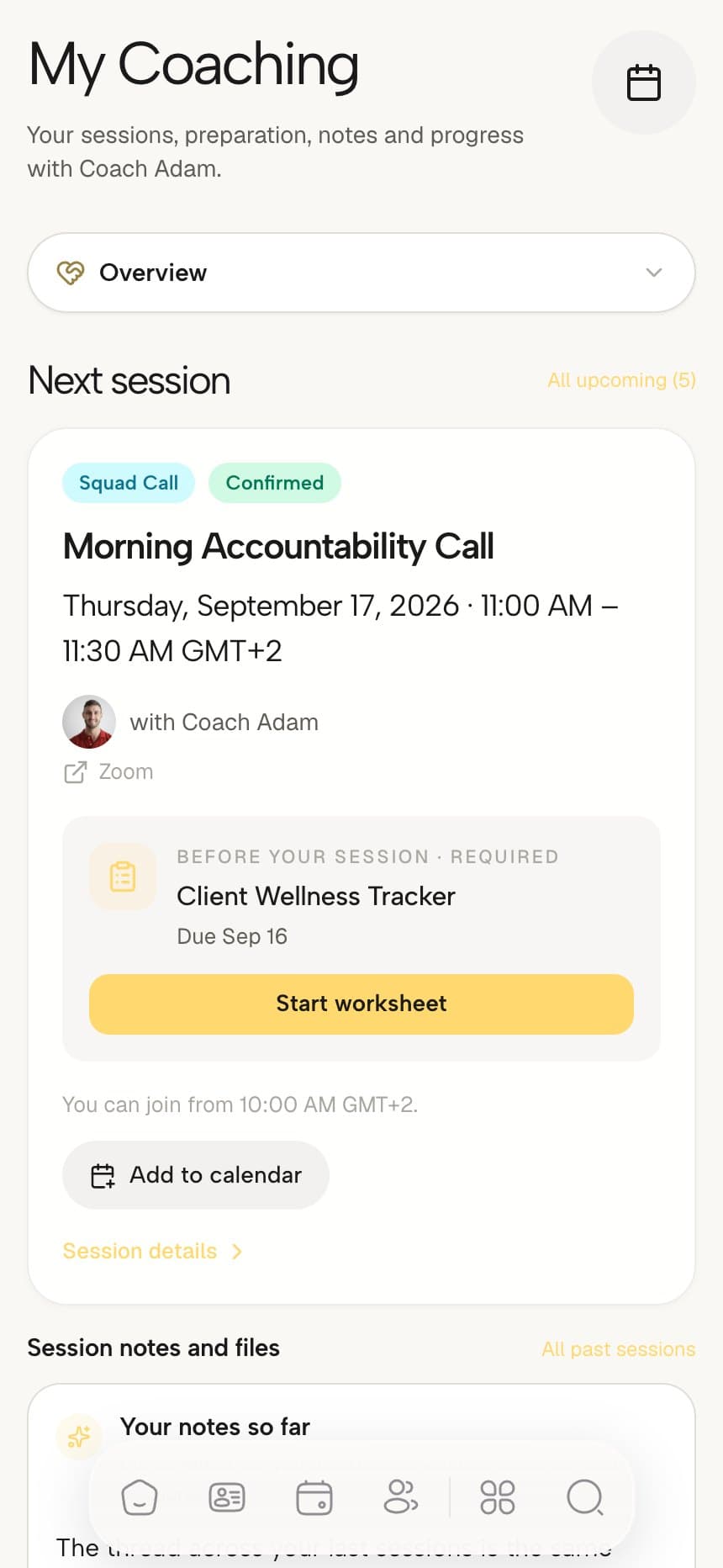
They always know the next thing to do
- Today’s focus tasks, habits and morning and evening check-ins
- The next session with its joining link and prep worksheet
- Chat with you, their program group and the community
- Goals with progress, milestones and a weekly reflection
- The courses, worksheets and downloads you have given them
Want every client-side screen in detail? See the client app tour
From their morning to your evening, nothing falls between apps.
Your clients know what to do today
A client opens the app and lands straight on today. A short list of focus tasks, the habits you set, a morning and an evening check-in and the next session sit on one screen, with their goal and its progress above them. When they tick something off, it shows up on your side.
Lena · Wednesday
18 day streakGoal · due 30 Nov
Own my mornings
3 of 5 milestones
Focus today
1 of 3You see who needs you from your own phone
Sign in as the coach and the same app opens your practice. Every client shows their task completion and a status, next to today's sessions, your own task list and your messages. Between two calls you can spot who has gone quiet this week and message them before Thursday comes around.
Your clients · 12
This week5
Thriving
4
Active
2
Inactive
1
At risk
Lena Hart
Checked in at 7:12
Marcus Reid
3 of 4 tasks this week
Priya Shah
Nothing logged this week
Sam Okafor
Last active 3 days ago
Every conversation sits next to the work
Clients stop sending voice notes on one app and worksheets on another. Chat with you, their program group and the community live in the same app as their tasks, and a session starts from its card. Reminders go out by push and email, with SMS and WhatsApp once messaging is on.
Chat with Lena
DirectThat walk is working. Same again tomorrow, before the inbox.
An AI coach that answers at 11pm, with your rules
Turn on the AI Coach and your clients can message it inside the app, by text or by voice note. You give it a name, a face, a personality and the topics it must stay away from, plus the moments it should send the client back to you. It answers from the client's own program, tasks, habits, check-ins and next session.
11:04 PM · Priya
AI Coach Maya’s assistant
Missed two days. What do I do tonight?
You still have lights out at 22:30 and tonight’s check-in. Want me to add “Prep tomorrow’s three” to today?
Yes please
Added to todaySet by you
Who
8 selected clients
Personality
Warm, direct, brief
Avoid
Medical advice
Hand back
Refunds and pricing
Knowledge
4 documents
Voice notes accepted
Switch on an AI coach for the clients you choose.
Pick every client or a chosen few, give it a name and a face, and see an estimated monthly cost per active client before it goes live.
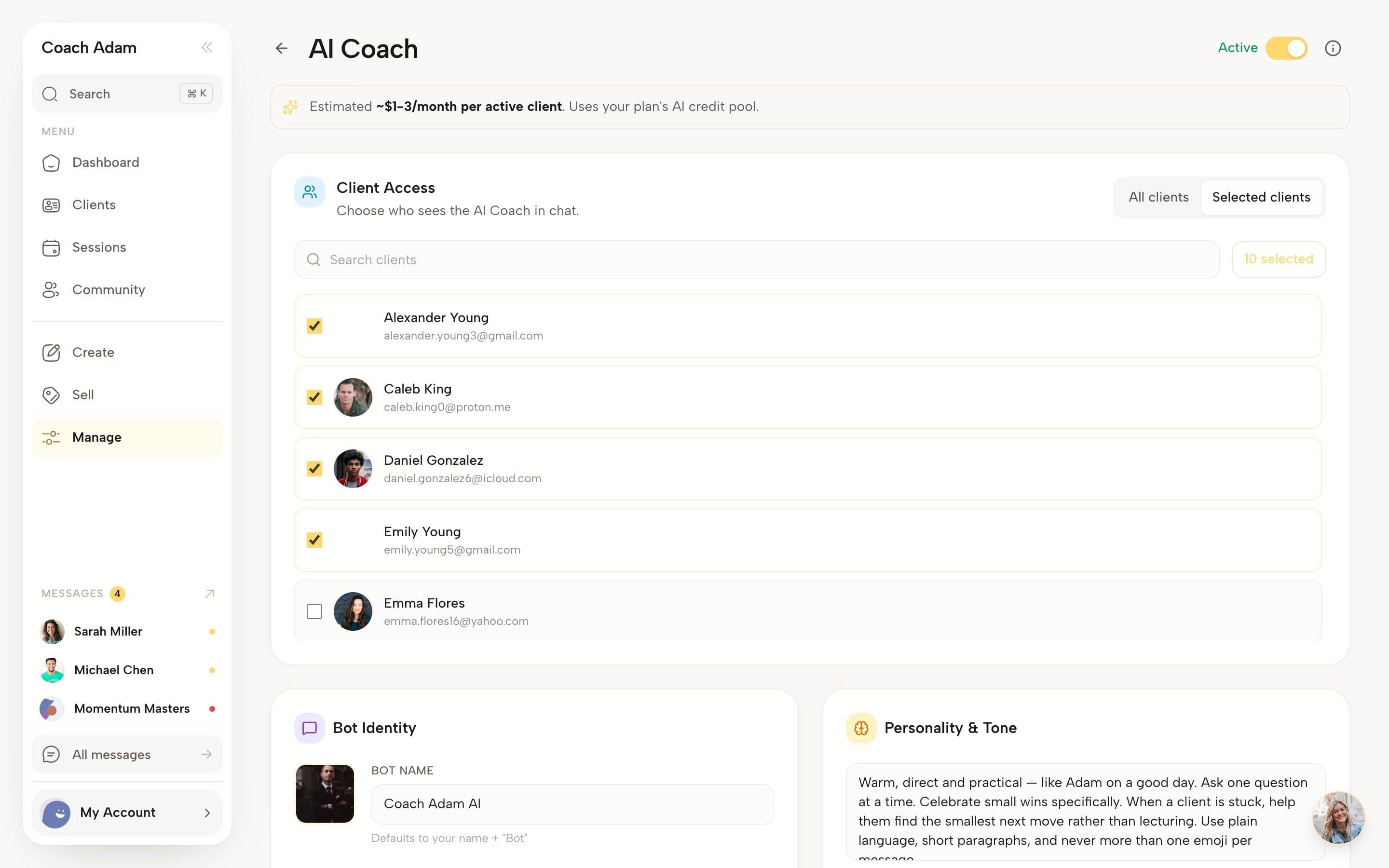
The AI Coach settings, captured from the live product.
The screens that keep clients going between calls.
Four real screens from the client side, as a client sees them on a phone.
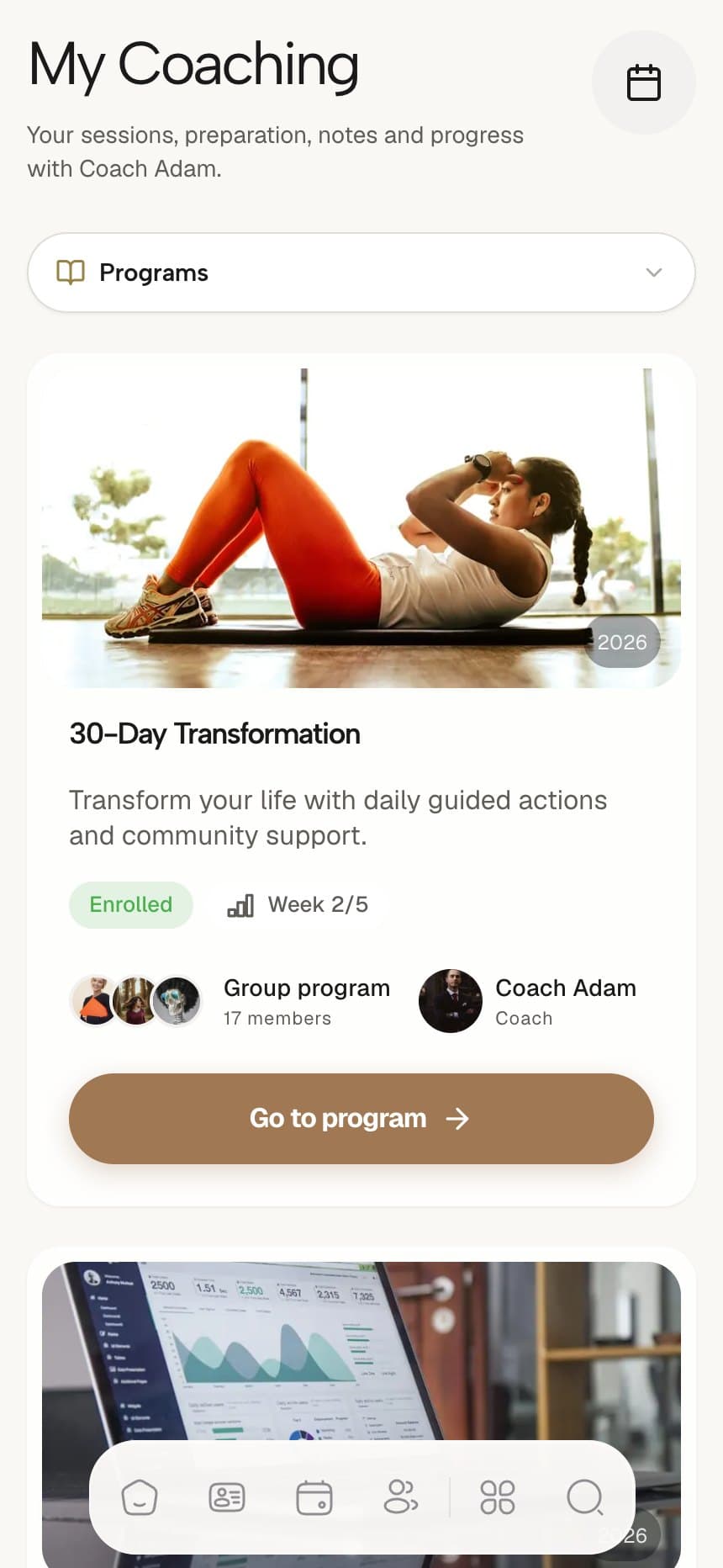
Program
Where they are in the program, and who is in it with them.
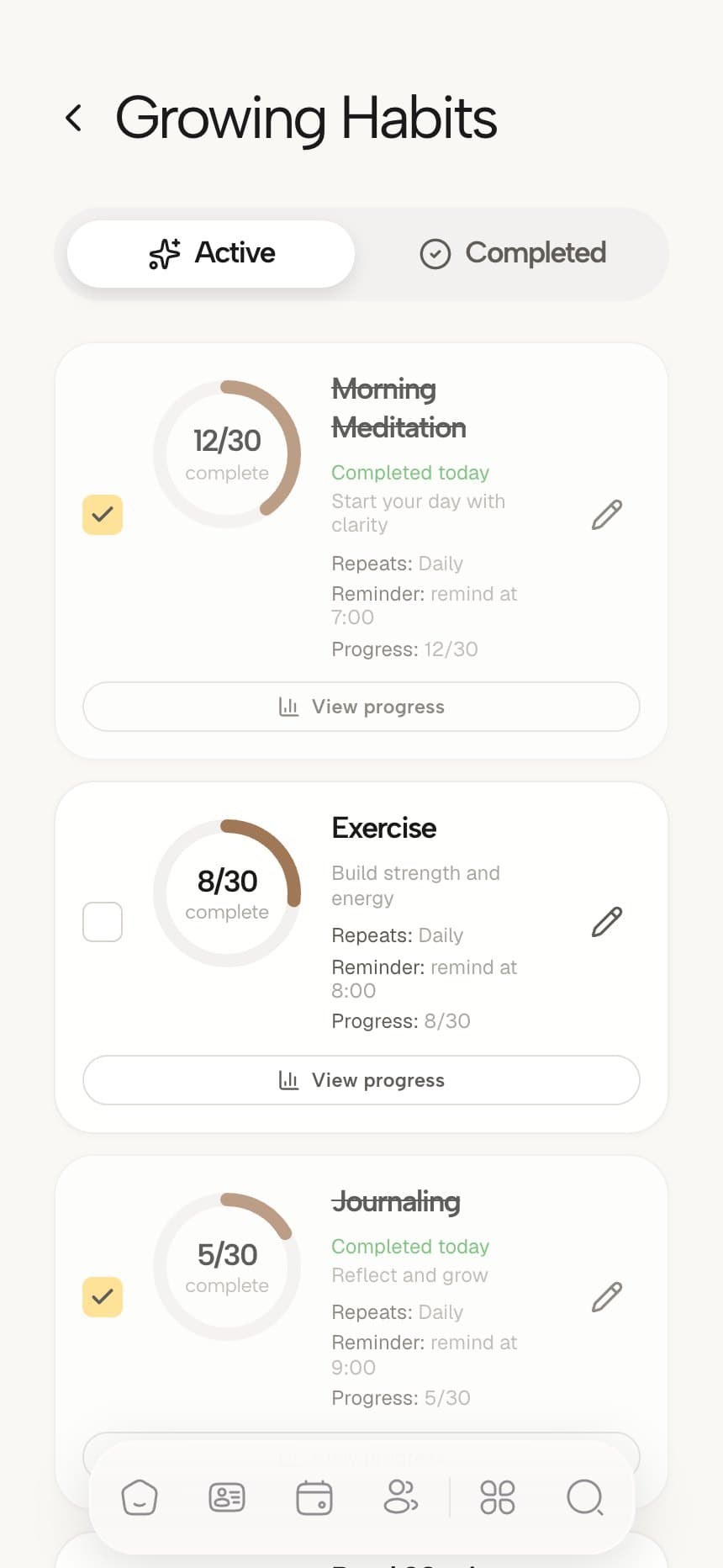
Habits
Every habit counting toward its 30 days, with a daily reminder.
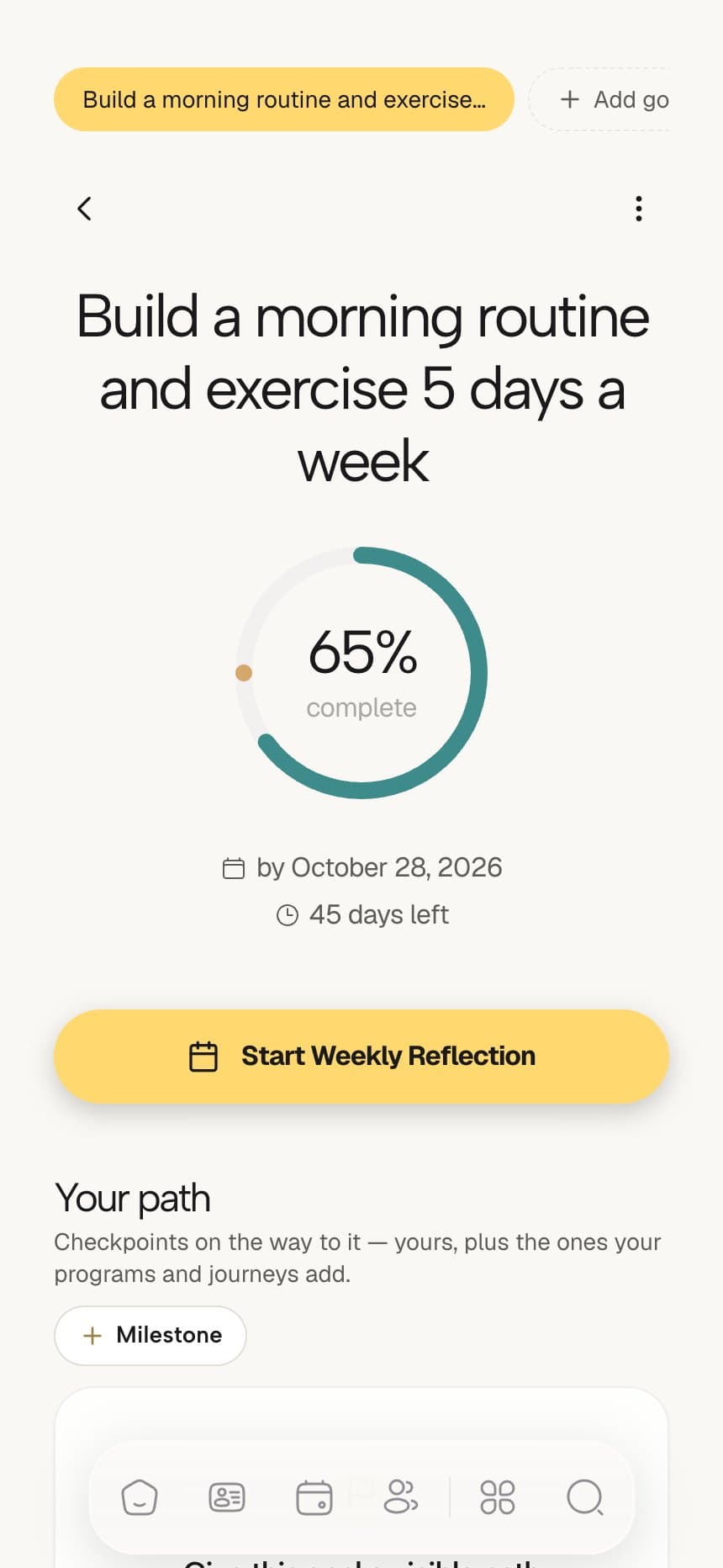
Goals
The goal, how close it is, and the weekly reflection.
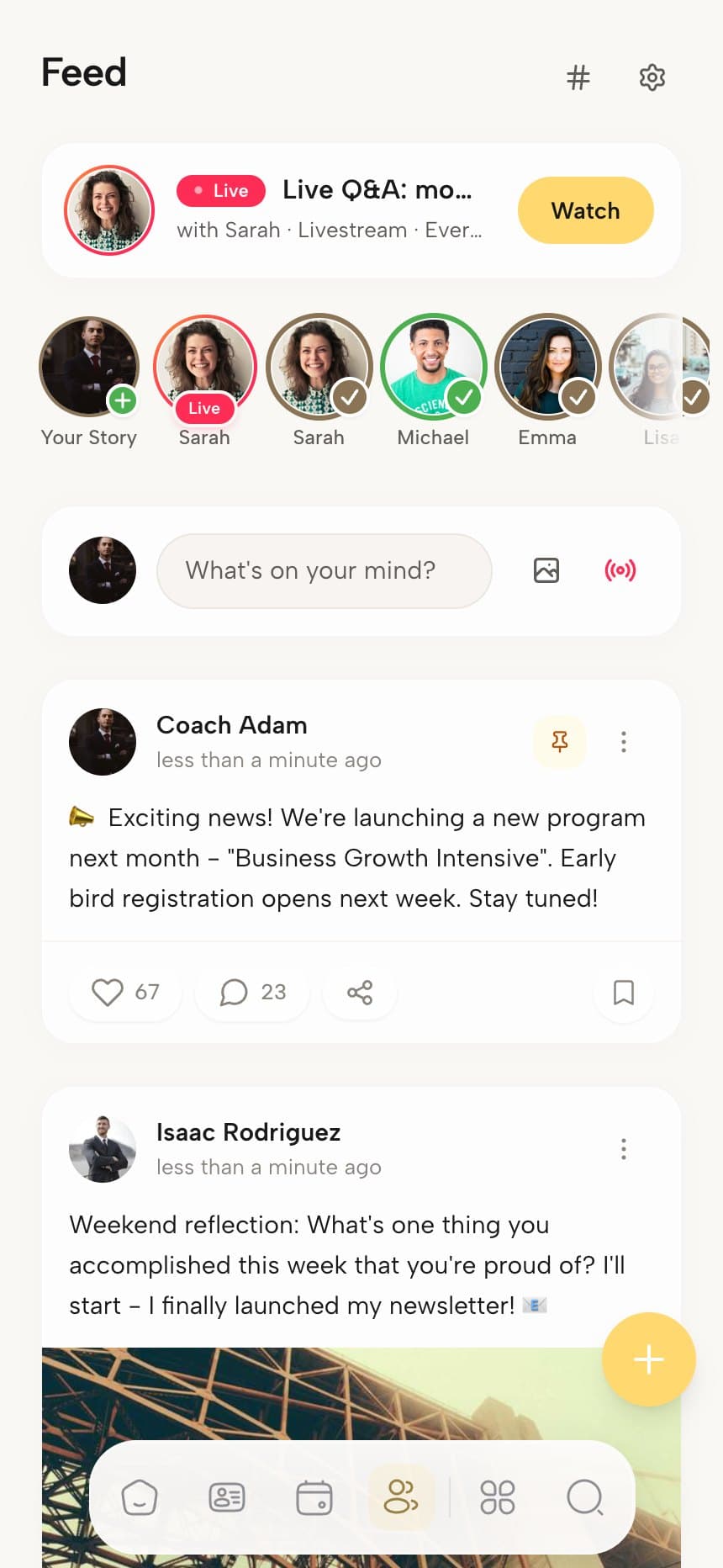
Community
Your feed, live events and the people doing the work too.
The small things that bring clients back tomorrow.
All in your plan, with no per-client charge.
Today, on their
home screen.
Interactive widgets on iPhone and Android. A tap ticks the task or logs the habit without opening the app.
18
day streak
Next session
2:00 PM
Goal review with Maya

Goal review with Maya
Today · 2:00 PM
Calls start from the session card.
Built-in video, or the Zoom, Meet or Teams link created for you.
You choose the four tabs in their dock
Order the client menu once. The first four sit in the phone dock and the rest open from More.
Behind More
My Coaching · My Plan · Discover
Your practice, inside the Coachful app.
There is no separate store listing under your name to set up or keep current. Clients see your brand the moment they sign in.
Free for every client
Only you subscribe. Clients never see a bill from Coachful, on any plan.
Reminders they act on
Push for sessions and messages, plus email, SMS and WhatsApp session reminders once messaging is on.
Everything in the coaching app.
No asterisks and no add-on pricing. This is what you get.
Your clients know what to do today
- A today view with focus tasks (three a day by default) and a backlog for the rest
- Habits with daily reminders, counts and streaks
- Morning and evening check-ins, plus a weekly reflection
- Goals with a progress ring, a deadline and milestones
- The program they are in, with the current week and, in a group program, their group
- The next session with its joining link and any prep worksheet
You see who needs you from your own phone
- Every client with task completion and a status: thriving, active, inactive or at risk
- Today's sessions and their joining links
- Messages with every client, and the community feed you run
- Your own task list, in the order you work
- Michelle, the AI assistant, a tap from the coach dashboard
- A phone dock with Home, Clients, Sessions and Community by default, which you can rearrange
Every conversation sits next to the work
- Direct chat with voice notes, photos, video and files
- Messages you schedule to send later
- Program group chats and a community feed with posts, comments and live events
- Sessions on built-in video, or Zoom, Google Meet and Teams links created for you
- Push notifications for sessions, messages and reminders
- Session reminders by email, plus SMS at 24 hours and WhatsApp at 1 hour once messaging is enabled
An AI coach that answers at 11pm, with your rules
- Available to every client, or only the clients you pick
- Its own name and avatar, with your personality notes and custom instructions
- Topics to avoid, and rules for when to point the client back to you
- Answers from the client's program, tasks, habits, check-ins and next session
- Adds a task or a habit to the client's list when they ask for one
- Draws on the documents you upload to its knowledge base
- Runs on AI credits, with an estimated cost per active client shown before you switch it on
Your logo on every screen they open
Clients download the Coachful app from the App Store or Google Play and sign in with your invitation. From there it looks like your practice: your logo, your colours, your app title and the words you use for things. The app ships under the Coachful listing, so there is no separate store listing under your name to set up or maintain.
- Your logo in light and dark, your accent colour and your app title
- Rename product words in the English interface, so programs can be playbooks or whatever you call them
- You order the client menu: the first four items sit in the phone dock and the rest open from More
- A phone preview in Language & Menus shows exactly what clients will get
- Home screen widgets carry your logo, name and accent colour
- Your own domain for the web version, on plans that include a custom domain
On iPhone, Android and the web, free for every client
Only you subscribe. Clients use the app on iPhone, Android or any browser with the same sign-in, and they never see a bill from Coachful. Home screen widgets put today where they already look, and a tap on a widget ticks the task or logs the habit.
- Native apps on iPhone and Android, plus the same account in any browser
- Interactive home screen widgets on both, plus lock screen and StandBy widgets on iPhone
- Widgets for today, tasks, habits, streaks, goals, the next session, community and programs
- Free for every client you invite, with no per-client charge on any plan
- Clients join by your invitation, by buying an offer, or through a funnel sign-up step
- Their courses, worksheets and downloads in a content library inside the app
Coaches who moved their clients into one app.
“Coachful brings scheduling, payments, client communication, programs, habit tracking and accountability together. Instead of managing several different apps, everything feels more organized and professional — for the coach and the client.”

Margie Wilson
Wounded to Warrior Recovery Coaching
“Coachful has everything a coach needs to manage their practice. It literally has everything I need to attract leads, convert those leads to clients, and deliver content with an incredible interface that has my branding on it.”

John Winders
Founder, SMPL
“A really classy platform that is easy to navigate. I used to string together a website, funnel, CRM, course builder and scheduler. Coachful offers it all in one — and the AI assistant can design all of it. Made for coaches by coaches.”

Gilli Moon Aliotti
CEO, Hummm
Coachful is a coaching app for coaches and their clients, on iPhone, Android and the web.
- Clients
- Sessions
- Payments
- This pagePrograms
- Habits
- Community
- Website
- AI assistant
Plans
7-day free trial · 0% platform fee
What it does
- Gives clients a daily view with focus tasks, habits, morning and evening check-ins, goals and the next session.
- Shows the coach every client with task completion and a thriving, active, inactive or at risk status.
- Runs as native iPhone and Android apps and in the browser, from one account.
- Provides interactive home screen widgets on iPhone and Android, plus lock screen and StandBy widgets on iPhone.
Good to know
- It caps the client menu at six items on mobile and eight on desktop, with at most two custom entries.
- It has no check-in by SMS reply; clients check in inside the app.
- The AI Coach stays off until the coach sets it up, and every reply uses AI credits.

“Seriously. I have tried just about every coaching, booking, learning platform out there. I've tried developing my own.”
Coaching app questions coaches ask
Give your clients an app they open every day
Today on their home screen and your whole client list in your pocket, from one app. Start with a 7-day free trial.



Built for coaches who take their clients seriously


